Read Later APK
Bookmark. Read. Listen. The simple way to manage your reading list.
Scarica l'APK v0.1.104 · 15,2 MB- Versione0.1.104
- Dimensione15,2 MB
- RichiedeAndroid 9
- Aggiornata09/11/2026
- LicenzaMIT
- PrezzoGratis
Informazioni su Read Later
Descrizione fornita dallo sviluppatore (in inglese).
Never lose an interesting article again. Read Later is your all-in-one bookmark manager designed to make reading and learning effortless. Whether you find a great blog post during your commute or a long-form article late at night, save it instantly and consume it on your terms.
We combine a clean, distraction-free reading experience with powerful accessibility features like Text-to-Speech and adaptive theming.
KEY FEATURES:
🔖 Save & Organize
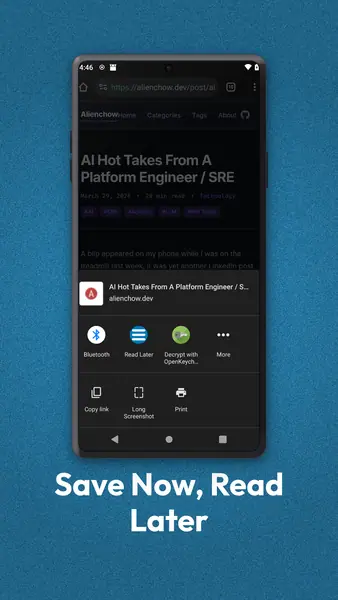
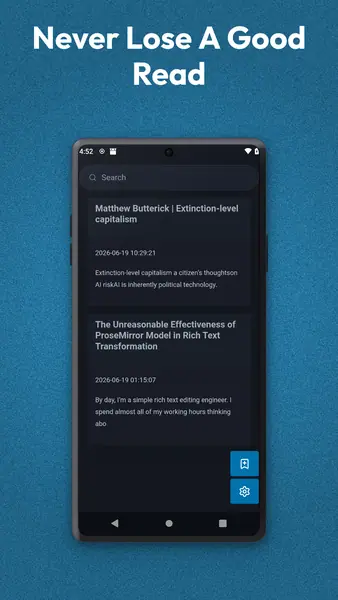
Instantly bookmark articles from your browser or other apps. Keep your reading list organized and accessible in one clean, clutter-free feed. "Save now, read later" has never been this simple.
🎧 Listen on the Go (Text-to-Speech)
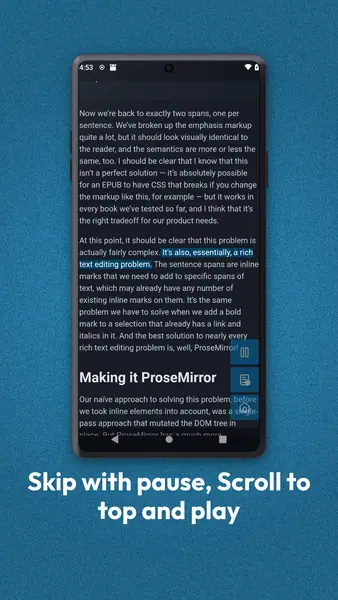
Busy commute? Tired eyes? Turn any saved article into an audio experience.
- High-quality voice output: Converts text to natural-sounding speech.
- Adjustable settings: Customize the pitch and speed in our simple settings menu to match your listening preference.
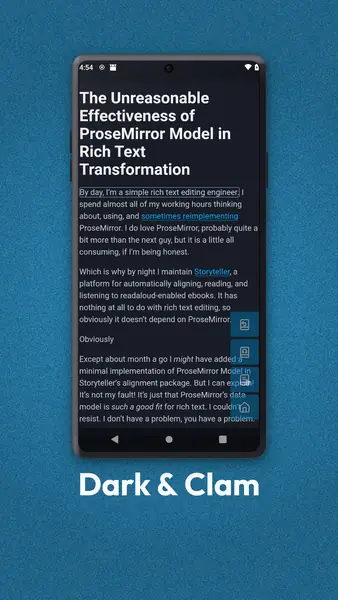
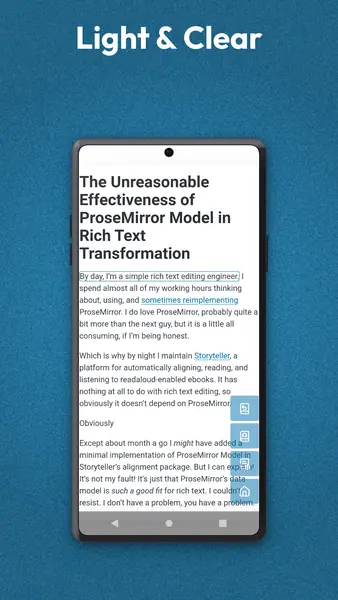
🌙 Read Comfortably Day & Night
Switch between themes to match your environment.
- Dark Mode: Reduce eye strain and save battery during late-night reading sessions.
- Light Mode: Enjoy a crisp, clear reading experience in bright daylight.
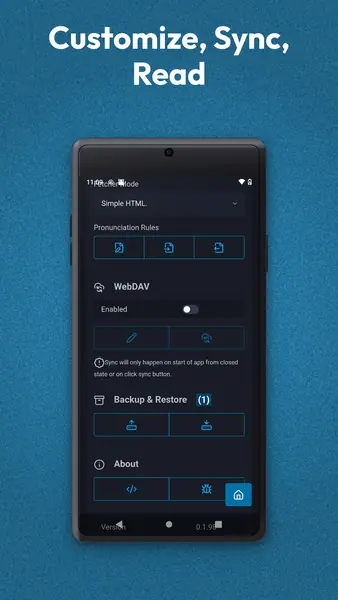
⚙️ Your Experience, Your Way
A minimalist settings menu puts you in control without the clutter. Manage your preferences, adjust audio settings, and customize your interface in seconds.
Why choose Read Later App?
- Zero Clutter: A focus on the content, not the interface.
- Accessibility First: Designed for readers and listeners alike.
- Lightweight & Fast: optimized for performance.
Download Read Later today and build your personal knowledge library.
Informazioni sul file APK
| Nome del pacchetto | io.github.sak.read.it.later |
|---|---|
| Versione | 0.1.104 (codice 1104) |
| Android minimo | Android 9 · pensata per Android 16 |
| Architetture | arm64-v8a |
| SHA-256 | aa03c2ee742a02045cfa64305cb15e0cbaf1004e2f11c8275529a7f42dfa5b67 |
| Firma | ed3f4d85af06e1fe0ab487df5a12ce9bc9df0bdc75229cb92cf5c0ecc820cfe1 |
| Licenza | MIT — licenza libera permissiva: il codice sorgente è pubblico e riutilizzabile |
| Codice sorgente | github.com/sak96/read_later |
| Sito ufficiale | sak96.github.io/read_later/ |
Autorizzazioni richieste
- Accesso a Internet
- Funzionare in background
- Mostrare notifiche
- Impedire lo standby
Versioni precedenti
- Read Later 0.1.1049 novembre 2026 · 15,2 MB
- Read Later 0.1.1034 novembre 2026 · 15,2 MB
- Read Later 0.1.1021 novembre 2026 · 15,2 MB
Come installare Read Later APK
- Tocca Scarica l'APK qui sopra, poi apri il file al termine del download.
- Se Android lo chiede, consenti al browser di installare app sconosciute.
- Tocca Installa. Read Later comparirà insieme alle altre app.
→ Come installare un file APK su Android (passo passo)
→ «App non installata»: cause e soluzioni
Domande frequenti
Read Later è gratis?
Sì. Read Later è distribuita con licenza MIT: gratuita, senza abbonamento e con codice sorgente pubblico.
Questo file APK è sicuro?
Il file è quello compilato e pubblicato dal repository F-Droid a partire dal codice sorgente pubblico. L'impronta SHA-256 è indicata qui sopra: puoi confrontarla dopo il download. Un APK è pericoloso? Come verificare un file prima di installarlo
Read Later funziona sul mio telefono?
Serve almeno Android 9. L'app funziona anche senza i servizi Google, quindi anche sui telefoni Huawei recenti.