FakeTraveler APK
位置情報を偽装
APK をダウンロード v2.3.2 · 5.3 MB- バージョン2.3.2
- サイズ5.3 MB
- 必要環境Android 5.0
- 更新日2026/5/7
- ライセンスGPL-3.0-or-later
- 価格無料
FakeTraveler について
開発者による説明(英語)。
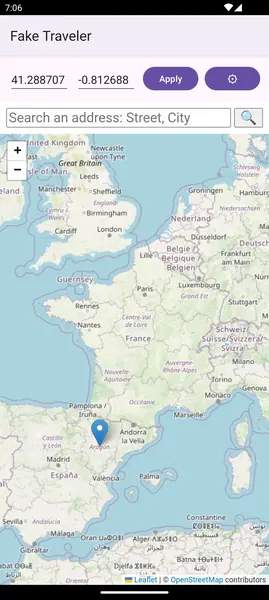
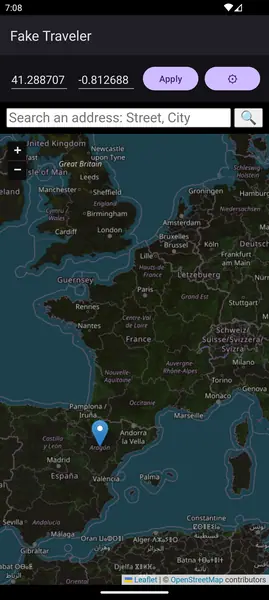
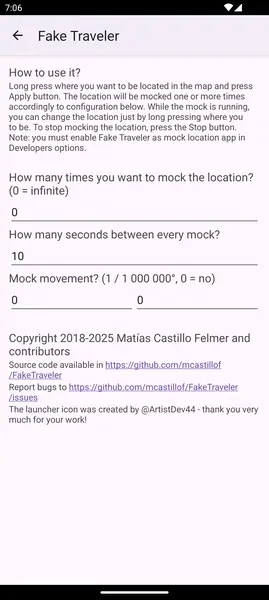
Sometimes you need to fake the location of your device (for privacy or to test an app). Fake Traveler provides you a map to select the location where you want your phone to be. Long press in the map and tap Apply button. Tapping the gear (⚙) button (formerly the "..." button) will show two settings to mock the location over a period of time. No root needed as it uses a developers option to mock the location in your device.
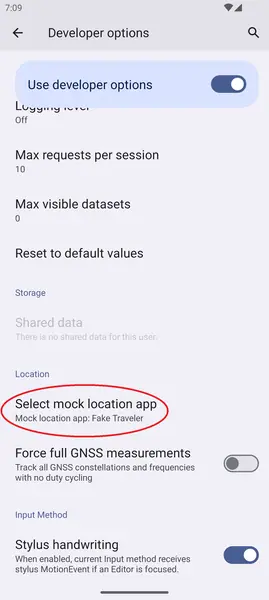
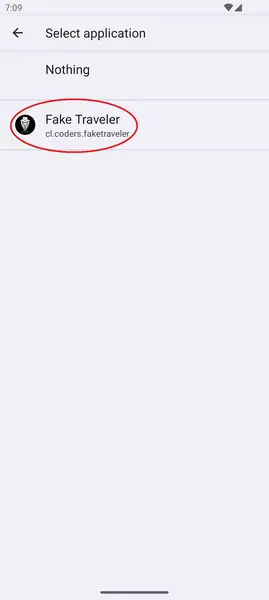
Requirements: In order to work, you need to allow Fake Traveler to mock locations. You have to enable Developer options and select this app in Settings/System/Developer options/Select mock location app option.
バージョン 2.3.2 の新機能
- Show full error/info messages in app
APK ファイルの情報
| パッケージ名 | cl.coders.faketraveler |
|---|---|
| バージョン | 2.3.2 (コード 232) |
| 最低 Android バージョン | Android 5.0 · 対象 Android 16 |
| アーキテクチャ | すべて(ユニバーサル) |
| SHA-256 | ef0e17396f31773571f930901d8fc319840549f18a54d4bd0d0fb0313ececc6b |
| 署名 | fa1b47d62ebece2130e33a22186c622bcfe2f2b9a3d5c14438ad94078093682c |
| ライセンス | GPL-3.0-or-later — コピーレフト型の自由ライセンス:コードは公開され、改変版も自由である必要があります |
| ソースコード | github.com/mcastillof/FakeTraveler |
権限
- インターネット接続
- おおよその位置情報 要注意
- 正確な位置情報(GPS) 要注意
その他の技術的な権限(1 件)
ACCESS_MOCK_LOCATION
以前のバージョン
- FakeTraveler 2.3.22026年5月7日 · 5.3 MB
- FakeTraveler 2.3.12026年4月8日 · 5.3 MB
- FakeTraveler 2.3.02026年3月2日 · 5.3 MB
FakeTraveler APK のインストール方法
- 上のAPK をダウンロードをタップし、ダウンロード後にファイルを開きます。
- Android に確認されたら、ブラウザに不明なアプリのインストールを許可します。
- インストールをタップします。FakeTraveler がほかのアプリと一緒に表示されます。
→ Android に APK ファイルをインストールする方法(手順付き)
→ 「アプリはインストールされていません」:原因と対処法
よくある質問
FakeTraveler は無料ですか?
はい。FakeTraveler は GPL-3.0-or-later ライセンスで配布されており、無料・サブスクリプション不要で、ソースコードも公開されています。
この APK ファイルは安全ですか?
このファイルは F-Droid リポジトリが公開ソースコードからビルドして公開したものです。SHA-256 フィンガープリントを上に記載しているので、ダウンロード後に照合できます。 APK は危険?インストール前にファイルを確認する方法
FakeTraveler は自分のスマホで動きますか?
Android 5.0 以上が必要です。Google サービスがなくても動作するため、最近の Huawei 端末でも使えます。