
FakeTraveler APK
여러분의 위치를 속이세요
APK 다운로드 v2.3.2 · 5.3 MB- 버전2.3.2
- 크기5.3 MB
- 요구 사항Android 5.0
- 업데이트2026. 5. 7.
- 라이선스GPL-3.0-or-later
- 가격무료
FakeTraveler 소개
개발자가 제공한 설명(영어)입니다.
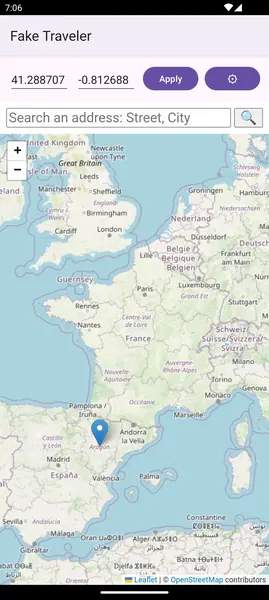
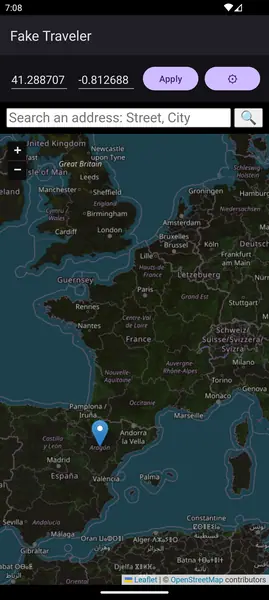
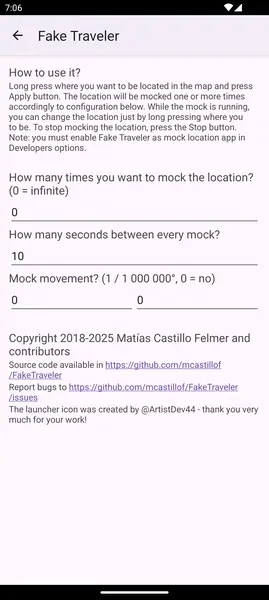
Sometimes you need to fake the location of your device (for privacy or to test an app). Fake Traveler provides you a map to select the location where you want your phone to be. Long press in the map and tap Apply button. Tapping the gear (⚙) button (formerly the "..." button) will show two settings to mock the location over a period of time. No root needed as it uses a developers option to mock the location in your device.
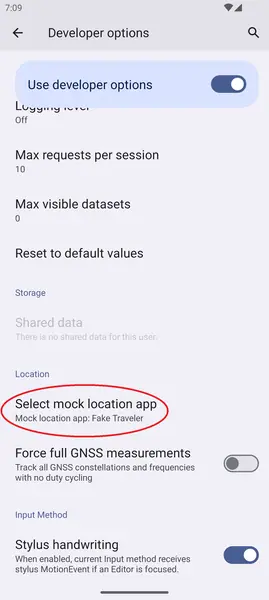
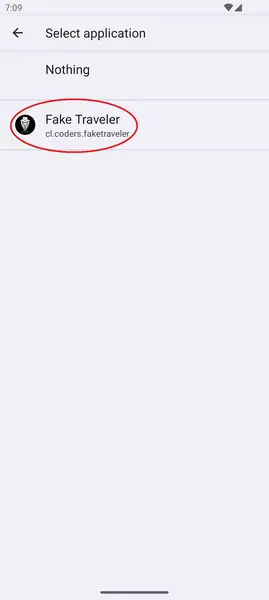
Requirements: In order to work, you need to allow Fake Traveler to mock locations. You have to enable Developer options and select this app in Settings/System/Developer options/Select mock location app option.
2.3.2 버전의 새로운 기능
- Show full error/info messages in app
APK 파일 정보
| 패키지 이름 | cl.coders.faketraveler |
|---|---|
| 버전 | 2.3.2 (코드 232) |
| 최소 안드로이드 | Android 5.0 · 대상 Android 16 |
| 아키텍처 | 전체 (유니버설) |
| SHA-256 | ef0e17396f31773571f930901d8fc319840549f18a54d4bd0d0fb0313ececc6b |
| 서명 | fa1b47d62ebece2130e33a22186c622bcfe2f2b9a3d5c14438ad94078093682c |
| 라이선스 | GPL-3.0-or-later — 카피레프트 자유 라이선스: 코드가 공개되어 있으며 수정본도 자유로워야 합니다 |
| 소스 코드 | github.com/mcastillof/FakeTraveler |
권한
- 인터넷 접근
- 대략적인 위치 민감
- 정확한 위치 (GPS) 민감
기타 기술 권한 1개
ACCESS_MOCK_LOCATION
이전 버전
- FakeTraveler 2.3.22026년 5월 7일 · 5.3 MB
- FakeTraveler 2.3.12026년 4월 8일 · 5.3 MB
- FakeTraveler 2.3.02026년 3월 2일 · 5.3 MB
FakeTraveler APK 설치 방법
- 위의 APK 다운로드를 누르고, 다운로드가 끝나면 파일을 여세요.
- 안드로이드가 묻는 경우 브라우저에 출처를 알 수 없는 앱 설치를 허용하세요.
- 설치를 누르세요. FakeTraveler이(가) 다른 앱과 함께 표시됩니다.
자주 묻는 질문
FakeTraveler은(는) 무료인가요?
네. FakeTraveler은(는) GPL-3.0-or-later 라이선스로 배포되며, 무료이고 구독이 필요 없으며 소스 코드가 공개되어 있습니다.
이 APK 파일은 안전한가요?
이 파일은 F-Droid 저장소가 공개 소스 코드로 빌드해 배포한 것입니다. 위에 SHA-256 지문이 표시되어 있으니 다운로드 후 비교할 수 있습니다. APK는 위험할까? 설치 전에 파일 확인하는 방법
FakeTraveler이(가) 내 휴대폰에서 작동하나요?
최소 Android 5.0 이상이 필요합니다. 구글 서비스 없이도 작동하므로 최신 화웨이 휴대폰에서도 사용할 수 있습니다.


