
SuperFreezZ APK
SuperFreezZ: App stopper
활성화된 모든 백그라운드 앱의 프리징
APK 다운로드 v1.1 · 2.4 MB- 버전1.1
- 크기2.4 MB
- 요구 사항Android 4.0
- 업데이트2026. 4. 28.
- 라이선스GPL-3.0-or-later
- 가격무료

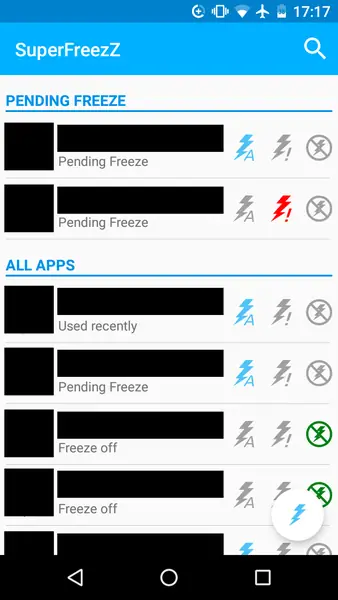
SuperFreezZ 소개
개발자가 제공한 설명(영어)입니다.
Android app making it possible to entirely freeze all background activities of any app.
A note to everyone who was supporting SuperFreezZ over the years:
SuperFreezZ was my first "real" programming project, and I was incredibly happy about strangers donating to me and translating the app into languages I never heard of, and all the positive feedback I received. My start into the world of free and open source software couldn't have been better.
It is hard to imagine now that back in 2018, when I made my first commit, I barely knew how to program at all. I didn't know where to start, so I just forked an app called "APK Extractor", and started finding out. I learned how to organize a (small) codebase, how to interact with a small-but-supportive community, and how to stay focused when there are lots of nice features that could be implemented.
But the time has come to slowly wind down SuperFreezZ. These days, Android devices make it harder and harder for an app like SuperFreezZ to work properly. Also, Android devices are anyways restricting the amount of time an app is allowed to run in the background, making an app like SuperFreezZ less essential (without giving the user control over it, though). Myself, I am mostly busy working on other projects these days (mainly "Delta Chat" and "Chatmail").
It's not over yet, though! If you have an old and slow phone, or if you like that SuperFreezZ gives you control over which app runs and which does not, then enjoy. And who knows, maybe one day, I will revisit this first project of mine, adding more of the features that were asked for over the years, or maybe someone will fork it.
If SuperFreezZ does not work for you, here are a few alternatives I found on F-Droid (though I can't personally vouch for them):
- "Force Stop Helper": Similar to SuperFreezZ, with less features but still maintained, and you need to press "Force Stop" by yourself
- "Drowser": Uses Root to prevent apps from running in the background
- "Shelter": Allows you to isolate apps (and optionally to keep them from running in the background), but requires some extra storage to work
Thanks again for being part of this!
If you want to try out SuperFreezZ, here you go:
SuperFreezZ
- Get back control over what runs on your phone
- Enhance battery life and reduce mobile data usage by freezing rarely used apps
- Especially useful while you are on a tour, where you need only some apps but a long battery life
Greenify can also do this, but it is not Open Source.
SuperFreezZ is not yet another task manager promising to delete 10 GB of data per month or making your device 2x as fast. This is impossible.
Instead, SuperFreezZ is honest about its disadvantages: Freezing daily used apps probably drains your battery a little faster. Also, these apps will take longer to start when you use them the next time: SuperFreezZ will super freeze your apps, it takes about 1-3 seconds to un-freeze them. Greenify has the same disadvantages, except that the author of Greenify does not warn you about it. So: Just do not overdo it, and SuperFreezZ will be super useful.
Examples for apps that deserve to be frozen:
- Untrusted apps (that you do not want to run in the background)
- Apps you rarely use
- Annoying apps
Features
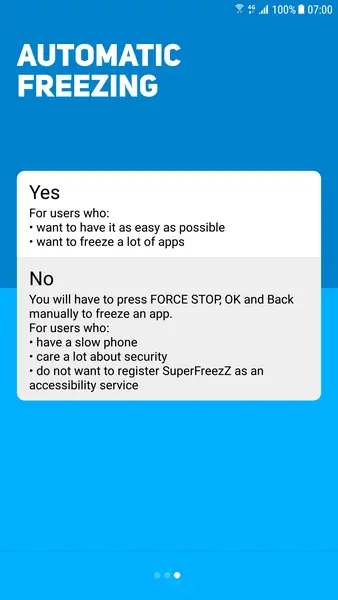
- Optionally works without accessibility service as this slows down the device
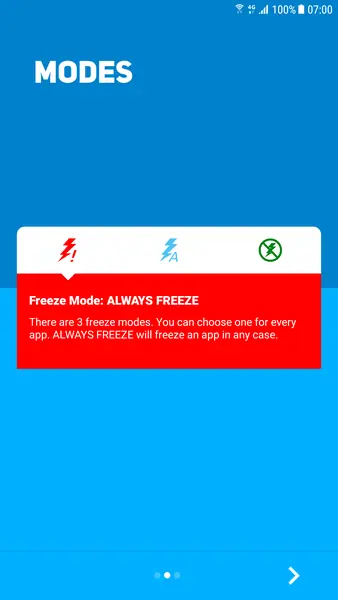
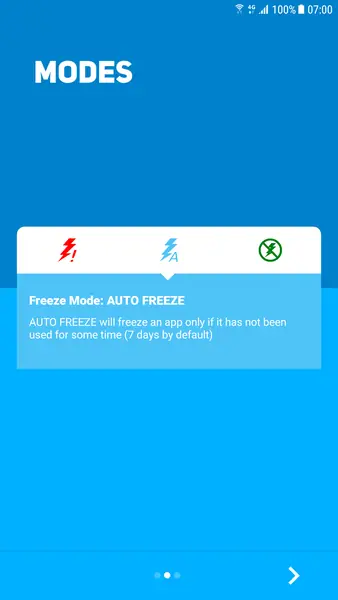
- Can freeze only apps not used for a week (can be configured)
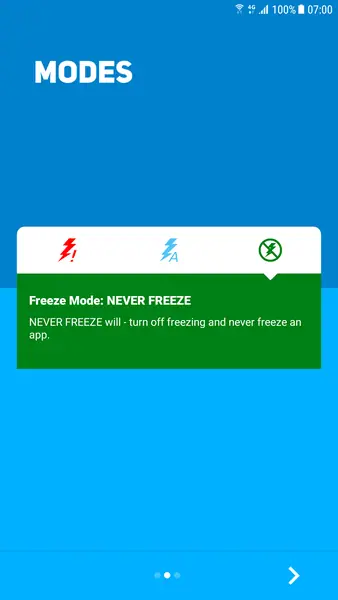
- Choose a white list (freeze all by standard) or a black list (do not freeze anything by standard)
- Can freeze apps when the screen goes off
- Options to freeze system apps and even SuperFreezZ itself
- Completely open source and free software
1.1 버전의 새로운 기능
- Add a note about winding down SuperFreezZ
- Update translations
- Update internal list of F-Droid apps that are not frozen automatically
APK 파일 정보
| 패키지 이름 | superfreeze.tool.android |
|---|---|
| 버전 | 1.1 (코드 1001) |
| 최소 안드로이드 | Android 4.0 · 대상 Android 10 |
| 아키텍처 | 전체 (유니버설) |
| SHA-256 | 09abdca43d35df17040901e3bca6d6f97cb4a90c76845d01c7ab9ab08f44d152 |
| 서명 | 0674bbfc6d3c527c189ec0ed5384cb3ff48bc42ddc931900cf51e7a05f25a477 |
| 라이선스 | GPL-3.0-or-later — 카피레프트 자유 라이선스: 코드가 공개되어 있으며 수정본도 자유로워야 합니다 |
| 소스 코드 | gitlab.com/SuperFreezZ/SuperFreezZ |
| 공식 웹사이트 | superfreezz.gitlab.io/ |
권한
- 절전 모드 방지
기타 기술 권한 3개
DISABLE_KEYGUARD WRITE_SETTINGS PACKAGE_USAGE_STATS
이전 버전
- SuperFreezZ 1.12026년 4월 28일 · 2.4 MB
- SuperFreezZ 1.02023년 4월 17일 · 2.4 MB
- SuperFreezZ 0.16.12021년 9월 22일 · 2.4 MB
SuperFreezZ APK 설치 방법
- 위의 APK 다운로드를 누르고, 다운로드가 끝나면 파일을 여세요.
- 안드로이드가 묻는 경우 브라우저에 출처를 알 수 없는 앱 설치를 허용하세요.
- 설치를 누르세요. SuperFreezZ이(가) 다른 앱과 함께 표시됩니다.
자주 묻는 질문
SuperFreezZ은(는) 무료인가요?
네. SuperFreezZ은(는) GPL-3.0-or-later 라이선스로 배포되며, 무료이고 구독이 필요 없으며 소스 코드가 공개되어 있습니다.
이 APK 파일은 안전한가요?
이 파일은 F-Droid 저장소가 공개 소스 코드로 빌드해 배포한 것입니다. 위에 SHA-256 지문이 표시되어 있으니 다운로드 후 비교할 수 있습니다. APK는 위험할까? 설치 전에 파일 확인하는 방법
SuperFreezZ이(가) 내 휴대폰에서 작동하나요?
최소 Android 4.0 이상이 필요합니다. 구글 서비스 없이도 작동하므로 최신 화웨이 휴대폰에서도 사용할 수 있습니다.

