
Amarok APK
클릭 한 번으로 개인 파일과 앱을 숨기세요.
APK 다운로드 v0.9.3 · 6.1 MB- 버전0.9.3
- 크기6.1 MB
- 요구 사항Android 8.0
- 업데이트2025. 1. 30.
- 라이선스Apache-2.0
- 가격무료
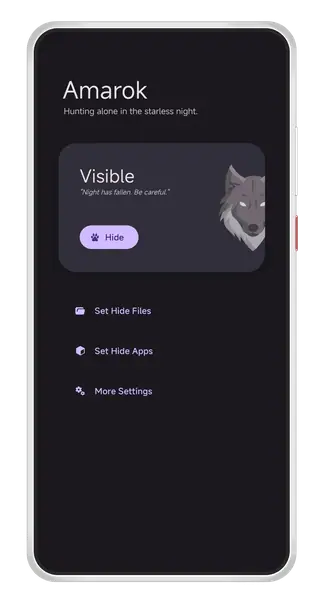
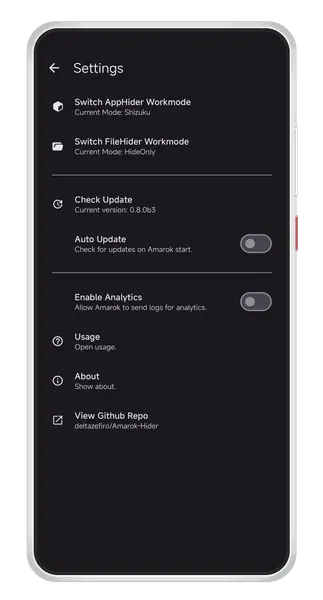
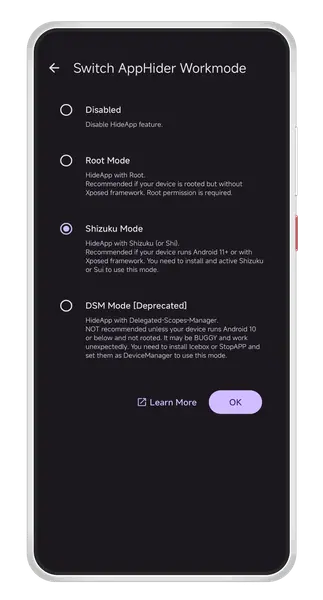
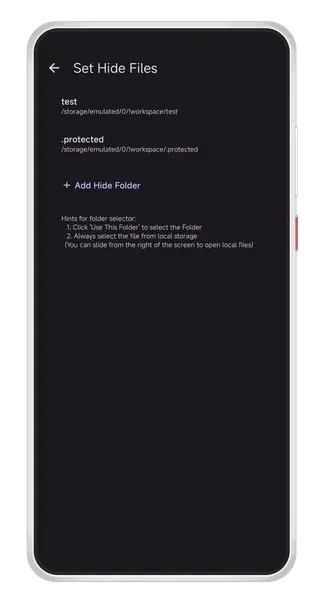
Amarok 소개
Amarok is an Android application which enables you to hide your private files & apps with just one click.
Often, we resort to complex encryptors to secure our files and apps, aiming to shield them from prying eyes. These encryptors, while effective, tend to be slow and resource-intensive, making the encryption of large files such as videos and music a daunting task. Despite their robust security, these methods are often overkill for the average user who simply wish to keep their private files and apps out of unintentional reach.
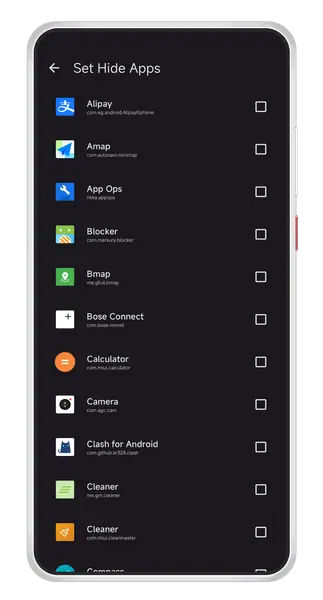
Amarok is designed to be a light-weight hider. It disguises file names and headers, causing them to seem "corrupted" and unopenable. Amarok also deactivates applications, rendering them invisible in the launcher and system menu.
Features
- User-Friendly: Easily hide files and applications with a single click.
- Rapid and Efficient Large File Hiding: Hides by altering only file name and signature, unaffected by file size.
- Root-Free Application Hiding: Makes apps vanish from the launcher. Compatible with Root, Shizuku, Dhizuku, and DSM modes.
- Panic button: Use a floating button to quickly hide applications and files in urgent scenarios.
- Quick Settings Tile: A control center toggle for immediate hiding, bypassing the need to launch the app.
- App Lock: Secure Amarok access with a password or fingerprint.
- Pleasant Interface: Clean Material3 design.
Please be aware that Amarok is not an encryption software, but rather a tool for hiding things. We strongly advise against using Amarok to protect confidential files and applications.
0.9.3 버전의 새로운 기능
v0.9.3
- Support invert tile color (#167)
- Add warning when user attempts to hide root related apps
- Community translations update (see GitHub for the full list)
APK 파일 정보
| 패키지 이름 | deltazero.amarok.foss |
|---|---|
| 버전 | 0.9.3 (코드 118) |
| 최소 안드로이드 | Android 8.0 · 대상 Android 14 |
| 아키텍처 | 전체 (유니버설) |
| SHA-256 | 468ec64e06ffc94c28f86eae4dc0ea18422d320c7a3dfd50c24b10f082548d88 |
| 서명 | 892283816c4dffae8375a53abae349d4a57432c9fccfc061e06d37a7396794e6 |
| 라이선스 | Apache-2.0 — 허용형 자유 라이선스: 소스 코드가 공개되어 있고 재사용할 수 있습니다 |
| 소스 코드 | github.com/deltazefiro/Amarok-Hider |
| 공식 웹사이트 | deltazefiro.github.io/Amarok-doc/ |
권한
- 저장공간 읽기
- 저장공간 쓰기
- 모든 파일 접근 민감
- 설치된 앱 보기 민감
- 다른 앱 위에 표시 민감
- 백그라운드 실행
- 알림 표시
- 지문 / 생체 인식
- 지문
- 절전 모드 방지
- 네트워크 상태 보기
- 부팅 시 실행
이전 버전
- Amarok 0.9.32025년 1월 30일 · 6.1 MB
- Amarok 0.9.22024년 7월 21일 · 6.0 MB
- Amarok 0.9.12024년 6월 12일 · 6.0 MB
Amarok APK 설치 방법
- 위의 APK 다운로드를 누르고, 다운로드가 끝나면 파일을 여세요.
- 안드로이드가 묻는 경우 브라우저에 출처를 알 수 없는 앱 설치를 허용하세요.
- 설치를 누르세요. Amarok이(가) 다른 앱과 함께 표시됩니다.
자주 묻는 질문
Amarok은(는) 무료인가요?
네. Amarok은(는) Apache-2.0 라이선스로 배포되며, 무료이고 구독이 필요 없으며 소스 코드가 공개되어 있습니다.
이 APK 파일은 안전한가요?
이 파일은 F-Droid 저장소가 공개 소스 코드로 빌드해 배포한 것입니다. 위에 SHA-256 지문이 표시되어 있으니 다운로드 후 비교할 수 있습니다. APK는 위험할까? 설치 전에 파일 확인하는 방법
Amarok이(가) 내 휴대폰에서 작동하나요?
최소 Android 8.0 이상이 필요합니다. 구글 서비스 없이도 작동하므로 최신 화웨이 휴대폰에서도 사용할 수 있습니다.

