
Authnkey APK
Passkey credential provider for hardware security keys
Baixar APK v1.2.6 · 2,7 MB- Versão1.2.6
- Tamanho2,7 MB
- RequerAndroid 14
- Atualizado27/08/2026
- LicençaMIT
- PreçoGrátis
Sobre o Authnkey
Descrição fornecida pelo desenvolvedor (em inglês).
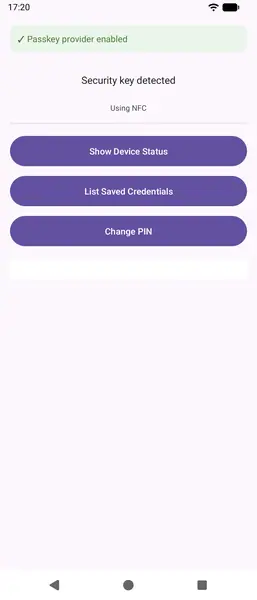
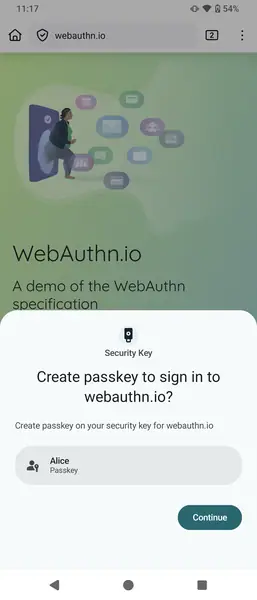
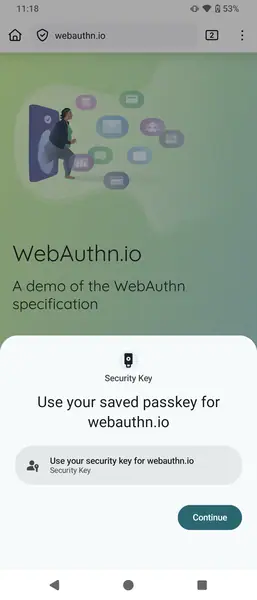
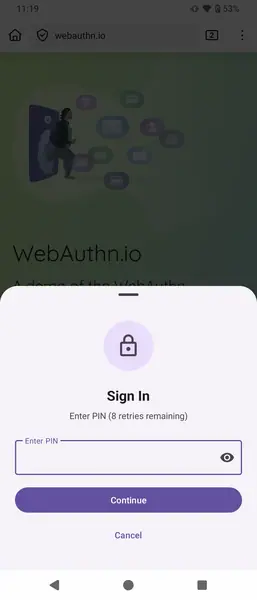
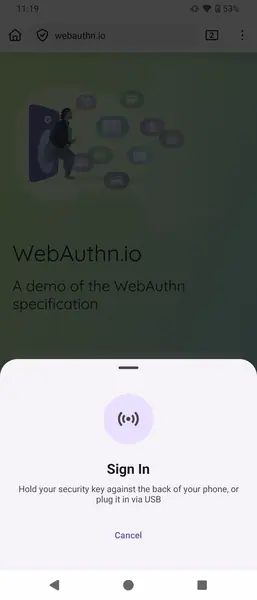
Authnkey is a credential provider that lets you use FIDO2 security keys (like YubiKey, SoloKey, Nitrokey, or Token2) for passkey authentication on Android.
Many security keys don't fully work on Android: no PIN entry, no passkeys, just basic tap-to-authenticate.
Authnkey fixes that.
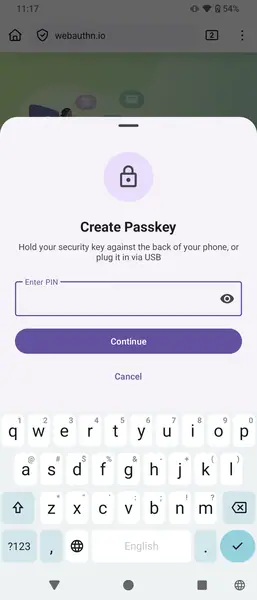
Install it, enable it in your phone's settings, and your FIDO2 security key or smartcard gains full passkey support over NFC and USB, including PIN and fingerprint verification and stored passkeys.
You can also manage your key right from the app: view and delete stored passkeys, and set or change its PIN.
Requires Android 14+ and a FIDO2-compatible security key or smartcard.
Novidades da versão 1.2.6
- Show progress and errors while loading passkeys in credential management
- Add a button to copy device info to the clipboard
- Show clearer errors when NFC or USB communication fails
- Report the transports advertised by the key when creating a passkey
- Detect when the security key is unplugged
- Fix sign-in on accounts with many passkeys
Informações do arquivo APK
| Nome do pacote | pl.lebihan.authnkey |
|---|---|
| Versão | 1.2.6 (código 13) |
| Android mínimo | Android 14 · feito para API 37 |
| Arquiteturas | Todas (universal) |
| SHA-256 | 3fb0f30f44dba854760feefefe5992bd10edafca551eed14eb79708732789f7e |
| Assinatura | bbf5d7bed82b5b9b9f8d9825e620464c8a28ed6c7a1eb098dfc1f972df9c580b |
| Licença | MIT — licença livre permissiva: o código-fonte é público e reutilizável |
| Código-fonte | github.com/mimi89999/Authnkey |
Permissões solicitadas
- NFC
- Digital / biometria
- Impressão digital
Versões anteriores
- Authnkey 1.2.627 de agosto de 2026 · 2,7 MB
- Authnkey 1.2.55 de agosto de 2026 · 2,7 MB
- Authnkey 1.2.418 de junho de 2026 · 2,4 MB
Como instalar o Authnkey APK
- Toque em Baixar APK acima e abra o arquivo quando o download terminar.
- Se o Android pedir, permita que o navegador instale apps desconhecidos.
- Toque em Instalar. O Authnkey aparecerá junto aos seus outros apps.
→ Como instalar um arquivo APK no Android (passo a passo)
→ "App não instalado": causas e soluções
Perguntas frequentes
O Authnkey é grátis?
Sim. O Authnkey é distribuído sob a licença MIT: grátis, sem assinatura e com código-fonte público.
Este arquivo APK é seguro?
O arquivo é o compilado e publicado pelo repositório F-Droid a partir do código-fonte público. A impressão digital SHA-256 aparece acima para você comparar depois do download. APK é perigoso? Como verificar um arquivo antes de instalar
O Authnkey funciona no meu celular?
É preciso ter pelo menos Android 14. O app também funciona sem os serviços do Google, inclusive em celulares Huawei recentes.





