
Automation APK
Automate stuff on your device by creating rules.
Baixar APK v1.8.8 · 5,7 MB- Versão1.8.8
- Tamanho5,7 MB
- RequerAndroid 4.4
- Atualizado26/08/2026
- LicençaGPL-3.0-or-later
- PreçoGrátis
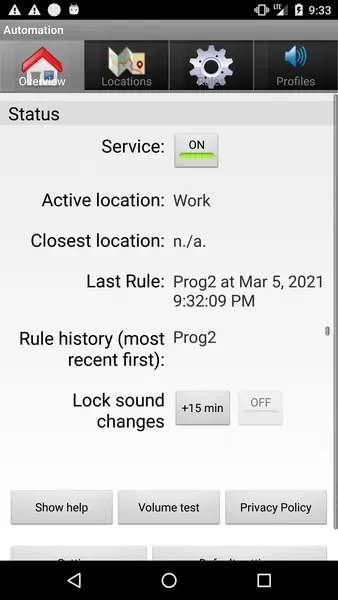
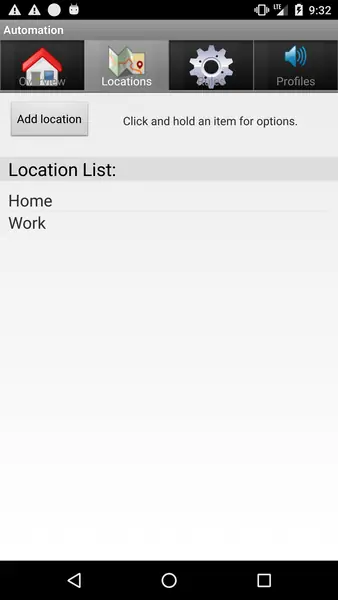
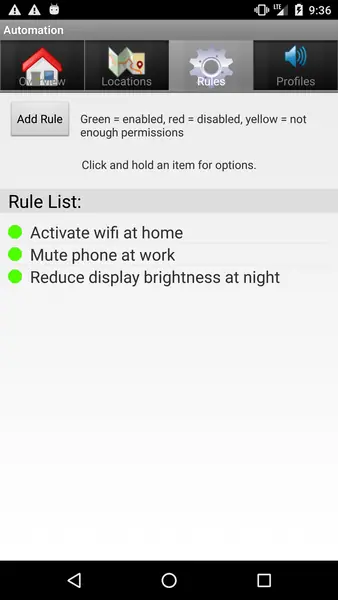
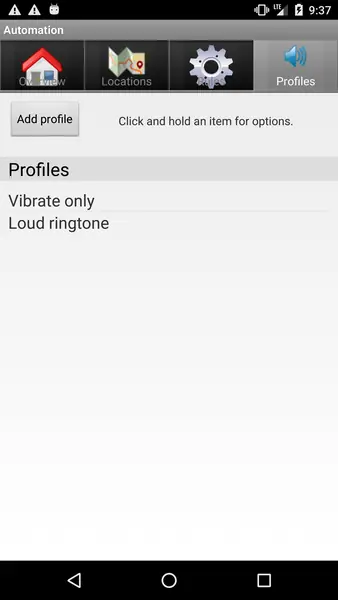
Sobre o Automation
Descrição fornecida pelo desenvolvedor (em inglês).
Create rules that are made of triggers and actions. A prominent example would be something like "Mute phone at work".
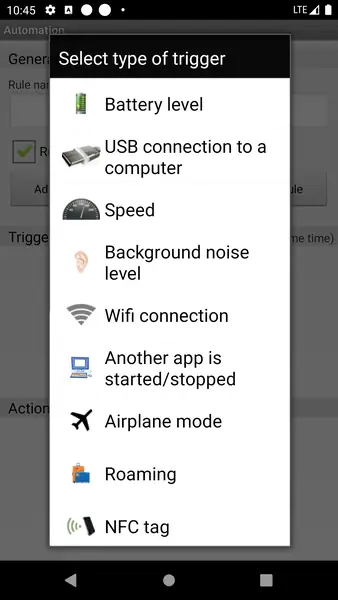
Here's a list of supported triggers and actions:
Supported triggers:
- Location
- Day/Time
- Charging state
- Battery level
- USB connection to computer established
- Current speed
- Background noise (only until Android 7)
- Wifi connection
- Other applications running
- Airplane mode
- Roaming status
- NFC tags
- Activity detection (not in F-Droid version)
- Bluetooth connection
- Headset connected
- Notifications of other apps
- Device orientation (gyroscope)
- Profile active or not
- Screen state (on or off)
- Status of media playback
- Device is starting
- Service is starting
- Broadcasts of other apps
- Router state
- System states (Bluetooth/wifi)
- Variables that have been set
- Calendar appointments
- Phone call running
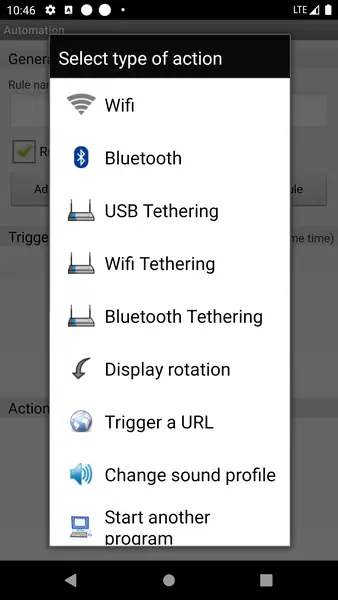
Supported actions:
- Change wifi state
- Change bluetooth state
- Toggle USB tethering
- Toggle wifi tethering
- Toggle Bluetooth tethering
- Toggle automatic screen rotation
- Make an HTTP request
- Change ringtone/sound setting
- Start another application
- Wait (in between other actions)
- Turn screen on or off
- Toggle airplane mode
- Toggle mobile data connection
- Speak text
- Open music player
- Control media playback
- Change screen brightness
- Play sound file
- Create notifications
- Close notifications
- Send broadcasts
- Run script/command
- Maintain screen active
- Set variables
- Initiate phone calls
- Terminate phone calls
- Copy text to clipboard
- Make screenshot
- Change location setting
- Send text message
It's quite hard to keep this app working across the many different devices as well as the many changes Android undergoes over the versions. I can test it in the emulator, but that cannot show all bugs. So if a certain feature is not working on your device - let me know. Over the years I have fixed almost all bugs that have been reasonably reported to me. But for that I'm dependent on your input.
If you have a problem and think about contacting me please
- update to the latest version first and see if your problem persists there, too.
- check this list of known problems first: https://server47.de/automation/index.php#knownProblems
Donations are certainly a good, but not the only way to motivate me :-)
- If you'd like to support me, you can also leave a positive review for the app on Google Play (https://play.google.com/store/apps/details?id=com.jens.automation2).
- If you like the app, simply some warm words via email are always appreciated.
- Furthermore I can always use help in translating the app. English, German and some Spanish are among my own skills. Italiano e russo sono già coperti. But everything else is more than welcome.
- If you have a talent/experience in graphics design and have some ideas for nicer icons let me know.
- If you have an interesting use-case or found a way to combine triggers and actions to achieve something intriguing and you think it's worth putting it on the examples page (https://server47.de/automation/examples.html), let me know.
Explanation of the many permissions can be found here: https://server47.de/automation/permissions.php
Novidades da versão 1.8.8
- Added option to choose between Global, System and Secure for set settings
- Fixed: Crash when opening the application through the running service's notification
- Fixed: Crash when starting service and show service icon was deactivated in app settings
- Fixed: "Bluetooth connect" permission was not requested for turning Bluetooth on or off.
- Fixed: Another app started/stopped couldn't be added when UI language was Dutch.
- Fixed: Check for non-decimal number in some input fields
Informações do arquivo APK
| Nome do pacote | com.jens.automation2 |
|---|---|
| Versão | 1.8.8 (código 149) |
| Android mínimo | Android 4.4 · feito para Android 9 |
| Arquiteturas | Todas (universal) |
| SHA-256 | e4878ac5a7308f886747214168abffa332f8ae5577bcd1ab9ea8d6a41e84df87 |
| Assinatura | d312d8ca6599ee71cc2758315dca0c871cafe991b76e2beabf8fe186caeaa93f |
| Licença | GPL-3.0-or-later — licença livre copyleft: o código é público e versões modificadas devem continuar livres |
| Código-fonte | git.server47.de/jens/Automation |
| Site oficial | server47.de/automation/ |
Permissões solicitadas
- Localização precisa (GPS) sensível
- Localização aproximada sensível
- Localização em segundo plano sensível
- Vibrar
- Alterar o Wi-Fi
- Acesso à internet
- Ver o estado do Wi-Fi
- Gravar no armazenamento
- Bluetooth
- Ver o estado da rede
- Iniciar com o sistema
- Impedir o modo de espera
- Microfone sensível
- Estado do telefone sensível
- NFC
- Ler o armazenamento
- Ler contatos sensível
- Funcionar em segundo plano
- Ver os apps instalados sensível
- Fazer ligações sensível
- Sobrepor outros apps sensível
- Registro de chamadas sensível
- Ler a agenda sensível
- Conectar por Bluetooth
- Enviar SMS sensível
Mais 15 permissão(ões) técnica(s)
BLUETOOTH_ADMIN BATTERY_STATS CHANGE_NETWORK_STATE WRITE_SETTINGS GET_TASKS MODIFY_AUDIO_SETTINGS ACCESS_SUPERUSER ACCESS_NOTIFICATION_POLICY BIND_NOTIFICATION_LISTENER_SERVICE REQUEST_IGNORE_BATTERY_OPTIMIZATIONS ANSWER_PHONE_CALLS WRITE_SECURE_SETTINGS SCHEDULE_EXACT_ALARM USE_FULL_SCREEN_INTENT PROCESS_OUTGOING_CALLS
Versões anteriores
- Automation 1.8.826 de agosto de 2026 · 5,7 MB
- Automation 1.8.710 de março de 2026 · 5,7 MB
- Automation 1.8.427 de dezembro de 2025 · 5,5 MB
Como instalar o Automation APK
- Toque em Baixar APK acima e abra o arquivo quando o download terminar.
- Se o Android pedir, permita que o navegador instale apps desconhecidos.
- Toque em Instalar. O Automation aparecerá junto aos seus outros apps.
→ Como instalar um arquivo APK no Android (passo a passo)
→ "App não instalado": causas e soluções
Perguntas frequentes
O Automation é grátis?
Sim. O Automation é distribuído sob a licença GPL-3.0-or-later: grátis, sem assinatura e com código-fonte público.
Este arquivo APK é seguro?
O arquivo é o compilado e publicado pelo repositório F-Droid a partir do código-fonte público. A impressão digital SHA-256 aparece acima para você comparar depois do download. APK é perigoso? Como verificar um arquivo antes de instalar
O Automation funciona no meu celular?
É preciso ter pelo menos Android 4.4. O app também funciona sem os serviços do Google, inclusive em celulares Huawei recentes.