
Automation APK
Automate stuff on your device by creating rules.
Download APK v1.8.8 · 5.7 MB- Version1.8.8
- Size5.7 MB
- RequiresAndroid 4.4
- Updated8/26/2026
- LicenceGPL-3.0-or-later
- PriceFree
About Automation
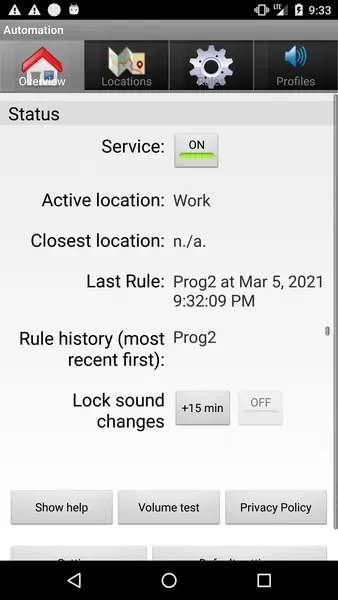
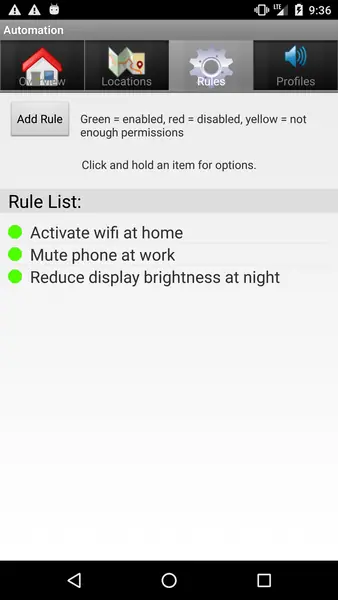
Create rules that are made of triggers and actions. A prominent example would be something like "Mute phone at work".
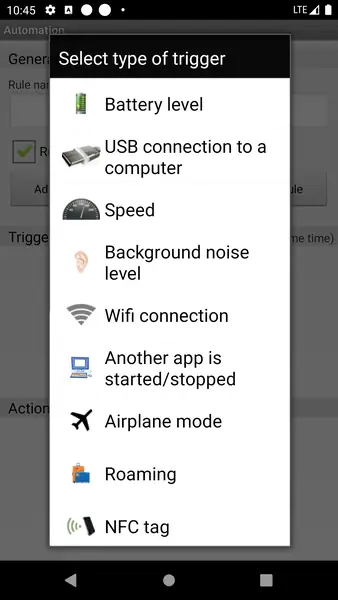
Here's a list of supported triggers and actions:
Supported triggers:
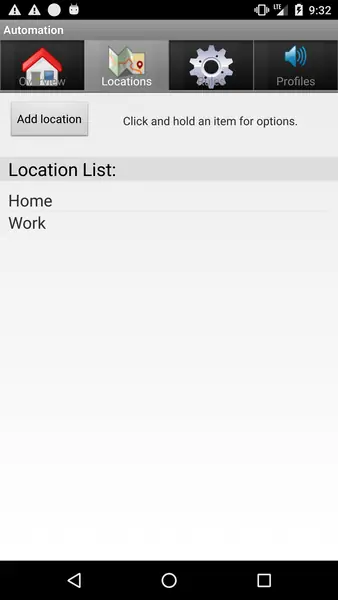
- Location
- Day/Time
- Charging state
- Battery level
- USB connection to computer established
- Current speed
- Background noise (only until Android 7)
- Wifi connection
- Other applications running
- Airplane mode
- Roaming status
- NFC tags
- Activity detection (not in F-Droid version)
- Bluetooth connection
- Headset connected
- Notifications of other apps
- Device orientation (gyroscope)
- Profile active or not
- Screen state (on or off)
- Status of media playback
- Device is starting
- Service is starting
- Broadcasts of other apps
- Router state
- System states (Bluetooth/wifi)
- Variables that have been set
- Calendar appointments
- Phone call running
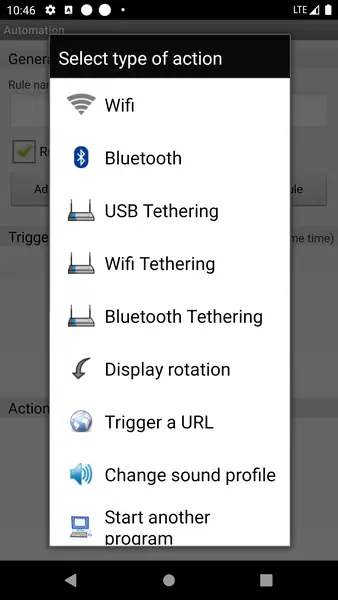
Supported actions:
- Change wifi state
- Change bluetooth state
- Toggle USB tethering
- Toggle wifi tethering
- Toggle Bluetooth tethering
- Toggle automatic screen rotation
- Make an HTTP request
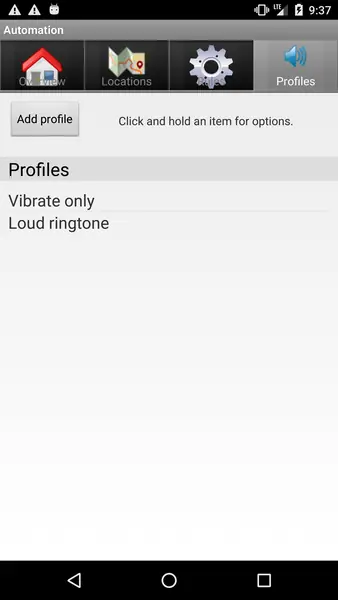
- Change ringtone/sound setting
- Start another application
- Wait (in between other actions)
- Turn screen on or off
- Toggle airplane mode
- Toggle mobile data connection
- Speak text
- Open music player
- Control media playback
- Change screen brightness
- Play sound file
- Create notifications
- Close notifications
- Send broadcasts
- Run script/command
- Maintain screen active
- Set variables
- Initiate phone calls
- Terminate phone calls
- Copy text to clipboard
- Make screenshot
- Change location setting
- Send text message
It's quite hard to keep this app working across the many different devices as well as the many changes Android undergoes over the versions. I can test it in the emulator, but that cannot show all bugs. So if a certain feature is not working on your device - let me know. Over the years I have fixed almost all bugs that have been reasonably reported to me. But for that I'm dependent on your input.
If you have a problem and think about contacting me please
- update to the latest version first and see if your problem persists there, too.
- check this list of known problems first: https://server47.de/automation/index.php#knownProblems
Donations are certainly a good, but not the only way to motivate me :-)
- If you'd like to support me, you can also leave a positive review for the app on Google Play (https://play.google.com/store/apps/details?id=com.jens.automation2).
- If you like the app, simply some warm words via email are always appreciated.
- Furthermore I can always use help in translating the app. English, German and some Spanish are among my own skills. Italiano e russo sono già coperti. But everything else is more than welcome.
- If you have a talent/experience in graphics design and have some ideas for nicer icons let me know.
- If you have an interesting use-case or found a way to combine triggers and actions to achieve something intriguing and you think it's worth putting it on the examples page (https://server47.de/automation/examples.html), let me know.
Explanation of the many permissions can be found here: https://server47.de/automation/permissions.php
What's new in version 1.8.8
- Added option to choose between Global, System and Secure for set settings
- Fixed: Crash when opening the application through the running service's notification
- Fixed: Crash when starting service and show service icon was deactivated in app settings
- Fixed: "Bluetooth connect" permission was not requested for turning Bluetooth on or off.
- Fixed: Another app started/stopped couldn't be added when UI language was Dutch.
- Fixed: Check for non-decimal number in some input fields
APK file information
| Package name | com.jens.automation2 |
|---|---|
| Version | 1.8.8 (code 149) |
| Minimum Android | Android 4.4 · targets Android 9 |
| Architectures | All (universal) |
| SHA-256 | e4878ac5a7308f886747214168abffa332f8ae5577bcd1ab9ea8d6a41e84df87 |
| Signature | d312d8ca6599ee71cc2758315dca0c871cafe991b76e2beabf8fe186caeaa93f |
| Licence | GPL-3.0-or-later — copyleft free licence: the code is public and modified versions must stay free |
| Source code | git.server47.de/jens/Automation |
| Official website | server47.de/automation/ |
Permissions
- Precise location (GPS) sensitive
- Approximate location sensitive
- Background location sensitive
- Vibrate
- Change Wi-Fi
- Internet access
- View Wi-Fi status
- Write to storage
- Bluetooth
- View network status
- Start at boot
- Keep the device awake
- Microphone sensitive
- Phone status sensitive
- NFC
- Read storage
- Read contacts sensitive
- Run in the background
- See installed apps sensitive
- Make calls sensitive
- Draw over other apps sensitive
- Call log sensitive
- Read calendar sensitive
- Connect via Bluetooth
- Send SMS sensitive
15 other technical permission(s)
BLUETOOTH_ADMIN BATTERY_STATS CHANGE_NETWORK_STATE WRITE_SETTINGS GET_TASKS MODIFY_AUDIO_SETTINGS ACCESS_SUPERUSER ACCESS_NOTIFICATION_POLICY BIND_NOTIFICATION_LISTENER_SERVICE REQUEST_IGNORE_BATTERY_OPTIMIZATIONS ANSWER_PHONE_CALLS WRITE_SECURE_SETTINGS SCHEDULE_EXACT_ALARM USE_FULL_SCREEN_INTENT PROCESS_OUTGOING_CALLS
Older versions
- Automation 1.8.8August 26, 2026 · 5.7 MB
- Automation 1.8.7March 10, 2026 · 5.7 MB
- Automation 1.8.4December 27, 2025 · 5.5 MB
How to install Automation APK
- Tap Download APK above, then open the file once the download has finished.
- If Android asks, allow your browser to install unknown apps.
- Tap Install. Automation then appears with your other apps.
Having trouble? Read our guides how to install an APK on Android and "App not installed": how to fix it.
Frequently asked questions
Is Automation free?
Yes. Automation is distributed under the GPL-3.0-or-later licence: free, no subscription, and its source code is public.
Is this APK file safe?
The file is the one built and published by the F-Droid repository from the public source code. Its SHA-256 fingerprint is shown above, so you can compare it after downloading. How to check an APK.
Will Automation work on my phone?
You need at least Android 4.4. The app also works without Google services, so it runs on recent Huawei phones too.