Markleaf APK
Local-first Markdown notes with tags, search, and file export
Baixar APK v2.74.0 · 3,3 MB- Versão2.74.0
- Tamanho3,3 MB
- RequerAndroid 8.0
- Atualizado23/11/2026
- LicençaApache-2.0
- PreçoGrátis
Sobre o Markleaf
Descrição fornecida pelo desenvolvedor (em inglês).
Markleaf is a local-first Markdown note app for Android.
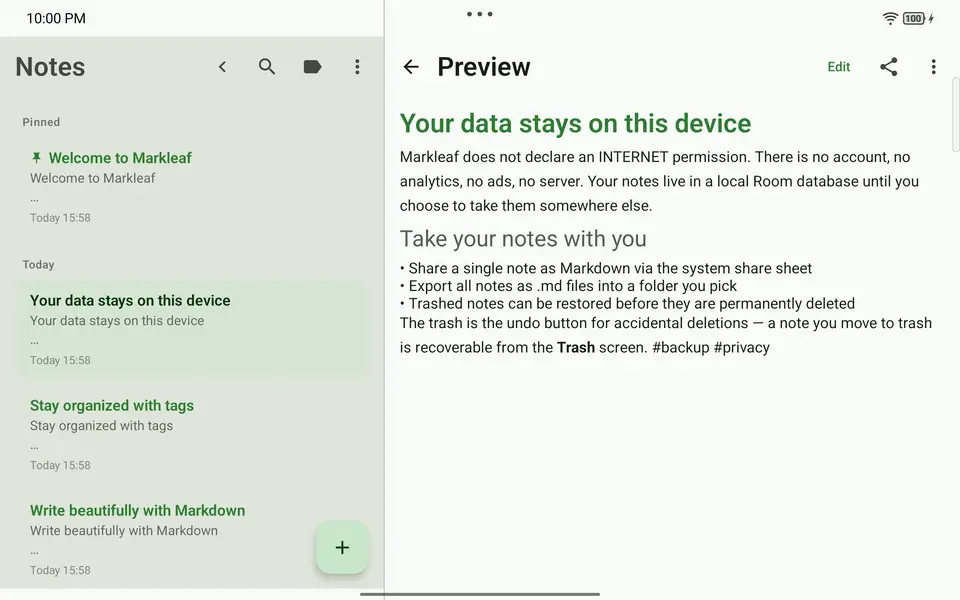
Write plain Markdown, organize with inline tags, search instantly, and keep your notes under your control. Markleaf stores notes in a local Room database and does not declare the INTERNET permission.
Writing and preview:
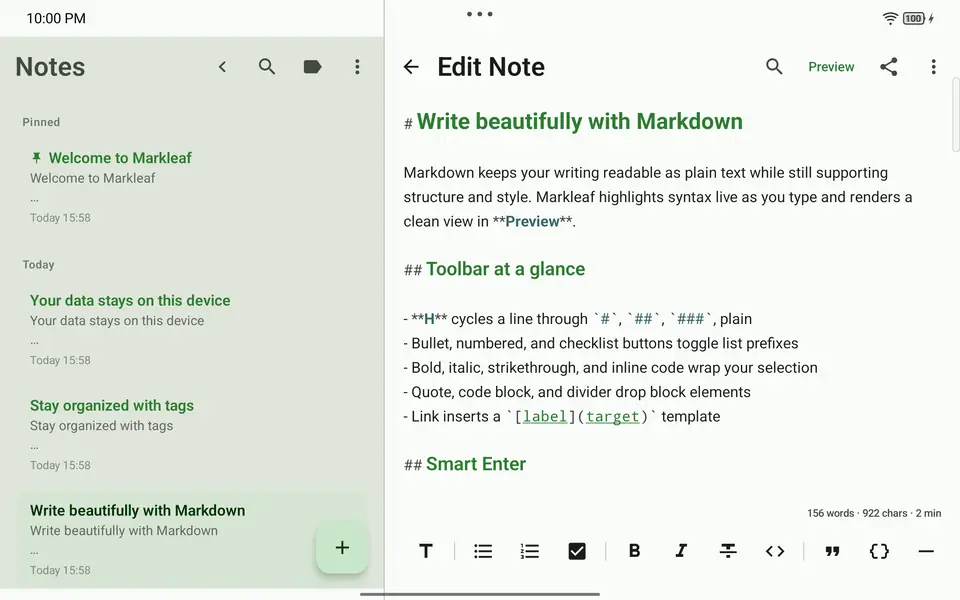
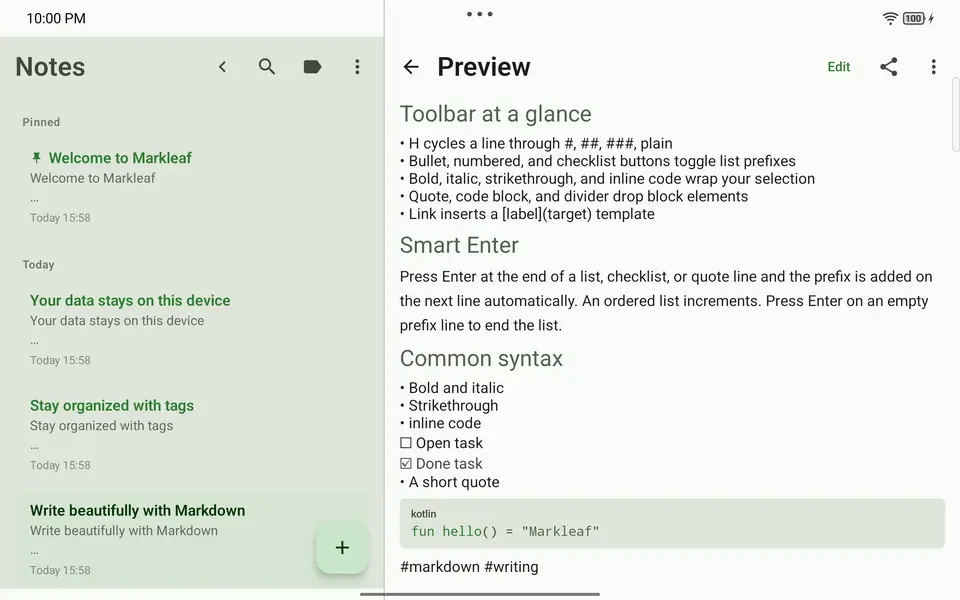
- Live Markdown preview with live syntax coloring
- GFM tables, checkboxes, blockquotes, callouts (> [!NOTE] …)
- Code block syntax highlighting for 10 languages
- Footnote ref ↔ def jump, wikilinks and backlinks
- Smart formatting to wrap a selection or word in bold/italic/strikethrough/code
- Focus mode, word and reading-time stats, find and replace within a note
Organizing and navigating:
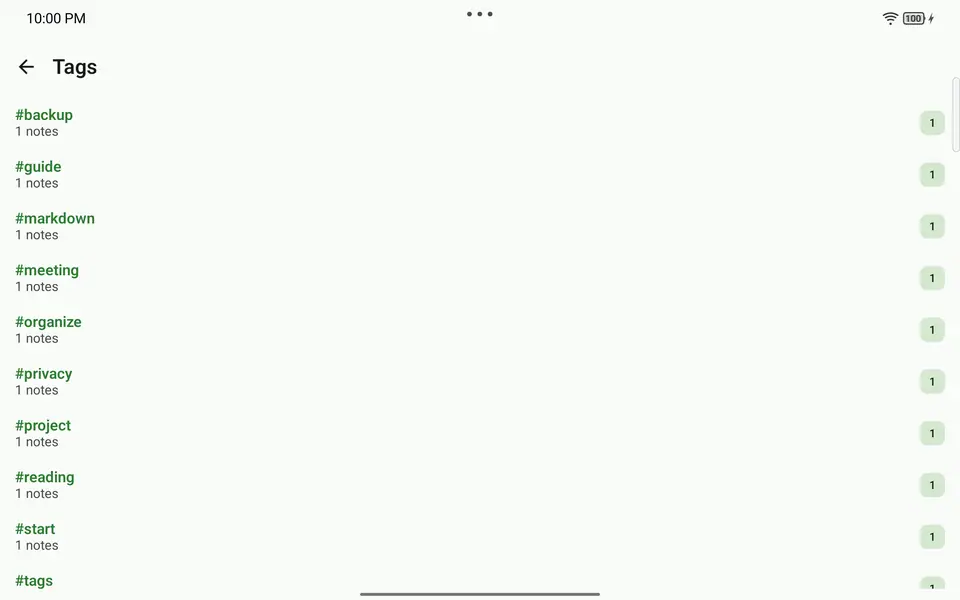
- Just write #tags in the body for automatic indexing (no folders)
- Quick switcher and SQLite FTS full-text search
- Pin, archive, trash, and restore flows
Sync and import (No-Cloud):
- Mirror each note as a .md file to a folder you pick via SAF
- Import external .md / .txt files by opening or sharing them in
- Single-note and all-notes Markdown export, plus system share
Design and accessibility:
- Home screen widget, biometric lock, screenshot blocking option
- Light / dark / Material You, tablet two-pane layout
- UI in 11 languages (Korean, English, Spanish, Japanese, French, German, Simplified Chinese, Croatian, Russian, Vietnamese, Slovak)
Privacy and distribution:
- No account, no Markleaf server
- No analytics, ads, tracking, Firebase, or proprietary crash reporting SDK
- No INTERNET permission, Android Auto Backup disabled
- User data leaves the device only through explicit OS-mediated actions such as export, share, external link opening, or a user-selected SAF folder
Novidades da versão 2.74.0
New: long-press a note and choose Select, or use Select notes in the menu, to pin, archive, trash, restore or delete several notes at once; moving notes to the trash shows Undo. Optional buttons move a line up or down. The archive can be sorted, and Note information shows created and edited dates. Fixed: the editor follows your keyboard's auto-capitalization, and no crash at the start of a note that begins with an empty line. Targets Android 16.
Informações do arquivo APK
| Nome do pacote | com.markleaf.notes |
|---|---|
| Versão | 2.74.0 (código 191) |
| Android mínimo | Android 8.0 · feito para Android 16 |
| Arquiteturas | arm64-v8a, armeabi-v7a, x86, x86_64 |
| SHA-256 | 7f700fdff555a735154e6cac03c6ab0f9647640cd6ccd6dbb02ef16629cd991c |
| Assinatura | 0be97352a650c3d1a3d2332fd18afc44e0c95a4abca347e9250a2b8a7eecf91a |
| Licença | Apache-2.0 — licença livre permissiva: o código-fonte é público e reutilizável |
| Código-fonte | github.com/jeiel85/markleaf-android |
| Site oficial | jeiel85.github.io/markleaf-android/ |
Permissões solicitadas
- Vibrar
- Digital / biometria
- Impressão digital
Versões anteriores
- Markleaf 2.74.023 de novembro de 2026 · 3,3 MB
- Markleaf 2.73.020 de novembro de 2026 · 3,3 MB
- Markleaf 2.72.09 de novembro de 2026 · 3,3 MB
Como instalar o Markleaf APK
- Toque em Baixar APK acima e abra o arquivo quando o download terminar.
- Se o Android pedir, permita que o navegador instale apps desconhecidos.
- Toque em Instalar. O Markleaf aparecerá junto aos seus outros apps.
→ Como instalar um arquivo APK no Android (passo a passo)
→ "App não instalado": causas e soluções
Perguntas frequentes
O Markleaf é grátis?
Sim. O Markleaf é distribuído sob a licença Apache-2.0: grátis, sem assinatura e com código-fonte público.
Este arquivo APK é seguro?
O arquivo é o compilado e publicado pelo repositório F-Droid a partir do código-fonte público. A impressão digital SHA-256 aparece acima para você comparar depois do download. APK é perigoso? Como verificar um arquivo antes de instalar
O Markleaf funciona no meu celular?
É preciso ter pelo menos Android 8.0. O app também funciona sem os serviços do Google, inclusive em celulares Huawei recentes.