
Markleaf APK
Local-first Markdown notes with tags, search, and file export
Download APK v2.74.0 · 3.3 MB- Version2.74.0
- Size3.3 MB
- RequiresAndroid 8.0
- Updated11/23/2026
- LicenceApache-2.0
- PriceFree
About Markleaf
Markleaf is a local-first Markdown note app for Android.
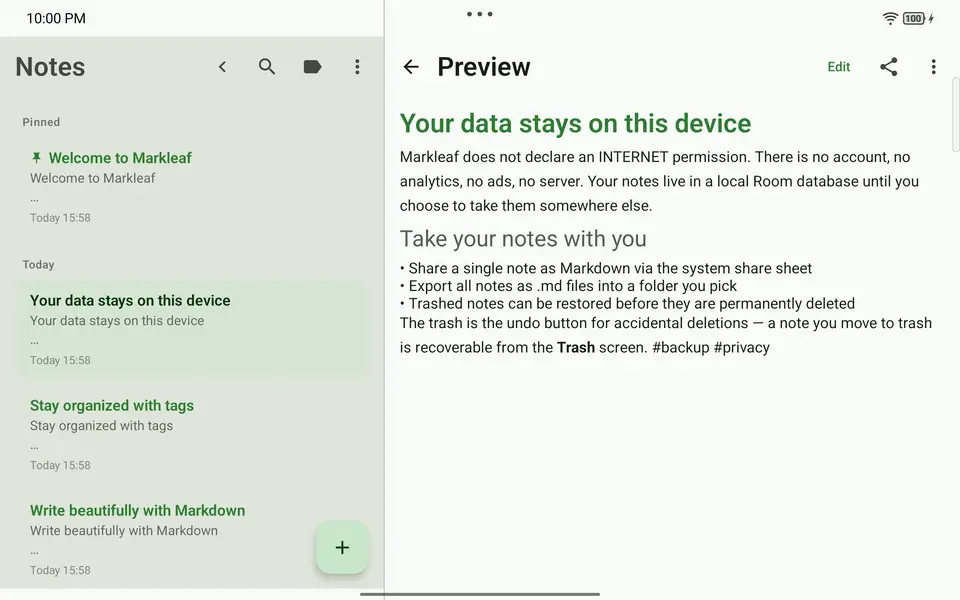
Write plain Markdown, organize with inline tags, search instantly, and keep your notes under your control. Markleaf stores notes in a local Room database and does not declare the INTERNET permission.
Writing and preview:
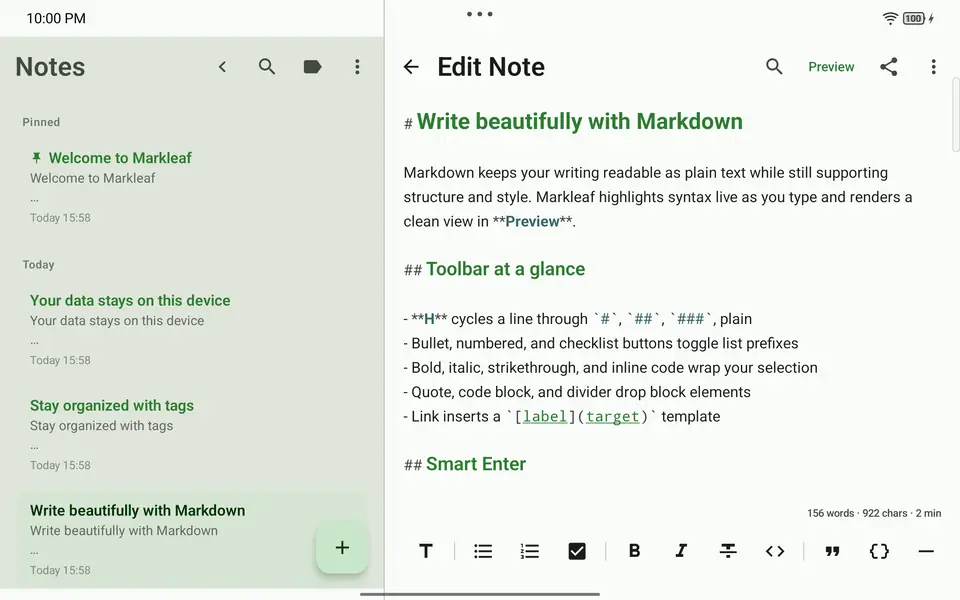
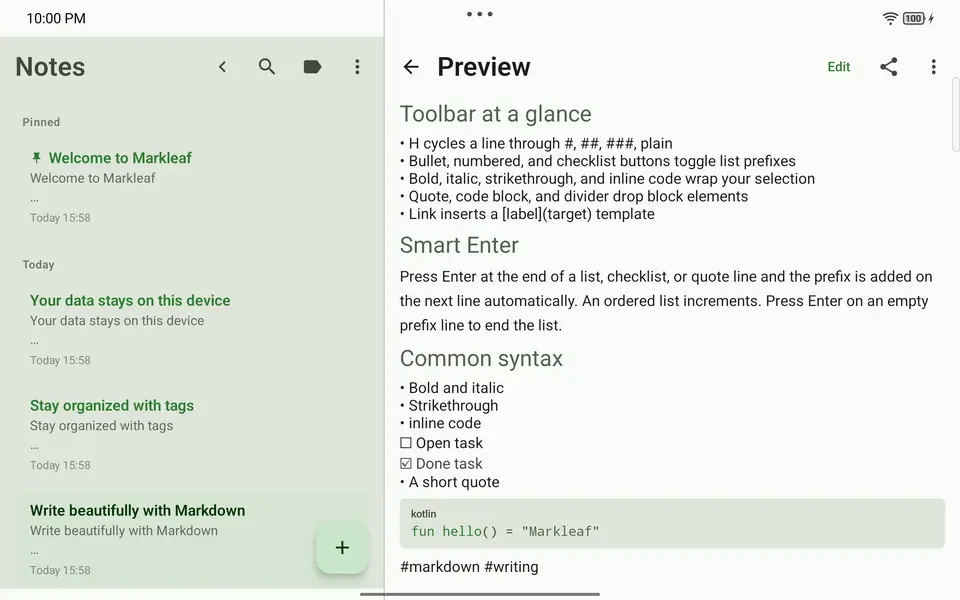
- Live Markdown preview with live syntax coloring
- GFM tables, checkboxes, blockquotes, callouts (> [!NOTE] …)
- Code block syntax highlighting for 10 languages
- Footnote ref ↔ def jump, wikilinks and backlinks
- Smart formatting to wrap a selection or word in bold/italic/strikethrough/code
- Focus mode, word and reading-time stats, find and replace within a note
Organizing and navigating:
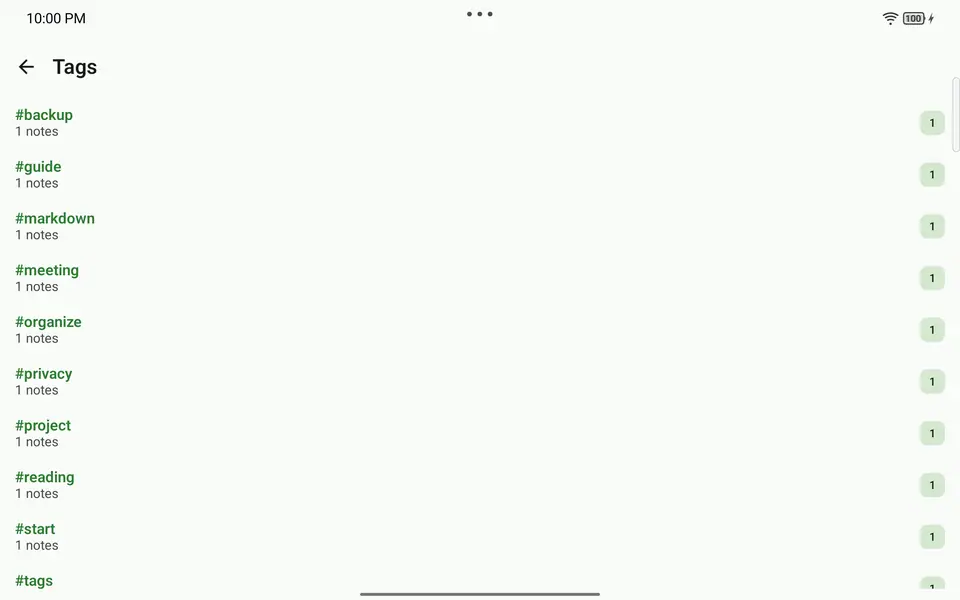
- Just write #tags in the body for automatic indexing (no folders)
- Quick switcher and SQLite FTS full-text search
- Pin, archive, trash, and restore flows
Sync and import (No-Cloud):
- Mirror each note as a .md file to a folder you pick via SAF
- Import external .md / .txt files by opening or sharing them in
- Single-note and all-notes Markdown export, plus system share
Design and accessibility:
- Home screen widget, biometric lock, screenshot blocking option
- Light / dark / Material You, tablet two-pane layout
- UI in 11 languages (Korean, English, Spanish, Japanese, French, German, Simplified Chinese, Croatian, Russian, Vietnamese, Slovak)
Privacy and distribution:
- No account, no Markleaf server
- No analytics, ads, tracking, Firebase, or proprietary crash reporting SDK
- No INTERNET permission, Android Auto Backup disabled
- User data leaves the device only through explicit OS-mediated actions such as export, share, external link opening, or a user-selected SAF folder
What's new in version 2.74.0
New: long-press a note and choose Select, or use Select notes in the menu, to pin, archive, trash, restore or delete several notes at once; moving notes to the trash shows Undo. Optional buttons move a line up or down. The archive can be sorted, and Note information shows created and edited dates. Fixed: the editor follows your keyboard's auto-capitalization, and no crash at the start of a note that begins with an empty line. Targets Android 16.
APK file information
| Package name | com.markleaf.notes |
|---|---|
| Version | 2.74.0 (code 191) |
| Minimum Android | Android 8.0 · targets Android 16 |
| Architectures | arm64-v8a, armeabi-v7a, x86, x86_64 |
| SHA-256 | 7f700fdff555a735154e6cac03c6ab0f9647640cd6ccd6dbb02ef16629cd991c |
| Signature | 0be97352a650c3d1a3d2332fd18afc44e0c95a4abca347e9250a2b8a7eecf91a |
| Licence | Apache-2.0 — permissive free licence: the source code is public and reusable |
| Source code | github.com/jeiel85/markleaf-android |
| Official website | jeiel85.github.io/markleaf-android/ |
Permissions
- Vibrate
- Fingerprint / biometrics
- Fingerprint
Older versions
- Markleaf 2.74.0November 23, 2026 · 3.3 MB
- Markleaf 2.73.0November 20, 2026 · 3.3 MB
- Markleaf 2.72.0November 9, 2026 · 3.3 MB
How to install Markleaf APK
- Tap Download APK above, then open the file once the download has finished.
- If Android asks, allow your browser to install unknown apps.
- Tap Install. Markleaf then appears with your other apps.
Having trouble? Read our guides how to install an APK on Android and "App not installed": how to fix it.
Frequently asked questions
Is Markleaf free?
Yes. Markleaf is distributed under the Apache-2.0 licence: free, no subscription, and its source code is public.
Is this APK file safe?
The file is the one built and published by the F-Droid repository from the public source code. Its SHA-256 fingerprint is shown above, so you can compare it after downloading. How to check an APK.
Will Markleaf work on my phone?
You need at least Android 8.0. The app also works without Google services, so it runs on recent Huawei phones too.





