
Working Time Account APK
Record working hours, generate and send reports (PDF, CSV and ICS)
Baixar APK v2.11.016 · 7,6 MB- Versão2.11.016
- Tamanho7,6 MB
- RequerAndroid 8.0
- Atualizado13/11/2026
- LicençaGPL-3.0-or-later
- PreçoGrátis
Sobre o Working Time Account
Descrição fornecida pelo desenvolvedor (em inglês).
Working time account is used to record your personal working hours and time off and to prepare them clearly.
What can the working time account do?
- Record working hours
- Calculate overtime
- Document absences (sick, vacation, etc.)
- Record
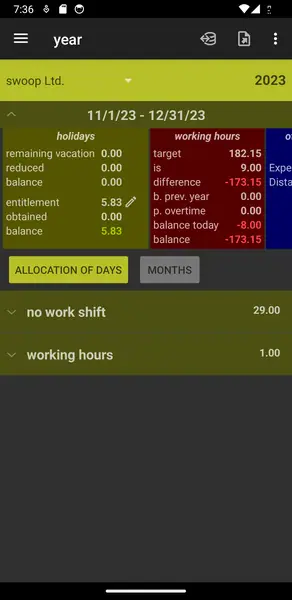
any additional values (work locations, notes, expenses, travel times, etc.) and include them in the calculation of earnings and hours - Manage vacation days - Various overviews (year, month, week and day). Manage vacation days
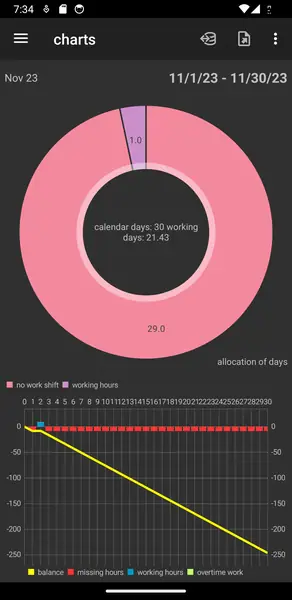
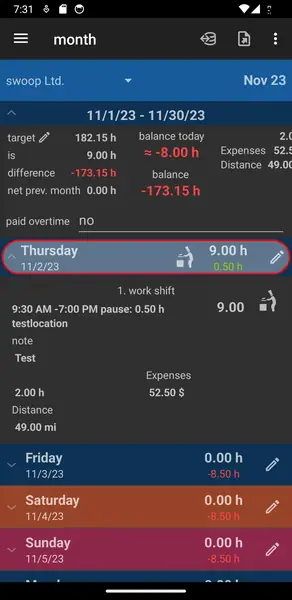
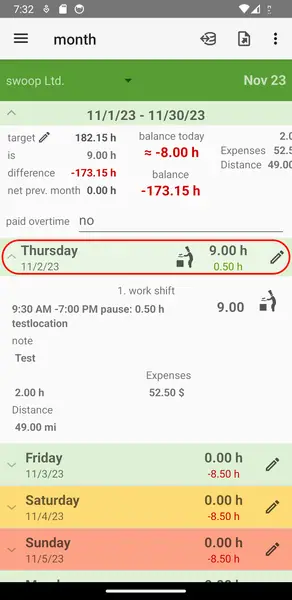
- Display various overviews (year, month, week and day) with working time calculation in the app
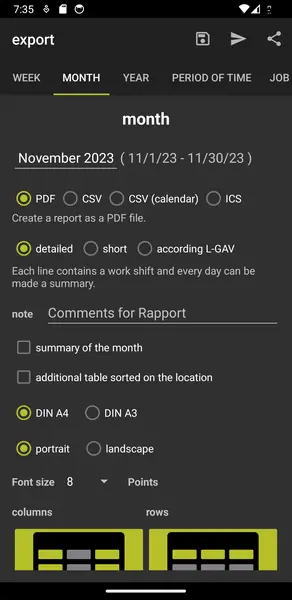
- Generate configurable reports as PDF, CSV and iCal files and forward them to printer, mail or messenger apps
- Manage multiple workstations, projects or clients
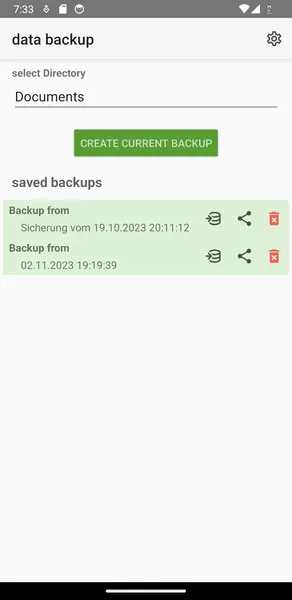
- Create data backups (also autom. two shift models (alternating shift and partial shift)
- several working time models (rolling week, monthly hours, 5-day week, 6-day week, x-day week)
- stamp hours with NFC
- Import public holidays from .ics files and enter them automatically in empty days
The app includes a manual as a PDF file, which explains all the app's functions and provides an introduction to working time calculation.
What the app can't do
- display advertising
- display cat videos or pictures
- pass on your data to third parties
- place orders online
- save the world
Thanks to
- everyone who helped me with bug reports, suggestions and criticism
- Freepik.com & dr. Web for the Human Pictos
- the team "Code-Troopers" for their project "BetterPickers"
- the teams of IzzySoft and F-Droid for their support in publishing
Required permissions
- writing files to save the reports and database backups
- reading files to restore backups
Please note that I am not liable for the correct functioning of the software or the entered/calculated times.
In case of malfunctions or other oddities, please contact me ([email protected]) so that we can find a solution together.
Informações do arquivo APK
| Nome do pacote | askanimus.arbeitszeiterfassung2 |
|---|---|
| Versão | 2.11.016 (código 211016) |
| Android mínimo | Android 8.0 · feito para API 37 |
| Arquiteturas | Todas (universal) |
| SHA-256 | fa0e1e0993936660758dcb4d60899f2c264cebf9d05829136a581caf27c13569 |
| Assinatura | ee6c8949703d230e4ee54e7dd3b938e891eb7c7821f86e83f22fbc8175be2483 |
| Licença | GPL-3.0-or-later — licença livre copyleft: o código é público e versões modificadas devem continuar livres |
| Código-fonte | gitlab.com/Askanimus/arbeitszeitkonto |
Permissões solicitadas
- Mostrar notificações
- Ler o armazenamento
- Gravar no armazenamento
- Iniciar com o sistema
- NFC
Versões anteriores
- Working Time Account 2.11.01613 de novembro de 2026 · 7,6 MB
- Working Time Account 2.11.01317 de agosto de 2026 · 7,5 MB
- Working Time Account 2.11.0128 de abril de 2026 · 7,4 MB
Como instalar o Working Time Account APK
- Toque em Baixar APK acima e abra o arquivo quando o download terminar.
- Se o Android pedir, permita que o navegador instale apps desconhecidos.
- Toque em Instalar. O Working Time Account aparecerá junto aos seus outros apps.
→ Como instalar um arquivo APK no Android (passo a passo)
→ "App não instalado": causas e soluções
Perguntas frequentes
O Working Time Account é grátis?
Sim. O Working Time Account é distribuído sob a licença GPL-3.0-or-later: grátis, sem assinatura e com código-fonte público.
Este arquivo APK é seguro?
O arquivo é o compilado e publicado pelo repositório F-Droid a partir do código-fonte público. A impressão digital SHA-256 aparece acima para você comparar depois do download. APK é perigoso? Como verificar um arquivo antes de instalar
O Working Time Account funciona no meu celular?
É preciso ter pelo menos Android 8.0. O app também funciona sem os serviços do Google, inclusive em celulares Huawei recentes.