
Working Time Account APK
Record working hours, generate and send reports (PDF, CSV and ICS)
Download APK v2.11.016 · 7.6 MB- Version2.11.016
- Size7.6 MB
- RequiresAndroid 8.0
- Updated11/13/2026
- LicenceGPL-3.0-or-later
- PriceFree
About Working Time Account
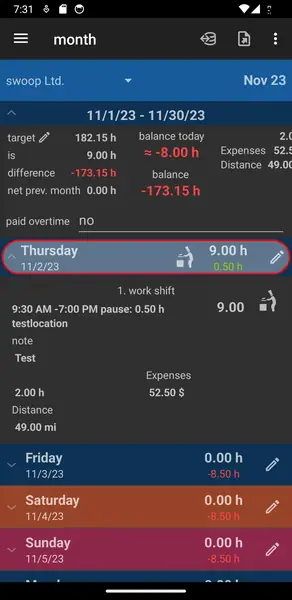
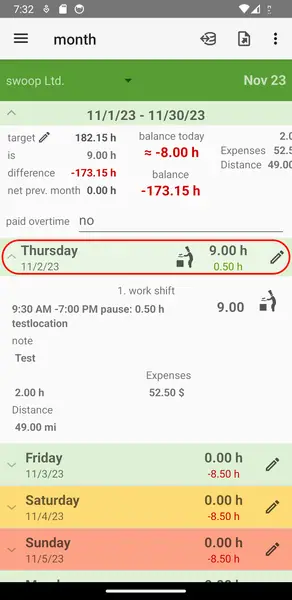
Working time account is used to record your personal working hours and time off and to prepare them clearly.
What can the working time account do?
- Record working hours
- Calculate overtime
- Document absences (sick, vacation, etc.)
- Record
any additional values (work locations, notes, expenses, travel times, etc.) and include them in the calculation of earnings and hours - Manage vacation days - Various overviews (year, month, week and day). Manage vacation days
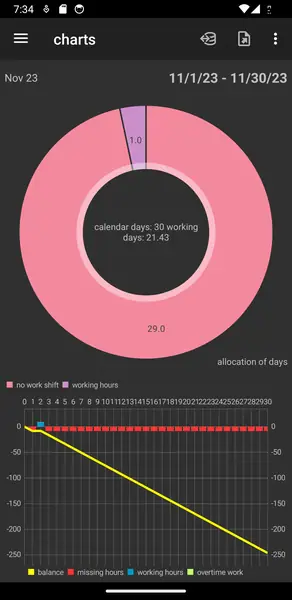
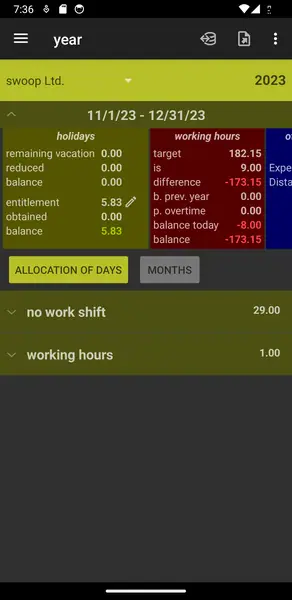
- Display various overviews (year, month, week and day) with working time calculation in the app
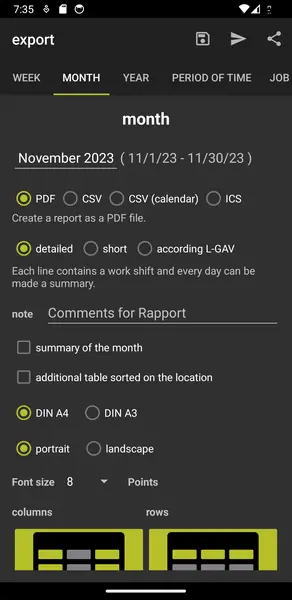
- Generate configurable reports as PDF, CSV and iCal files and forward them to printer, mail or messenger apps
- Manage multiple workstations, projects or clients
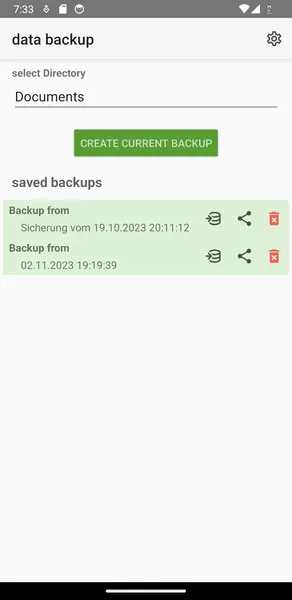
- Create data backups (also autom. two shift models (alternating shift and partial shift)
- several working time models (rolling week, monthly hours, 5-day week, 6-day week, x-day week)
- stamp hours with NFC
- Import public holidays from .ics files and enter them automatically in empty days
The app includes a manual as a PDF file, which explains all the app's functions and provides an introduction to working time calculation.
What the app can't do
- display advertising
- display cat videos or pictures
- pass on your data to third parties
- place orders online
- save the world
Thanks to
- everyone who helped me with bug reports, suggestions and criticism
- Freepik.com & dr. Web for the Human Pictos
- the team "Code-Troopers" for their project "BetterPickers"
- the teams of IzzySoft and F-Droid for their support in publishing
Required permissions
- writing files to save the reports and database backups
- reading files to restore backups
Please note that I am not liable for the correct functioning of the software or the entered/calculated times.
In case of malfunctions or other oddities, please contact me ([email protected]) so that we can find a solution together.
APK file information
| Package name | askanimus.arbeitszeiterfassung2 |
|---|---|
| Version | 2.11.016 (code 211016) |
| Minimum Android | Android 8.0 · targets API 37 |
| Architectures | All (universal) |
| SHA-256 | fa0e1e0993936660758dcb4d60899f2c264cebf9d05829136a581caf27c13569 |
| Signature | ee6c8949703d230e4ee54e7dd3b938e891eb7c7821f86e83f22fbc8175be2483 |
| Licence | GPL-3.0-or-later — copyleft free licence: the code is public and modified versions must stay free |
| Source code | gitlab.com/Askanimus/arbeitszeitkonto |
Permissions
- Show notifications
- Read storage
- Write to storage
- Start at boot
- NFC
Older versions
- Working Time Account 2.11.016November 13, 2026 · 7.6 MB
- Working Time Account 2.11.013August 17, 2026 · 7.5 MB
- Working Time Account 2.11.012April 8, 2026 · 7.4 MB
How to install Working Time Account APK
- Tap Download APK above, then open the file once the download has finished.
- If Android asks, allow your browser to install unknown apps.
- Tap Install. Working Time Account then appears with your other apps.
Having trouble? Read our guides how to install an APK on Android and "App not installed": how to fix it.
Frequently asked questions
Is Working Time Account free?
Yes. Working Time Account is distributed under the GPL-3.0-or-later licence: free, no subscription, and its source code is public.
Is this APK file safe?
The file is the one built and published by the F-Droid repository from the public source code. Its SHA-256 fingerprint is shown above, so you can compare it after downloading. How to check an APK.
Will Working Time Account work on my phone?
You need at least Android 8.0. The app also works without Google services, so it runs on recent Huawei phones too.