
Amarok APK
Hide your private Files and APPs with a single click.
Stáhnout APK v0.9.3 · 6,1 MB- Verze0.9.3
- Velikost6,1 MB
- VyžadujeAndroid 8.0
- Aktualizace30. 1. 2025
- LicenceApache-2.0
- CenaZdarma
O aplikaci Amarok
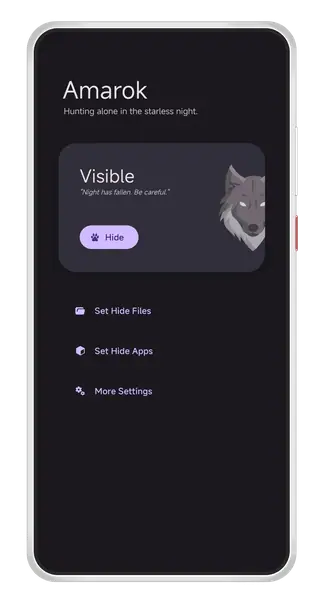
Amarok is an Android application which enables you to hide your private files & apps with just one click.
Often, we resort to complex encryptors to secure our files and apps, aiming to shield them from prying eyes. These encryptors, while effective, tend to be slow and resource-intensive, making the encryption of large files such as videos and music a daunting task. Despite their robust security, these methods are often overkill for the average user who simply wish to keep their private files and apps out of unintentional reach.
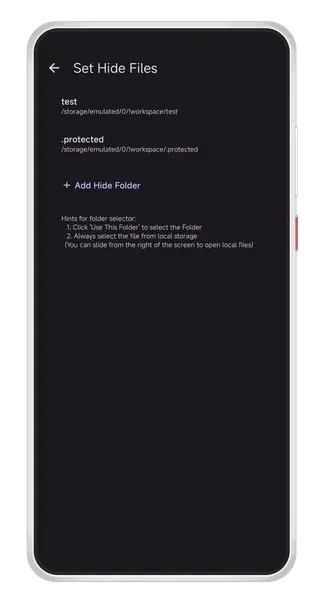
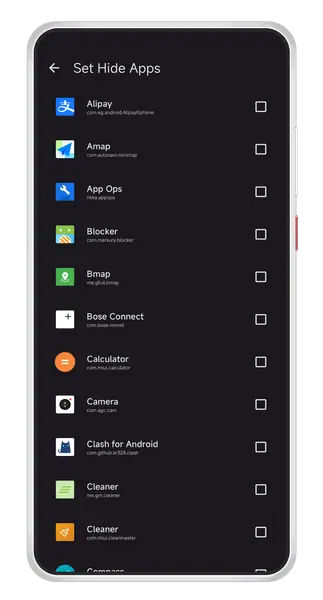
Amarok is designed to be a light-weight hider. It disguises file names and headers, causing them to seem "corrupted" and unopenable. Amarok also deactivates applications, rendering them invisible in the launcher and system menu.
Features
- User-Friendly: Easily hide files and applications with a single click.
- Rapid and Efficient Large File Hiding: Hides by altering only file name and signature, unaffected by file size.
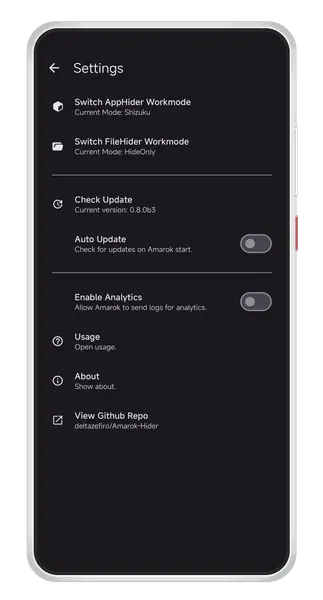
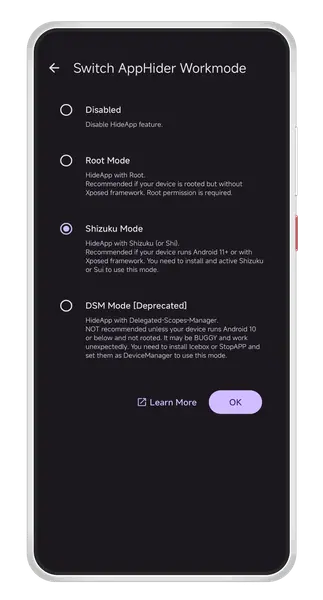
- Root-Free Application Hiding: Makes apps vanish from the launcher. Compatible with Root, Shizuku, Dhizuku, and DSM modes.
- Panic button: Use a floating button to quickly hide applications and files in urgent scenarios.
- Quick Settings Tile: A control center toggle for immediate hiding, bypassing the need to launch the app.
- App Lock: Secure Amarok access with a password or fingerprint.
- Pleasant Interface: Clean Material3 design.
Please be aware that Amarok is not an encryption software, but rather a tool for hiding things. We strongly advise against using Amarok to protect confidential files and applications.
Novinky ve verzi 0.9.3
v0.9.3
- Support invert tile color (#167)
- Add warning when user attempts to hide root related apps
- Community translations update (see GitHub for the full list)
Informace o souboru APK
| Název balíčku | deltazero.amarok.foss |
|---|---|
| Verze | 0.9.3 (kód 118) |
| Minimální Android | Android 8.0 · cílová Android 14 |
| Architektury | Všechny (univerzální) |
| SHA-256 | 468ec64e06ffc94c28f86eae4dc0ea18422d320c7a3dfd50c24b10f082548d88 |
| Podpis | 892283816c4dffae8375a53abae349d4a57432c9fccfc061e06d37a7396794e6 |
| Licence | Apache-2.0 — svobodná permisivní licence: zdrojový kód je veřejný a lze jej znovu použít |
| Zdrojový kód | github.com/deltazefiro/Amarok-Hider |
| Oficiální web | deltazefiro.github.io/Amarok-doc/ |
Oprávnění
- Čtení úložiště
- Zápis do úložiště
- Přístup ke všem souborům citlivé
- Seznam nainstalovaných aplikací citlivé
- Zobrazení přes jiné aplikace citlivé
- Běh na pozadí
- Oznámení
- Otisk prstu / biometrie
- Otisk prstu
- Zabránění spánku
- Stav sítě
- Spuštění po startu
Starší verze
- Amarok 0.9.330. ledna 2025 · 6,1 MB
- Amarok 0.9.221. července 2024 · 6,0 MB
- Amarok 0.9.112. června 2024 · 6,0 MB
Jak nainstalovat Amarok APK
- Klepněte výše na Stáhnout APK a po stažení soubor otevřete.
- Pokud se Android zeptá, povolte prohlížeči instalovat neznámé aplikace.
- Klepněte na Instalovat. Amarok se objeví mezi ostatními aplikacemi.
→ Jak nainstalovat soubor APK na Android (krok za krokem)
→ „Aplikace nebyla nainstalována“: příčiny a řešení
Časté dotazy
Je Amarok zdarma?
Ano. Amarok je šířena pod licencí Apache-2.0: zdarma, bez předplatného a s veřejným zdrojovým kódem.
Je tento soubor APK bezpečný?
Soubor sestavil a zveřejnil repozitář F-Droid z veřejného zdrojového kódu. Jeho otisk SHA-256 je uveden výše — po stažení jej můžete porovnat. Je APK nebezpečné? Jak ověřit soubor před instalací
Bude Amarok fungovat na mém telefonu?
Potřebujete alespoň Android 8.0. Aplikace funguje i bez služeb Google, takže i na nových telefonech Huawei.

