AirLyrics APK
Synced floating lyrics: online search, local imports, and word-by-word support
APK herunterladen v1.2.10 · 13,5 MB- Version1.2.10
- Größe13,5 MB
- BenötigtAndroid 8.0
- Aktualisiert17.11.2026
- LizenzMIT
- PreisKostenlos
Über AirLyrics
Beschreibung des Entwicklers (auf Englisch).
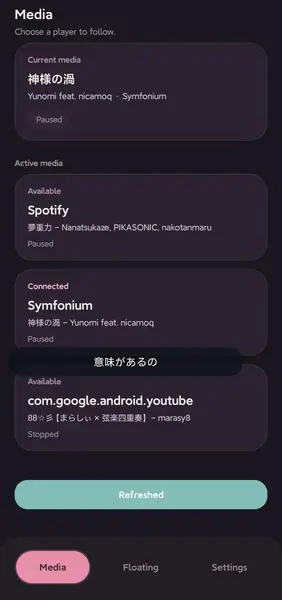
AirLyrics is a lightweight floating lyrics app.
Features:
- Detect current media and show synced floating lyrics
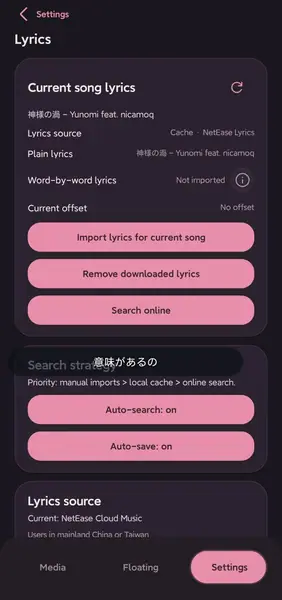
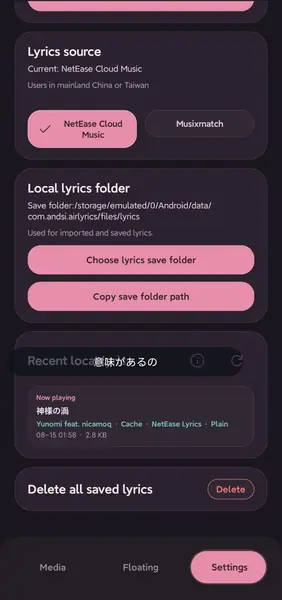
- Search NetEase Cloud Music, Musixmatch, LRCLIB, Spicy Lyrics, or Apple Music (sign-in required), and preview results before applying them
- Manually search word-by-word lyrics from NetEase Cloud Music, Kugou, and QQ Music
- Import local LRC, TTML, or TXT files, including LDDC word-timed LRC; display translations and adjust timing
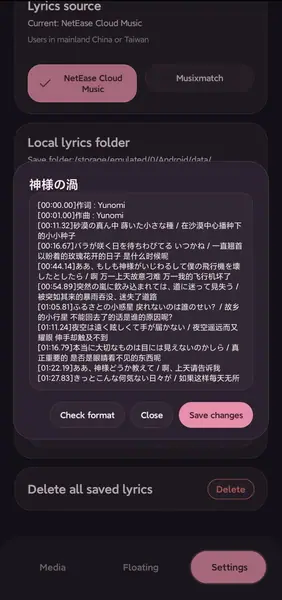
- Edit saved lyrics, including word text and timing; export, import, or delete lyrics in batches
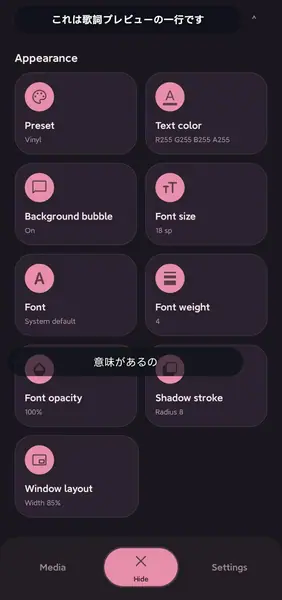
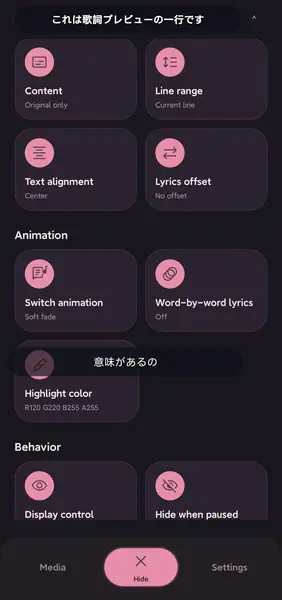
- Customize the floating window, lyric glow, and animations; switch between light and dark themes
AirLyrics is not a music player and does not include a complete lyrics database. If an online match is inaccurate, you can import local lyrics.
Plain text lyrics can be saved and edited but cannot be displayed in the floating window.
Privacy:
AirLyrics has no analytics or own server. Notification access is used on-device for media detection. Online searches go directly to the selected providers; optional Apple Music sign-in sends an account token to Apple.
Neu in Version 1.2.10
v1.2.10
- Search word-by-word lyrics from NetEase Cloud Music, Kugou, and QQ Music.
- Adjust the lyrics search layout and move the source button.
- Show loading feedback in the Display scope app picker.
Informationen zur APK-Datei
| Paketname | com.andsi.airlyrics |
|---|---|
| Version | 1.2.10 (Code 21) |
| Mindestens | Android 8.0 · ausgelegt für Android 16 |
| Architekturen | arm64-v8a |
| SHA-256 | f04f7266f6be350994f2d8fabc7c3619f659cc0f42a41f1dbbadc8558ab5beac |
| Signatur | c892efad40528eda2064c251699250a907672cbf959bc7a23a7304bbb173f18c |
| Lizenz | MIT — freie, freizügige Lizenz: Der Quellcode ist öffentlich und wiederverwendbar |
| Quellcode | github.com/AirLyrics/AirLyrics |
Berechtigungen
- Über anderen Apps anzeigen sensibel
- Im Hintergrund laufen
- Benachrichtigungen anzeigen
- Internetzugriff
- Netzwerkstatus sehen
1 weitere technische Berechtigung(en)
PACKAGE_USAGE_STATS
Ältere Versionen
- AirLyrics 1.2.1017. November 2026 · 13,5 MB
- AirLyrics 1.2.911. November 2026 · 13,3 MB
- AirLyrics 1.2.86. November 2026 · 11,5 MB
So installieren Sie AirLyrics APK
- Tippen Sie oben auf APK herunterladen und öffnen Sie die Datei nach dem Download.
- Wenn Android fragt, erlauben Sie Ihrem Browser, unbekannte Apps zu installieren.
- Tippen Sie auf Installieren. AirLyrics erscheint dann bei Ihren anderen Apps.
→ APK-Datei auf Android installieren (Schritt für Schritt)
→ „App nicht installiert“: Ursachen und Lösungen
Häufige Fragen
Ist AirLyrics kostenlos?
Ja. AirLyrics steht unter der Lizenz MIT: kostenlos, ohne Abo, und der Quellcode ist öffentlich.
Ist diese APK-Datei sicher?
Die Datei wurde vom F-Droid-Repository aus dem öffentlichen Quellcode erstellt und veröffentlicht. Ihr SHA-256-Fingerabdruck steht oben, Sie können ihn nach dem Download vergleichen. Ist eine APK gefährlich? So prüfen Sie eine Datei vor der Installation
Läuft AirLyrics auf meinem Handy?
Sie benötigen mindestens Android 8.0. Die App funktioniert auch ohne Google-Dienste, also auch auf aktuellen Huawei-Handys.