
AirLyrics APK
Synced floating lyrics: online search, local imports, and word-by-word support
Scarica l'APK v1.2.10 · 13,5 MB- Versione1.2.10
- Dimensione13,5 MB
- RichiedeAndroid 8.0
- Aggiornata17/11/2026
- LicenzaMIT
- PrezzoGratis
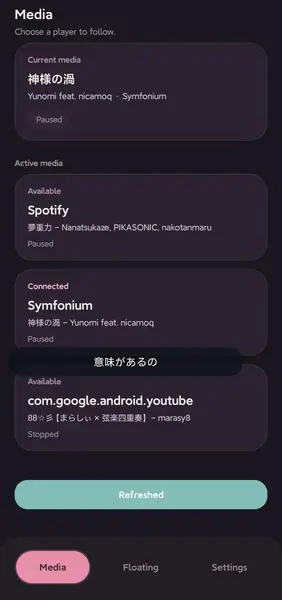
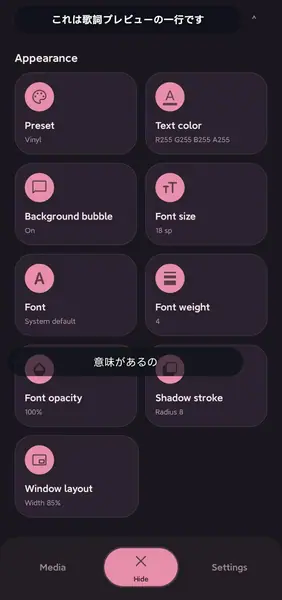
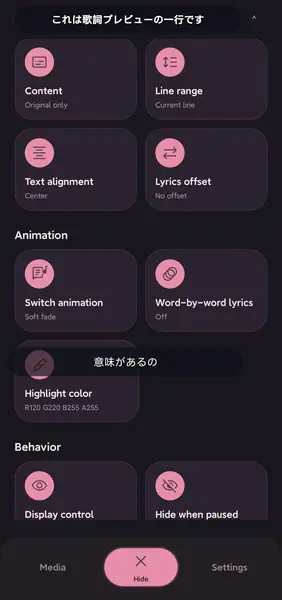
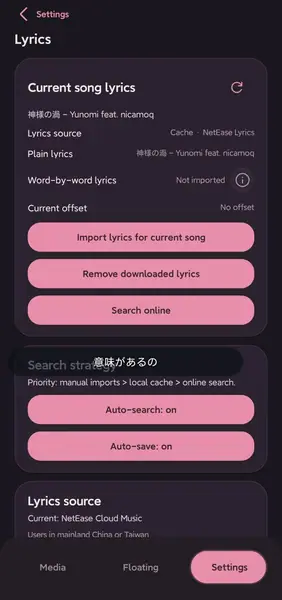
Informazioni su AirLyrics
Descrizione fornita dallo sviluppatore (in inglese).
AirLyrics is a lightweight floating lyrics app.
Features:
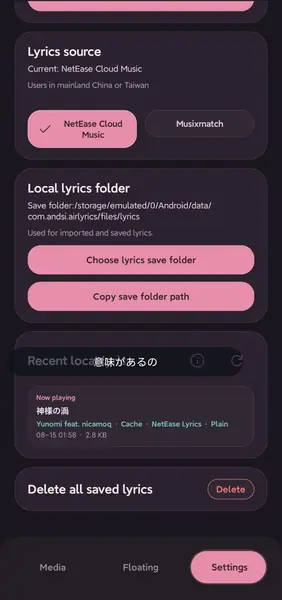
- Detect current media and show synced floating lyrics
- Search NetEase Cloud Music, Musixmatch, LRCLIB, Spicy Lyrics, or Apple Music (sign-in required), and preview results before applying them
- Manually search word-by-word lyrics from NetEase Cloud Music, Kugou, and QQ Music
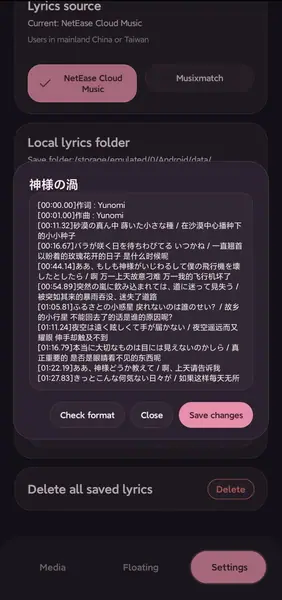
- Import local LRC, TTML, or TXT files, including LDDC word-timed LRC; display translations and adjust timing
- Edit saved lyrics, including word text and timing; export, import, or delete lyrics in batches
- Customize the floating window, lyric glow, and animations; switch between light and dark themes
AirLyrics is not a music player and does not include a complete lyrics database. If an online match is inaccurate, you can import local lyrics.
Plain text lyrics can be saved and edited but cannot be displayed in the floating window.
Privacy:
AirLyrics has no analytics or own server. Notification access is used on-device for media detection. Online searches go directly to the selected providers; optional Apple Music sign-in sends an account token to Apple.
Novità della versione 1.2.10
v1.2.10
- Search word-by-word lyrics from NetEase Cloud Music, Kugou, and QQ Music.
- Adjust the lyrics search layout and move the source button.
- Show loading feedback in the Display scope app picker.
Informazioni sul file APK
| Nome del pacchetto | com.andsi.airlyrics |
|---|---|
| Versione | 1.2.10 (codice 21) |
| Android minimo | Android 8.0 · pensata per Android 16 |
| Architetture | arm64-v8a |
| SHA-256 | f04f7266f6be350994f2d8fabc7c3619f659cc0f42a41f1dbbadc8558ab5beac |
| Firma | c892efad40528eda2064c251699250a907672cbf959bc7a23a7304bbb173f18c |
| Licenza | MIT — licenza libera permissiva: il codice sorgente è pubblico e riutilizzabile |
| Codice sorgente | github.com/AirLyrics/AirLyrics |
Autorizzazioni richieste
- Mostrare sopra altre app sensibile
- Funzionare in background
- Mostrare notifiche
- Accesso a Internet
- Vedere lo stato della rete
Altre 1 autorizzazioni tecniche
PACKAGE_USAGE_STATS
Versioni precedenti
- AirLyrics 1.2.1017 novembre 2026 · 13,5 MB
- AirLyrics 1.2.911 novembre 2026 · 13,3 MB
- AirLyrics 1.2.86 novembre 2026 · 11,5 MB
Come installare AirLyrics APK
- Tocca Scarica l'APK qui sopra, poi apri il file al termine del download.
- Se Android lo chiede, consenti al browser di installare app sconosciute.
- Tocca Installa. AirLyrics comparirà insieme alle altre app.
→ Come installare un file APK su Android (passo passo)
→ «App non installata»: cause e soluzioni
Domande frequenti
AirLyrics è gratis?
Sì. AirLyrics è distribuita con licenza MIT: gratuita, senza abbonamento e con codice sorgente pubblico.
Questo file APK è sicuro?
Il file è quello compilato e pubblicato dal repository F-Droid a partire dal codice sorgente pubblico. L'impronta SHA-256 è indicata qui sopra: puoi confrontarla dopo il download. Un APK è pericoloso? Come verificare un file prima di installarlo
AirLyrics funziona sul mio telefono?
Serve almeno Android 8.0. L'app funziona anche senza i servizi Google, quindi anche sui telefoni Huawei recenti.