APK Explorer & Editor APK
quelloffener APK Explorer/Editor & Split APK/App Bundle Installer
APK herunterladen vv0.36 · 3,6 MB- Versionv0.36
- Größe3,6 MB
- BenötigtAndroid 6.0
- Aktualisiert9.9.2026
- LizenzGPL-3.0-or-later
- PreisKostenlos
Über APK Explorer & Editor
Beschreibung des Entwicklers (auf Englisch).
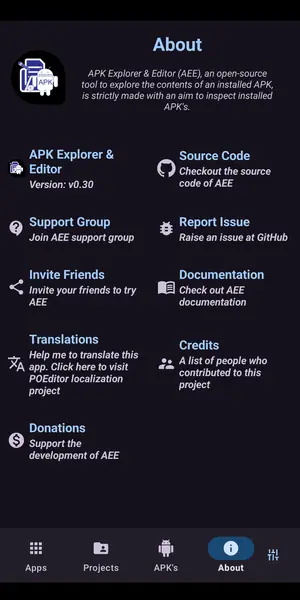
APK Explorer & Editor (AEE) includes a set of open-source tools mainly designed to explore the contents of an installed application on an Android device. Additionally, AEE offers a feature-rich APK/Split APK's/App bundle installer which allows users to pick and install files from device storage. Please Note: This is the full version of AEE. The Google Play version lacks editing capabilities as well as features such as APK/App Bundle signing.
Features
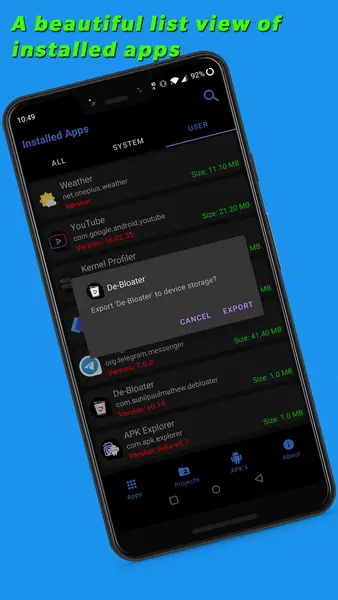
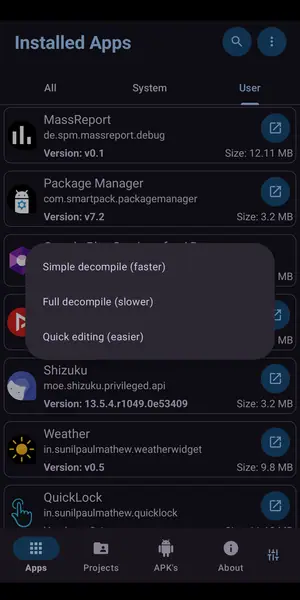
- A beautifully designed list view of installed applications.
- Explore an installed application or APK file picked from the device storage and navigate through its contents.
- Export and easily manage (install, share etc.) APK's/Split APK's into device storage.
- Includes a feature-rich APK/Split APK/App bundle installer (easily pick and install files from device storage)
- Easily extract app icons by single-clicking on them.
- Provides basic information about important resource files.
- View graphics, texts, binary XML, and many more.
- Save/Export individual resource files to device storage.
- Edit text/binary XML files using an in-built text editor (still, a bit buggy when working with too huge APK's).
- Delete or replaces resources.
- Assemble modified smali files into new classes (.dex).
- Decode and view the contents of "resources.arsc".
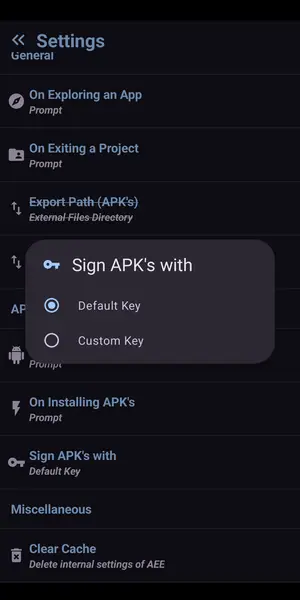
- Create signed APK's/App Bundles after the above-mentioned processes.
- Resign APK's/bundles with AEE custom key.
- Elegantly designed user interface with an auto-dark/light theme.
- A lot more.
Translations
Please help me to translate this application via POEditor. You may also translate after downloading the original language string available GitHub.
Documentation
- How-To
Neu in Version v0.36
- Modernized navigation view with smoother layouts and swipe gestures across
- Redesigned Bundle Install into a bottom sheet with a new "Select All" option
- Upgraded popup menus to modern bottom dialogs
- Improved APK Permissions screens for cleaner user experience
- Unified icon sizes, button labels, and custom dialogues across all screens
- Improved package name editing
- Updated Ukrainian and Vietnamese localizations
Informationen zur APK-Datei
| Paketname | com.apk.editor |
|---|---|
| Version | v0.36 (Code 36) |
| Mindestens | Android 6.0 · ausgelegt für API 37 |
| Architekturen | Alle (universell) |
| SHA-256 | 543b356b2b540a93ce6f5486ced1f0b3f971c820f32e3a2d43c2d1538fb45e08 |
| Signatur | 56e93d3a058428c4f70ecf3d49067e25d2d51e16bb94683db545a2648f3f031f |
| Lizenz | GPL-3.0-or-later — freie Copyleft-Lizenz: Der Code ist öffentlich und veränderte Versionen müssen frei bleiben |
| Quellcode | github.com/apk-editor/APK-Explorer-Editor |
| Offizielle Website | apk-editor.github.io |
Berechtigungen
- Andere Apps installieren sensibel
- Auf Speicher schreiben
- Installierte Apps sehen sensibel
- Speicher lesen
Ältere Versionen
- APK Explorer & Editor v0.369. September 2026 · 3,6 MB
- APK Explorer & Editor v0.3510. Juli 2026 · 3,5 MB
- APK Explorer & Editor v0.346. Mai 2026 · 3,4 MB
So installieren Sie APK Explorer & Editor APK
- Tippen Sie oben auf APK herunterladen und öffnen Sie die Datei nach dem Download.
- Wenn Android fragt, erlauben Sie Ihrem Browser, unbekannte Apps zu installieren.
- Tippen Sie auf Installieren. APK Explorer & Editor erscheint dann bei Ihren anderen Apps.
→ APK-Datei auf Android installieren (Schritt für Schritt)
→ „App nicht installiert“: Ursachen und Lösungen
Häufige Fragen
Ist APK Explorer & Editor kostenlos?
Ja. APK Explorer & Editor steht unter der Lizenz GPL-3.0-or-later: kostenlos, ohne Abo, und der Quellcode ist öffentlich.
Ist diese APK-Datei sicher?
Die Datei wurde vom F-Droid-Repository aus dem öffentlichen Quellcode erstellt und veröffentlicht. Ihr SHA-256-Fingerabdruck steht oben, Sie können ihn nach dem Download vergleichen. Ist eine APK gefährlich? So prüfen Sie eine Datei vor der Installation
Läuft APK Explorer & Editor auf meinem Handy?
Sie benötigen mindestens Android 6.0. Die App funktioniert auch ohne Google-Dienste, also auch auf aktuellen Huawei-Handys.





