
Calibre-Web-Companion APK
Inoffizielle Begleiter-App für Calibre Web (automated)
APK herunterladen v2.3.11 · 35,6 MB- Version2.3.11
- Größe35,6 MB
- BenötigtAndroid 7.0
- Aktualisiert20.11.2026
- LizenzGPL-3.0-only
- PreisKostenlos
Über Calibre-Web-Companion
Beschreibung des Entwicklers (auf Englisch).
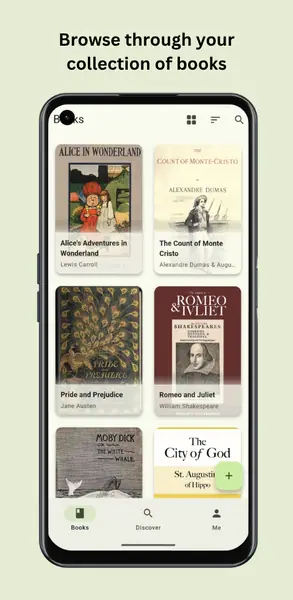
Unofficial companion app for Calibre-Web and Calibre-Web Automated. Browse your book collection and manage your digital library on the go.
Built with Flutter and Material You for a modern, intuitive and responsive experience. Available for Android, in 15 languages.
Features:
- Connect to your Calibre-Web (Automated) server, including reverse-proxy / SSO setups, custom HTTP headers and self-signed certificates.
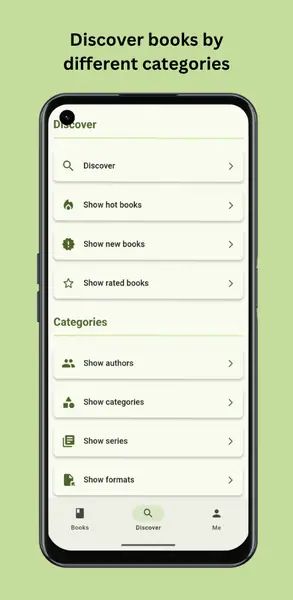
- Browse your whole library and discover books by author, series, publisher, rating, hot & trending, and more.
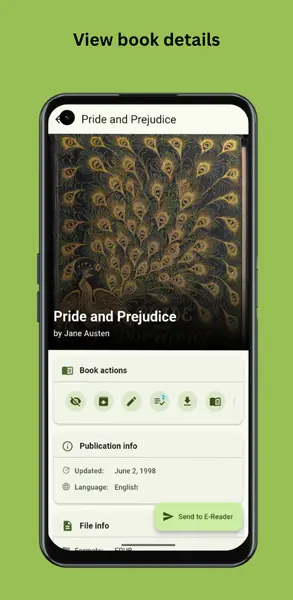
- View rich details for every book, edit its metadata, and upload new covers.
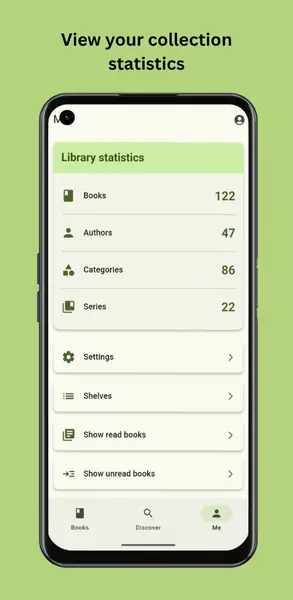
- Mark books as read or unread, archive them, and organize them into shelves.
- Create, edit and browse Magic Shelves: dynamic, rule-based shelves (Calibre-Web Automated only).
- Add books quickly by scanning their ISBN barcode.
- Read books in the built-in eBook reader and sync your reading progress across devices via WebDAV.
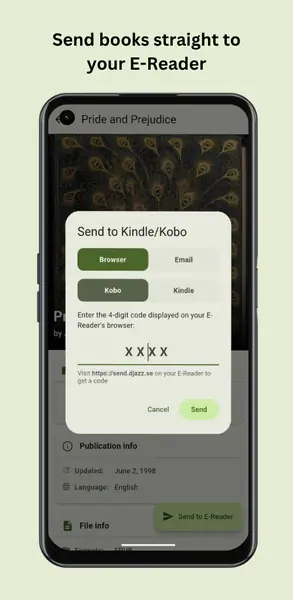
- Send books to your e-reader (Kindle/Kobo) via BookDrop or Calibre-Web's email function.
- Download books into your collection with Shelfmark. This app does not support or encourage the piracy of copyrighted works; please only download content you are legally entitled to.
- Upload books to your server, and sync your whole library or selected books for offline reading.
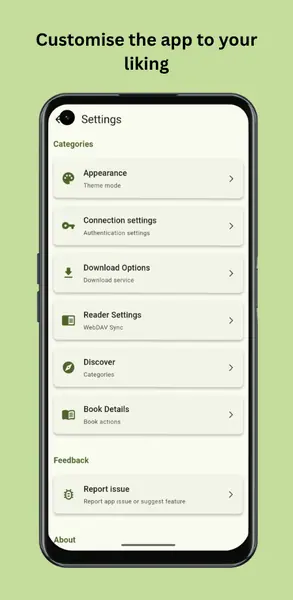
- Make it yours: reorder or hide book actions and sections, choose a theme, enable e-ink mode, and adjust the text size.
The app is in active development. You can open issues on GitHub for bugs, feedback and feature ideas.
Credits: Calibre-Web, Calibre-Web Automated, Shelfmark, BookDrop, Flutter.
Neu in Version 2.3.11
Fix: A cover picked from a metadata search result (e.g. ISBNdb) is now saved too, not only the text metadata (#231)
Informationen zur APK-Datei
| Paketname | de.doen1el.calibreWebCompanion |
|---|---|
| Version | 2.3.11 (Code 2573) |
| Mindestens | Android 7.0 · ausgelegt für Android 16 |
| Architekturen | arm64-v8a |
| SHA-256 | bfbd440aba015885fe4d30e7c67ddb52f15c3477ccafb8d1457db4959e64263c |
| Signatur | aafacf1ee48ca6cf34faa93d4db2384e8374f17626357a6f3bc04473cdb742ed |
| Lizenz | GPL-3.0-only — freie Copyleft-Lizenz: Der Code ist öffentlich und veränderte Versionen müssen frei bleiben |
| Quellcode | github.com/doen1el/calibre-web-companion |
Berechtigungen
- Internetzugriff
- Speicher lesen
- Auf Speicher schreiben
- Kamera sensibel
- Netzwerkstatus sehen
- Ruhezustand verhindern
- Beim Start ausführen
- Im Hintergrund laufen
Ältere Versionen
- Calibre-Web-Companion 2.3.1120. November 2026 · 35,6 MB
- Calibre-Web-Companion 2.3.917. November 2026 · 35,6 MB
- Calibre-Web-Companion 2.3.713. November 2026 · 35,6 MB
So installieren Sie Calibre-Web-Companion APK
- Tippen Sie oben auf APK herunterladen und öffnen Sie die Datei nach dem Download.
- Wenn Android fragt, erlauben Sie Ihrem Browser, unbekannte Apps zu installieren.
- Tippen Sie auf Installieren. Calibre-Web-Companion erscheint dann bei Ihren anderen Apps.
→ APK-Datei auf Android installieren (Schritt für Schritt)
→ „App nicht installiert“: Ursachen und Lösungen
Häufige Fragen
Ist Calibre-Web-Companion kostenlos?
Ja. Calibre-Web-Companion steht unter der Lizenz GPL-3.0-only: kostenlos, ohne Abo, und der Quellcode ist öffentlich.
Ist diese APK-Datei sicher?
Die Datei wurde vom F-Droid-Repository aus dem öffentlichen Quellcode erstellt und veröffentlicht. Ihr SHA-256-Fingerabdruck steht oben, Sie können ihn nach dem Download vergleichen. Ist eine APK gefährlich? So prüfen Sie eine Datei vor der Installation
Läuft Calibre-Web-Companion auf meinem Handy?
Sie benötigen mindestens Android 7.0. Die App funktioniert auch ohne Google-Dienste, also auch auf aktuellen Huawei-Handys.





