
Calibre-Web-Companion APK
Unofficial companion app for calibre web (automated)
Download APK v2.3.11 · 35.6 MB- Version2.3.11
- Size35.6 MB
- RequiresAndroid 7.0
- Updated11/20/2026
- LicenceGPL-3.0-only
- PriceFree
About Calibre-Web-Companion
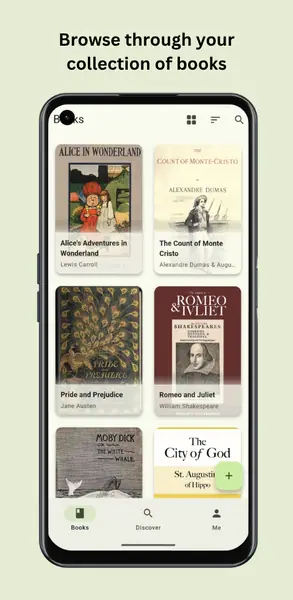
Unofficial companion app for Calibre-Web and Calibre-Web Automated. Browse your book collection and manage your digital library on the go.
Built with Flutter and Material You for a modern, intuitive and responsive experience. Available for Android, in 15 languages.
Features:
- Connect to your Calibre-Web (Automated) server, including reverse-proxy / SSO setups, custom HTTP headers and self-signed certificates.
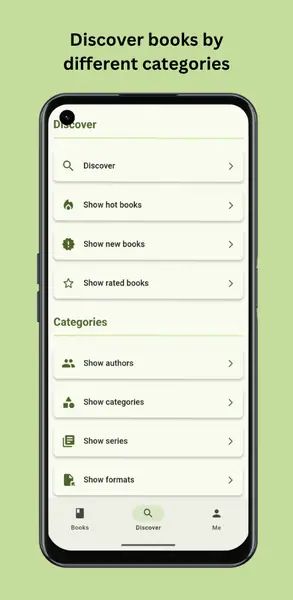
- Browse your whole library and discover books by author, series, publisher, rating, hot & trending, and more.
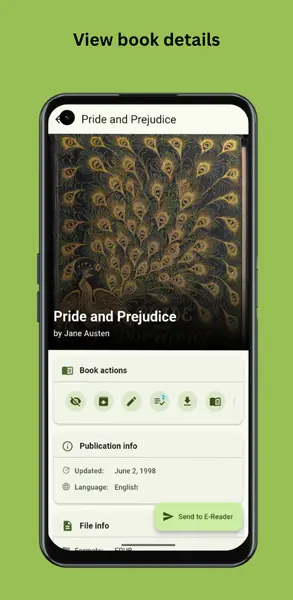
- View rich details for every book, edit its metadata, and upload new covers.
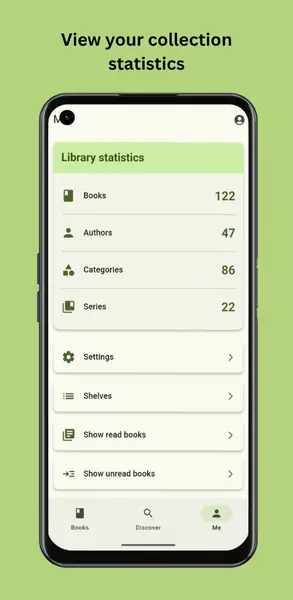
- Mark books as read or unread, archive them, and organize them into shelves.
- Create, edit and browse Magic Shelves: dynamic, rule-based shelves (Calibre-Web Automated only).
- Add books quickly by scanning their ISBN barcode.
- Read books in the built-in eBook reader and sync your reading progress across devices via WebDAV.
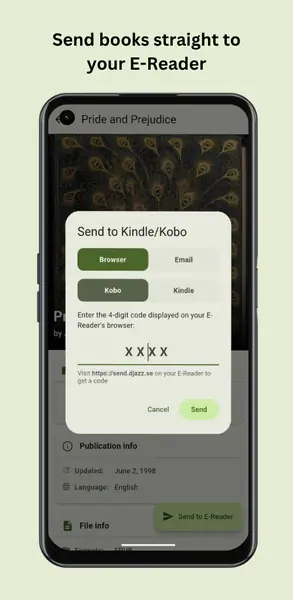
- Send books to your e-reader (Kindle/Kobo) via BookDrop or Calibre-Web's email function.
- Download books into your collection with Shelfmark. This app does not support or encourage the piracy of copyrighted works; please only download content you are legally entitled to.
- Upload books to your server, and sync your whole library or selected books for offline reading.
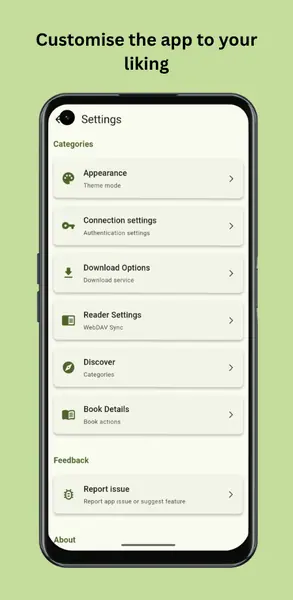
- Make it yours: reorder or hide book actions and sections, choose a theme, enable e-ink mode, and adjust the text size.
The app is in active development. You can open issues on GitHub for bugs, feedback and feature ideas.
Credits: Calibre-Web, Calibre-Web Automated, Shelfmark, BookDrop, Flutter.
What's new in version 2.3.11
Fix: A cover picked from a metadata search result (e.g. ISBNdb) is now saved too, not only the text metadata (#231)
APK file information
| Package name | de.doen1el.calibreWebCompanion |
|---|---|
| Version | 2.3.11 (code 2573) |
| Minimum Android | Android 7.0 · targets Android 16 |
| Architectures | arm64-v8a |
| SHA-256 | bfbd440aba015885fe4d30e7c67ddb52f15c3477ccafb8d1457db4959e64263c |
| Signature | aafacf1ee48ca6cf34faa93d4db2384e8374f17626357a6f3bc04473cdb742ed |
| Licence | GPL-3.0-only — copyleft free licence: the code is public and modified versions must stay free |
| Source code | github.com/doen1el/calibre-web-companion |
Permissions
- Internet access
- Read storage
- Write to storage
- Camera sensitive
- View network status
- Keep the device awake
- Start at boot
- Run in the background
Older versions
- Calibre-Web-Companion 2.3.11November 20, 2026 · 35.6 MB
- Calibre-Web-Companion 2.3.9November 17, 2026 · 35.6 MB
- Calibre-Web-Companion 2.3.7November 13, 2026 · 35.6 MB
How to install Calibre-Web-Companion APK
- Tap Download APK above, then open the file once the download has finished.
- If Android asks, allow your browser to install unknown apps.
- Tap Install. Calibre-Web-Companion then appears with your other apps.
Having trouble? Read our guides how to install an APK on Android and "App not installed": how to fix it.
Frequently asked questions
Is Calibre-Web-Companion free?
Yes. Calibre-Web-Companion is distributed under the GPL-3.0-only licence: free, no subscription, and its source code is public.
Is this APK file safe?
The file is the one built and published by the F-Droid repository from the public source code. Its SHA-256 fingerprint is shown above, so you can compare it after downloading. How to check an APK.
Will Calibre-Web-Companion work on my phone?
You need at least Android 7.0. The app also works without Google services, so it runs on recent Huawei phones too.





