
Calibre-Web-Companion APK
Unofficial companion app for calibre web (automated)
Scarica l'APK v2.3.11 · 35,6 MB- Versione2.3.11
- Dimensione35,6 MB
- RichiedeAndroid 7.0
- Aggiornata20/11/2026
- LicenzaGPL-3.0-only
- PrezzoGratis
Informazioni su Calibre-Web-Companion
Descrizione fornita dallo sviluppatore (in inglese).
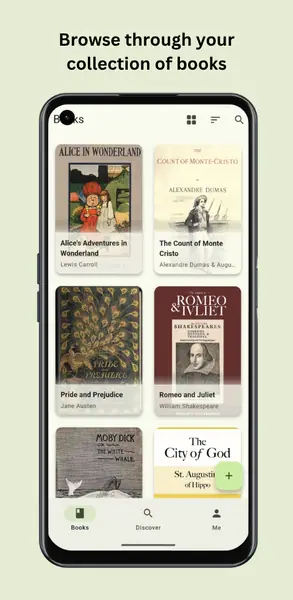
Unofficial companion app for Calibre-Web and Calibre-Web Automated. Browse your book collection and manage your digital library on the go.
Built with Flutter and Material You for a modern, intuitive and responsive experience. Available for Android, in 15 languages.
Features:
- Connect to your Calibre-Web (Automated) server, including reverse-proxy / SSO setups, custom HTTP headers and self-signed certificates.
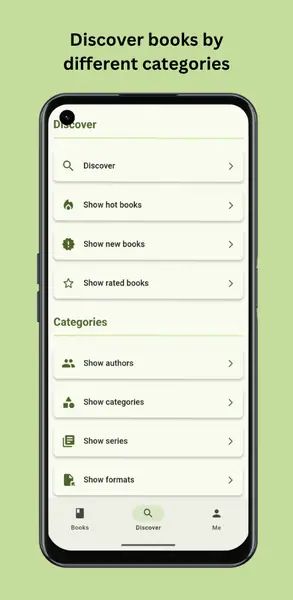
- Browse your whole library and discover books by author, series, publisher, rating, hot & trending, and more.
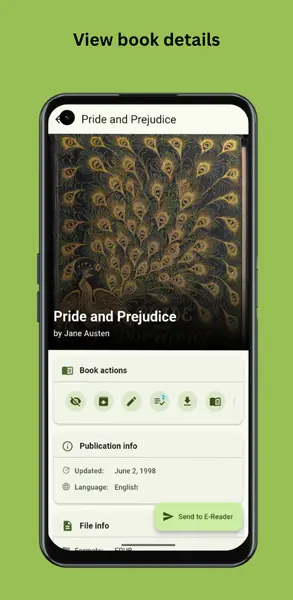
- View rich details for every book, edit its metadata, and upload new covers.
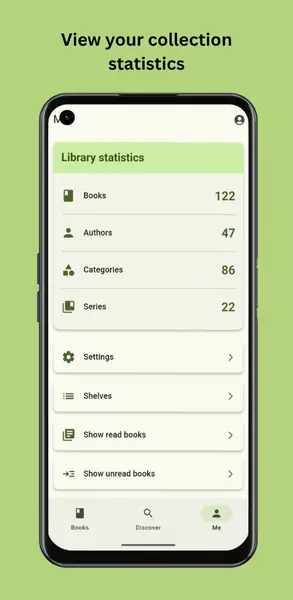
- Mark books as read or unread, archive them, and organize them into shelves.
- Create, edit and browse Magic Shelves: dynamic, rule-based shelves (Calibre-Web Automated only).
- Add books quickly by scanning their ISBN barcode.
- Read books in the built-in eBook reader and sync your reading progress across devices via WebDAV.
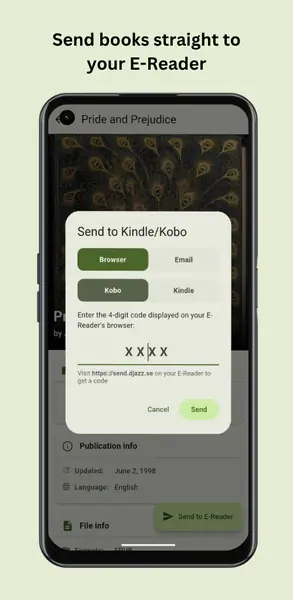
- Send books to your e-reader (Kindle/Kobo) via BookDrop or Calibre-Web's email function.
- Download books into your collection with Shelfmark. This app does not support or encourage the piracy of copyrighted works; please only download content you are legally entitled to.
- Upload books to your server, and sync your whole library or selected books for offline reading.
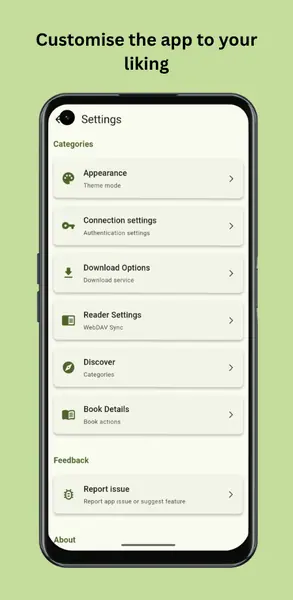
- Make it yours: reorder or hide book actions and sections, choose a theme, enable e-ink mode, and adjust the text size.
The app is in active development. You can open issues on GitHub for bugs, feedback and feature ideas.
Credits: Calibre-Web, Calibre-Web Automated, Shelfmark, BookDrop, Flutter.
Novità della versione 2.3.11
Fix: A cover picked from a metadata search result (e.g. ISBNdb) is now saved too, not only the text metadata (#231)
Informazioni sul file APK
| Nome del pacchetto | de.doen1el.calibreWebCompanion |
|---|---|
| Versione | 2.3.11 (codice 2573) |
| Android minimo | Android 7.0 · pensata per Android 16 |
| Architetture | arm64-v8a |
| SHA-256 | bfbd440aba015885fe4d30e7c67ddb52f15c3477ccafb8d1457db4959e64263c |
| Firma | aafacf1ee48ca6cf34faa93d4db2384e8374f17626357a6f3bc04473cdb742ed |
| Licenza | GPL-3.0-only — licenza libera copyleft: il codice è pubblico e le versioni modificate devono restare libere |
| Codice sorgente | github.com/doen1el/calibre-web-companion |
Autorizzazioni richieste
- Accesso a Internet
- Leggere l'archivio
- Scrivere nell'archivio
- Fotocamera sensibile
- Vedere lo stato della rete
- Impedire lo standby
- Avviarsi all'accensione
- Funzionare in background
Versioni precedenti
- Calibre-Web-Companion 2.3.1120 novembre 2026 · 35,6 MB
- Calibre-Web-Companion 2.3.917 novembre 2026 · 35,6 MB
- Calibre-Web-Companion 2.3.713 novembre 2026 · 35,6 MB
Come installare Calibre-Web-Companion APK
- Tocca Scarica l'APK qui sopra, poi apri il file al termine del download.
- Se Android lo chiede, consenti al browser di installare app sconosciute.
- Tocca Installa. Calibre-Web-Companion comparirà insieme alle altre app.
→ Come installare un file APK su Android (passo passo)
→ «App non installata»: cause e soluzioni
Domande frequenti
Calibre-Web-Companion è gratis?
Sì. Calibre-Web-Companion è distribuita con licenza GPL-3.0-only: gratuita, senza abbonamento e con codice sorgente pubblico.
Questo file APK è sicuro?
Il file è quello compilato e pubblicato dal repository F-Droid a partire dal codice sorgente pubblico. L'impronta SHA-256 è indicata qui sopra: puoi confrontarla dopo il download. Un APK è pericoloso? Come verificare un file prima di installarlo
Calibre-Web-Companion funziona sul mio telefono?
Serve almeno Android 7.0. L'app funziona anche senza i servizi Google, quindi anche sui telefoni Huawei recenti.





