
CIFS Documents Provider APK
Provides access to shared network storage.
APK herunterladen v2.4.0 · 18,3 MB- Version2.4.0
- Größe18,3 MB
- BenötigtAndroid 8.0
- Aktualisiert5.10.2025
- LizenzMIT
- PreisKostenlos
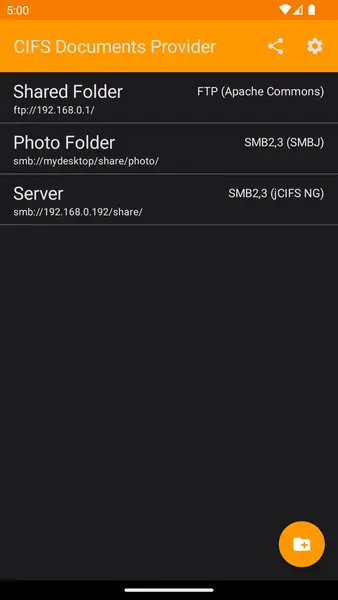
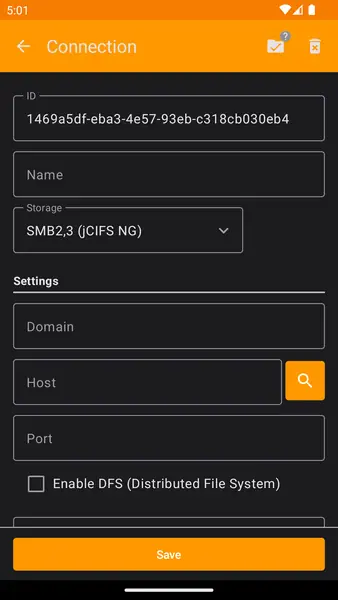
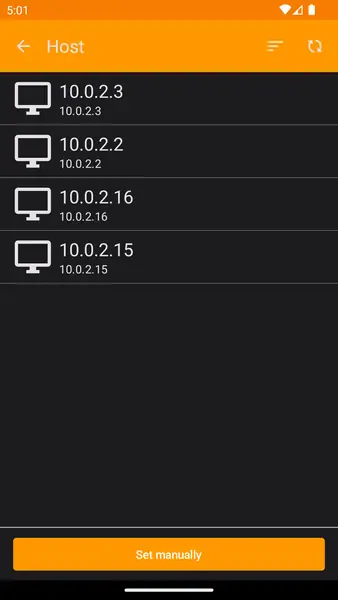
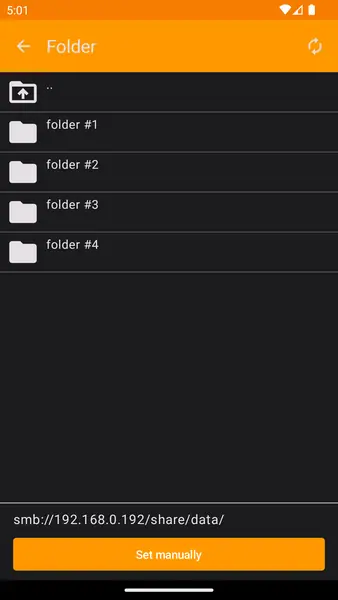
Über CIFS Documents Provider
Beschreibung des Entwicklers (auf Englisch).
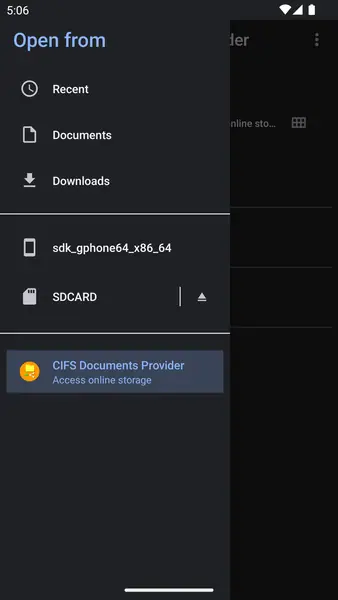
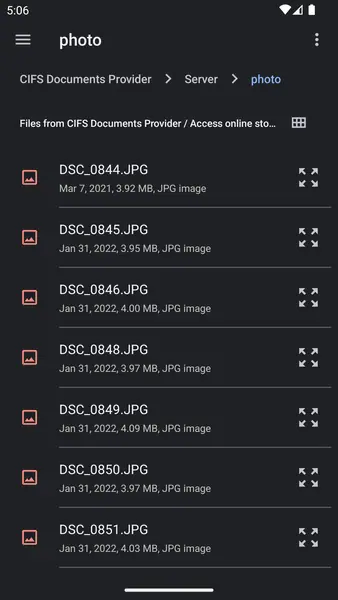
CIFS Documents Provider is an Android app to provide access to shared online storage.
[Features]
- Provide other apps with access to shared network storage via the Storage Access Framework (SAF).
- Provides access to files and directories.
- Supports SMB (Samba, Common Internet File System (CIFS), Windows Network Shared Folder), FTP, FTPS and SFTP.
- Share and transfer files on online storage.
- Multiple connection settings can be stored.
- Supports connection settings export/import.
- Supports dark mode.
- Can be treated as local storage (configuration required)
- Notifications can be displayed to prevent task kills. (configuration required)
[Objective]
- Import and export of files created by the app.
- Manage files and directories with the Storage Manager app.
- Play music, videos, etc. with the media player app.
- Direct saving of photos taken with the camera app.
[Note]
- No file management function in this app.
- To use this app, your apps must support SAF (Storage Access Framework).
- Apps that assume local storage may not work properly.
- Apps may crash when specified as a storage destination for streaming audio or video data.
[How to use]
See the following page. (Japanese) https://github.com/wa2c/cifs-documents-provider/wiki/Manual-ja
[Sources]
GitHub https://github.com/wa2c/cifs-documents-provider
[Issues]
GitHub Issue https://github.com/wa2c/cifs-documents-provider/issues
Please post here if you have bug reports, Future requests, or other information.
Informationen zur APK-Datei
| Paketname | com.wa2c.android.cifsdocumentsprovider |
|---|---|
| Version | 2.4.0 (Code 31) |
| Mindestens | Android 8.0 · ausgelegt für Android 15 |
| Architekturen | arm64-v8a, armeabi-v7a, x86, x86_64 |
| SHA-256 | 215f005994efed4a55e10708132ae41543ab7af48d5409d38c634090cfa15768 |
| Signatur | 32644488ea8f8247d8e107b141fbb5f1674864ad09156ba8c357a1fca9b57aeb |
| Lizenz | MIT — freie, freizügige Lizenz: Der Quellcode ist öffentlich und wiederverwendbar |
| Quellcode | github.com/wa2c/cifs-documents-provider |
| Offizielle Website | github.com/wa2c/cifs-documents-provider/wiki |
Berechtigungen
- Internetzugriff
- Benachrichtigungen anzeigen
- Im Hintergrund laufen
- Ruhezustand verhindern
Ältere Versionen
- CIFS Documents Provider 2.4.05. Oktober 2025 · 18,3 MB
- CIFS Documents Provider 2.3.017. Mai 2024 · 18,4 MB
- CIFS Documents Provider 2.2.122. April 2024 · 18,3 MB
So installieren Sie CIFS Documents Provider APK
- Tippen Sie oben auf APK herunterladen und öffnen Sie die Datei nach dem Download.
- Wenn Android fragt, erlauben Sie Ihrem Browser, unbekannte Apps zu installieren.
- Tippen Sie auf Installieren. CIFS Documents Provider erscheint dann bei Ihren anderen Apps.
→ APK-Datei auf Android installieren (Schritt für Schritt)
→ „App nicht installiert“: Ursachen und Lösungen
Häufige Fragen
Ist CIFS Documents Provider kostenlos?
Ja. CIFS Documents Provider steht unter der Lizenz MIT: kostenlos, ohne Abo, und der Quellcode ist öffentlich.
Ist diese APK-Datei sicher?
Die Datei wurde vom F-Droid-Repository aus dem öffentlichen Quellcode erstellt und veröffentlicht. Ihr SHA-256-Fingerabdruck steht oben, Sie können ihn nach dem Download vergleichen. Ist eine APK gefährlich? So prüfen Sie eine Datei vor der Installation
Läuft CIFS Documents Provider auf meinem Handy?
Sie benötigen mindestens Android 8.0. Die App funktioniert auch ohne Google-Dienste, also auch auf aktuellen Huawei-Handys.





