CIFS Documents Provider APK
Provides access to shared network storage.
Scarica l'APK v2.4.0 · 18,3 MB- Versione2.4.0
- Dimensione18,3 MB
- RichiedeAndroid 8.0
- Aggiornata05/10/2025
- LicenzaMIT
- PrezzoGratis
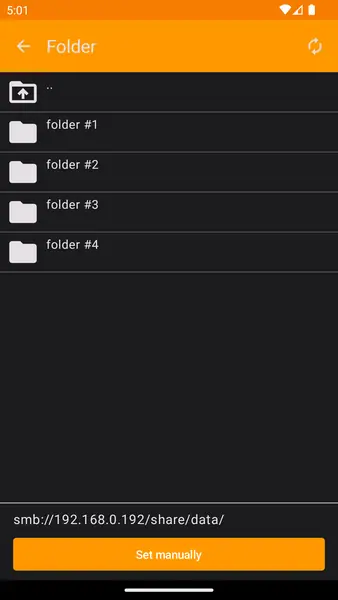
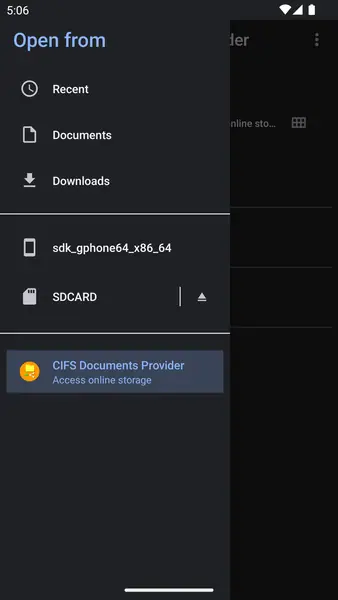
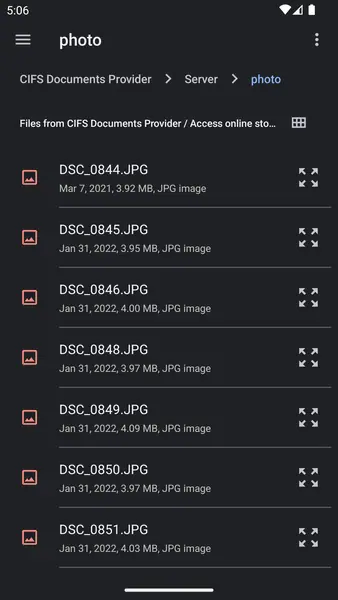
Informazioni su CIFS Documents Provider
Descrizione fornita dallo sviluppatore (in inglese).
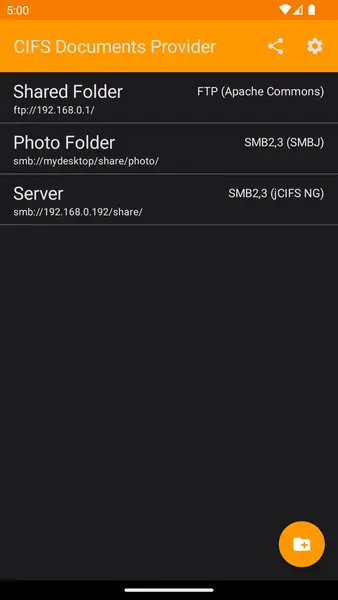
CIFS Documents Provider is an Android app to provide access to shared online storage.
[Features]
- Provide other apps with access to shared network storage via the Storage Access Framework (SAF).
- Provides access to files and directories.
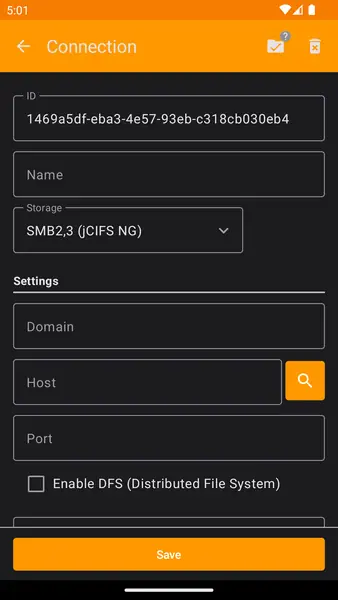
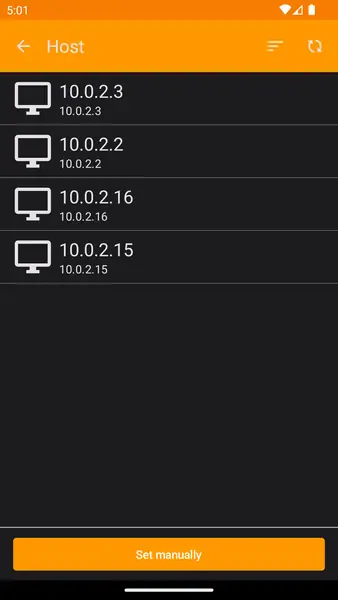
- Supports SMB (Samba, Common Internet File System (CIFS), Windows Network Shared Folder), FTP, FTPS and SFTP.
- Share and transfer files on online storage.
- Multiple connection settings can be stored.
- Supports connection settings export/import.
- Supports dark mode.
- Can be treated as local storage (configuration required)
- Notifications can be displayed to prevent task kills. (configuration required)
[Objective]
- Import and export of files created by the app.
- Manage files and directories with the Storage Manager app.
- Play music, videos, etc. with the media player app.
- Direct saving of photos taken with the camera app.
[Note]
- No file management function in this app.
- To use this app, your apps must support SAF (Storage Access Framework).
- Apps that assume local storage may not work properly.
- Apps may crash when specified as a storage destination for streaming audio or video data.
[How to use]
See the following page. (Japanese) https://github.com/wa2c/cifs-documents-provider/wiki/Manual-ja
[Sources]
GitHub https://github.com/wa2c/cifs-documents-provider
[Issues]
GitHub Issue https://github.com/wa2c/cifs-documents-provider/issues
Please post here if you have bug reports, Future requests, or other information.
Informazioni sul file APK
| Nome del pacchetto | com.wa2c.android.cifsdocumentsprovider |
|---|---|
| Versione | 2.4.0 (codice 31) |
| Android minimo | Android 8.0 · pensata per Android 15 |
| Architetture | arm64-v8a, armeabi-v7a, x86, x86_64 |
| SHA-256 | 215f005994efed4a55e10708132ae41543ab7af48d5409d38c634090cfa15768 |
| Firma | 32644488ea8f8247d8e107b141fbb5f1674864ad09156ba8c357a1fca9b57aeb |
| Licenza | MIT — licenza libera permissiva: il codice sorgente è pubblico e riutilizzabile |
| Codice sorgente | github.com/wa2c/cifs-documents-provider |
| Sito ufficiale | github.com/wa2c/cifs-documents-provider/wiki |
Autorizzazioni richieste
- Accesso a Internet
- Mostrare notifiche
- Funzionare in background
- Impedire lo standby
Versioni precedenti
- CIFS Documents Provider 2.4.05 ottobre 2025 · 18,3 MB
- CIFS Documents Provider 2.3.017 maggio 2024 · 18,4 MB
- CIFS Documents Provider 2.2.122 aprile 2024 · 18,3 MB
Come installare CIFS Documents Provider APK
- Tocca Scarica l'APK qui sopra, poi apri il file al termine del download.
- Se Android lo chiede, consenti al browser di installare app sconosciute.
- Tocca Installa. CIFS Documents Provider comparirà insieme alle altre app.
→ Come installare un file APK su Android (passo passo)
→ «App non installata»: cause e soluzioni
Domande frequenti
CIFS Documents Provider è gratis?
Sì. CIFS Documents Provider è distribuita con licenza MIT: gratuita, senza abbonamento e con codice sorgente pubblico.
Questo file APK è sicuro?
Il file è quello compilato e pubblicato dal repository F-Droid a partire dal codice sorgente pubblico. L'impronta SHA-256 è indicata qui sopra: puoi confrontarla dopo il download. Un APK è pericoloso? Come verificare un file prima di installarlo
CIFS Documents Provider funziona sul mio telefono?
Serve almeno Android 8.0. L'app funziona anche senza i servizi Google, quindi anche sui telefoni Huawei recenti.





