FreeOTP+ APK
Verbesserter Fork von FreeOTP - Eine funktionsreiche App zur 2FA-Authentifikatio
APK herunterladen v3.5 · 13,9 MB- Version3.5
- Größe13,9 MB
- BenötigtAndroid 6.0
- Aktualisiert17.11.2026
- LizenzApache-2.0
- PreisKostenlos
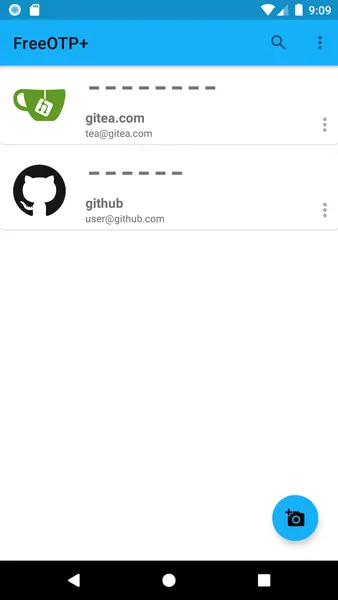
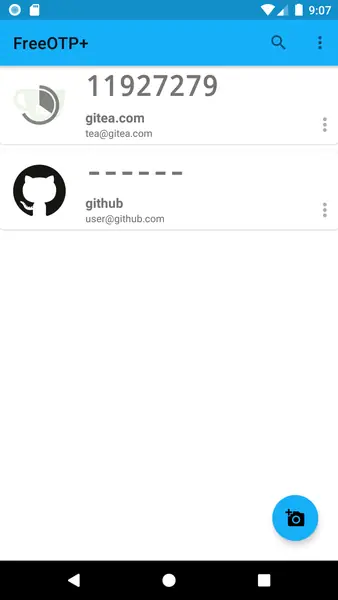
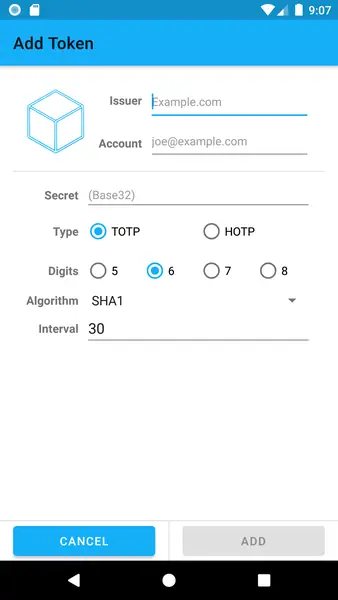
Über FreeOTP+
Beschreibung des Entwicklers (auf Englisch).
NOTE: Users reported issues with the backup & restore functionality, please test this whenever you install the app on a new device.
FreeOTP Plus forked the same functionality of FreeOTP provided by RedHat with the following enhancement:
- Export settings to Google Drive or other document providers
- Import settings from Google Drive or other document providers
- Lots of stability improvement
- Support Android 6.0 permissions
- Enhanced UI with material design with dark theme support
- Search bar to search token
- Provide more token details for better interoperatibility with other apps
- Utilize modern camera hardware to scan QR code faster
- Option to require Biometric / PIN authentication to launch the app
- Heuristic based offline icon for tokens of 250+ websites
- More settings to customize the app functionality
FreeOTP is a two-factor authentication (2FA) application for systems utilizing one-time password protocols (OTP). Tokens can be added easily by scanning a QR-code or by manually entering in the token configuration.
FreeOTP implements open standards. This means that no proprietary server-side component is necessary: use any server-side component that implements these standards — for example FreeIPA, which uses TOTP. Any standards-compliant implementation will work. Currently, FreeOTP provides implementations of HOTP (RFC 4226) and TOTP (RFC 6238).
Neu in Version 3.5
RELEASE-3.5
- Make token issuer optional
- Add confirmation dialog when importing external token links
- Block screenshots across all screens and restrict screenshot mode to debug builds
- Fix compatibility issue on Android 6.0 devices
- Update translations for all supported languages
Informationen zur APK-Datei
| Paketname | org.liberty.android.freeotpplus |
|---|---|
| Version | 3.5 (Code 27) |
| Mindestens | Android 6.0 · ausgelegt für Android 16 |
| Architekturen | arm64-v8a, armeabi-v7a, x86, x86_64 |
| SHA-256 | a44d80c7f2e9008d62d90db100ddd3046016836b2b88428259de368c7de0f807 |
| Signatur | 7da477c9e2e64ab750830ed6d77c73f6a3c87253675377930d9ff208165d8d5b |
| Lizenz | Apache-2.0 — freie, freizügige Lizenz: Der Quellcode ist öffentlich und wiederverwendbar |
| Quellcode | github.com/helloworld1/FreeOTPPlus |
Berechtigungen
- Kamera sensibel
- Internetzugriff
- Speicher lesen
- Fingerabdruck / Biometrie
- Fingerabdruck
- Netzwerkstatus sehen
Ältere Versionen
- FreeOTP+ 3.517. November 2026 · 13,9 MB
- FreeOTP+ 3.43. Juni 2026 · 13,6 MB
- FreeOTP+ 3.320. Mai 2026 · 13,2 MB
So installieren Sie FreeOTP+ APK
- Tippen Sie oben auf APK herunterladen und öffnen Sie die Datei nach dem Download.
- Wenn Android fragt, erlauben Sie Ihrem Browser, unbekannte Apps zu installieren.
- Tippen Sie auf Installieren. FreeOTP+ erscheint dann bei Ihren anderen Apps.
→ APK-Datei auf Android installieren (Schritt für Schritt)
→ „App nicht installiert“: Ursachen und Lösungen
Häufige Fragen
Ist FreeOTP+ kostenlos?
Ja. FreeOTP+ steht unter der Lizenz Apache-2.0: kostenlos, ohne Abo, und der Quellcode ist öffentlich.
Ist diese APK-Datei sicher?
Die Datei wurde vom F-Droid-Repository aus dem öffentlichen Quellcode erstellt und veröffentlicht. Ihr SHA-256-Fingerabdruck steht oben, Sie können ihn nach dem Download vergleichen. Ist eine APK gefährlich? So prüfen Sie eine Datei vor der Installation
Läuft FreeOTP+ auf meinem Handy?
Sie benötigen mindestens Android 6.0. Die App funktioniert auch ohne Google-Dienste, also auch auf aktuellen Huawei-Handys.