FreeOTP+ APK
Two-factor authenticator (2FA) with one-time password protocols (OTP)
Download APK v3.5 · 13.9 MB- Version3.5
- Size13.9 MB
- RequiresAndroid 6.0
- Updated11/17/2026
- LicenceApache-2.0
- PriceFree
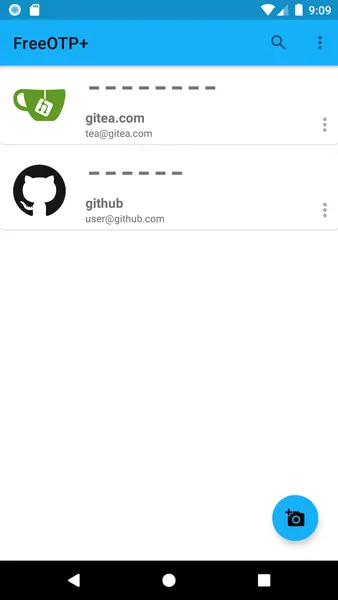
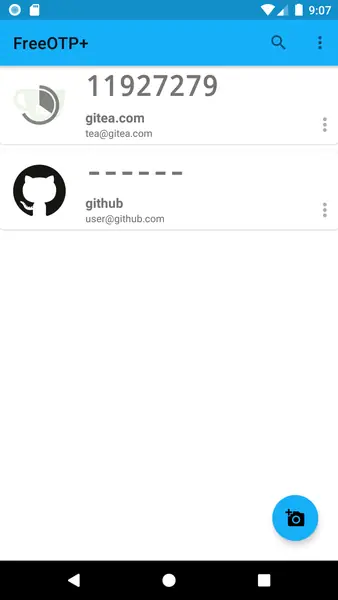
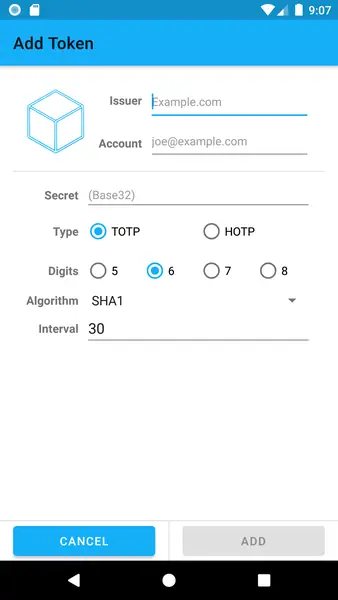
About FreeOTP+
NOTE: Users reported issues with the backup & restore functionality, please test this whenever you install the app on a new device.
FreeOTP Plus forked the same functionality of FreeOTP provided by RedHat with the following enhancement:
- Export settings to Google Drive or other document providers
- Import settings from Google Drive or other document providers
- Lots of stability improvement
- Support Android 6.0 permissions
- Enhanced UI with material design with dark theme support
- Search bar to search token
- Provide more token details for better interoperatibility with other apps
- Utilize modern camera hardware to scan QR code faster
- Option to require Biometric / PIN authentication to launch the app
- Heuristic based offline icon for tokens of 250+ websites
- More settings to customize the app functionality
FreeOTP is a two-factor authentication (2FA) application for systems utilizing one-time password protocols (OTP). Tokens can be added easily by scanning a QR-code or by manually entering in the token configuration.
FreeOTP implements open standards. This means that no proprietary server-side component is necessary: use any server-side component that implements these standards — for example FreeIPA, which uses TOTP. Any standards-compliant implementation will work. Currently, FreeOTP provides implementations of HOTP (RFC 4226) and TOTP (RFC 6238).
What's new in version 3.5
RELEASE-3.5
- Make token issuer optional
- Add confirmation dialog when importing external token links
- Block screenshots across all screens and restrict screenshot mode to debug builds
- Fix compatibility issue on Android 6.0 devices
- Update translations for all supported languages
APK file information
| Package name | org.liberty.android.freeotpplus |
|---|---|
| Version | 3.5 (code 27) |
| Minimum Android | Android 6.0 · targets Android 16 |
| Architectures | arm64-v8a, armeabi-v7a, x86, x86_64 |
| SHA-256 | a44d80c7f2e9008d62d90db100ddd3046016836b2b88428259de368c7de0f807 |
| Signature | 7da477c9e2e64ab750830ed6d77c73f6a3c87253675377930d9ff208165d8d5b |
| Licence | Apache-2.0 — permissive free licence: the source code is public and reusable |
| Source code | github.com/helloworld1/FreeOTPPlus |
Permissions
- Camera sensitive
- Internet access
- Read storage
- Fingerprint / biometrics
- Fingerprint
- View network status
Older versions
- FreeOTP+ 3.5November 17, 2026 · 13.9 MB
- FreeOTP+ 3.4June 3, 2026 · 13.6 MB
- FreeOTP+ 3.3May 20, 2026 · 13.2 MB
How to install FreeOTP+ APK
- Tap Download APK above, then open the file once the download has finished.
- If Android asks, allow your browser to install unknown apps.
- Tap Install. FreeOTP+ then appears with your other apps.
Having trouble? Read our guides how to install an APK on Android and "App not installed": how to fix it.
Frequently asked questions
Is FreeOTP+ free?
Yes. FreeOTP+ is distributed under the Apache-2.0 licence: free, no subscription, and its source code is public.
Is this APK file safe?
The file is the one built and published by the F-Droid repository from the public source code. Its SHA-256 fingerprint is shown above, so you can compare it after downloading. How to check an APK.
Will FreeOTP+ work on my phone?
You need at least Android 6.0. The app also works without Google services, so it runs on recent Huawei phones too.