
FreeOTP+ APK
Un fork migliorato di FreeOTP-Android che offre un autenticatore 2FA ricco di fu
Scarica l'APK v3.5 · 13,9 MB- Versione3.5
- Dimensione13,9 MB
- RichiedeAndroid 6.0
- Aggiornata17/11/2026
- LicenzaApache-2.0
- PrezzoGratis
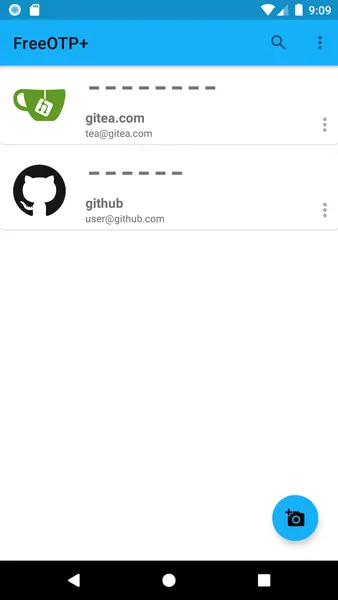
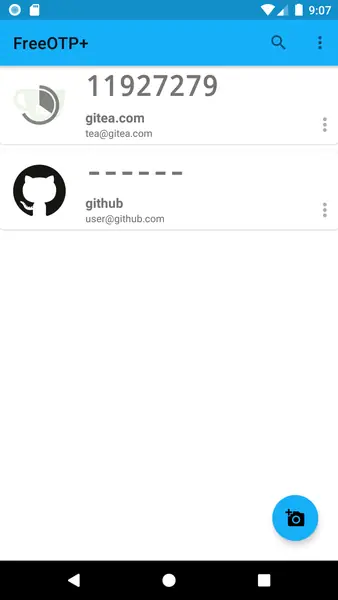
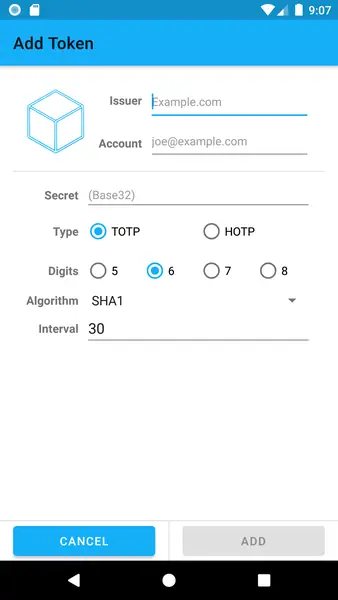
Informazioni su FreeOTP+
Descrizione fornita dallo sviluppatore (in inglese).
NOTE: Users reported issues with the backup & restore functionality, please test this whenever you install the app on a new device.
FreeOTP Plus forked the same functionality of FreeOTP provided by RedHat with the following enhancement:
- Export settings to Google Drive or other document providers
- Import settings from Google Drive or other document providers
- Lots of stability improvement
- Support Android 6.0 permissions
- Enhanced UI with material design with dark theme support
- Search bar to search token
- Provide more token details for better interoperatibility with other apps
- Utilize modern camera hardware to scan QR code faster
- Option to require Biometric / PIN authentication to launch the app
- Heuristic based offline icon for tokens of 250+ websites
- More settings to customize the app functionality
FreeOTP is a two-factor authentication (2FA) application for systems utilizing one-time password protocols (OTP). Tokens can be added easily by scanning a QR-code or by manually entering in the token configuration.
FreeOTP implements open standards. This means that no proprietary server-side component is necessary: use any server-side component that implements these standards — for example FreeIPA, which uses TOTP. Any standards-compliant implementation will work. Currently, FreeOTP provides implementations of HOTP (RFC 4226) and TOTP (RFC 6238).
Novità della versione 3.5
RELEASE-3.5
- Make token issuer optional
- Add confirmation dialog when importing external token links
- Block screenshots across all screens and restrict screenshot mode to debug builds
- Fix compatibility issue on Android 6.0 devices
- Update translations for all supported languages
Informazioni sul file APK
| Nome del pacchetto | org.liberty.android.freeotpplus |
|---|---|
| Versione | 3.5 (codice 27) |
| Android minimo | Android 6.0 · pensata per Android 16 |
| Architetture | arm64-v8a, armeabi-v7a, x86, x86_64 |
| SHA-256 | a44d80c7f2e9008d62d90db100ddd3046016836b2b88428259de368c7de0f807 |
| Firma | 7da477c9e2e64ab750830ed6d77c73f6a3c87253675377930d9ff208165d8d5b |
| Licenza | Apache-2.0 — licenza libera permissiva: il codice sorgente è pubblico e riutilizzabile |
| Codice sorgente | github.com/helloworld1/FreeOTPPlus |
Autorizzazioni richieste
- Fotocamera sensibile
- Accesso a Internet
- Leggere l'archivio
- Impronta / biometria
- Impronta digitale
- Vedere lo stato della rete
Versioni precedenti
- FreeOTP+ 3.517 novembre 2026 · 13,9 MB
- FreeOTP+ 3.43 giugno 2026 · 13,6 MB
- FreeOTP+ 3.320 maggio 2026 · 13,2 MB
Come installare FreeOTP+ APK
- Tocca Scarica l'APK qui sopra, poi apri il file al termine del download.
- Se Android lo chiede, consenti al browser di installare app sconosciute.
- Tocca Installa. FreeOTP+ comparirà insieme alle altre app.
→ Come installare un file APK su Android (passo passo)
→ «App non installata»: cause e soluzioni
Domande frequenti
FreeOTP+ è gratis?
Sì. FreeOTP+ è distribuita con licenza Apache-2.0: gratuita, senza abbonamento e con codice sorgente pubblico.
Questo file APK è sicuro?
Il file è quello compilato e pubblicato dal repository F-Droid a partire dal codice sorgente pubblico. L'impronta SHA-256 è indicata qui sopra: puoi confrontarla dopo il download. Un APK è pericoloso? Come verificare un file prima di installarlo
FreeOTP+ funziona sul mio telefono?
Serve almeno Android 6.0. L'app funziona anche senza i servizi Google, quindi anche sui telefoni Huawei recenti.





