To Do APK
Create checklists
APK herunterladen v1.6.4 · 1,9 MB- Version1.6.4
- Größe1,9 MB
- BenötigtAndroid 5.0
- Aktualisiert26.7.2026
- LizenzGPL-3.0-only
- PreisKostenlos


Über To Do
Beschreibung des Entwicklers (auf Englisch).
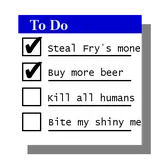
A simple and intuitive To Do list based on the app bundled with Palm Pilot, plus many other features:
- Entirely offline, requiring few permissions to run.
- Permission to use external storage is only needed to back up or
restore your lists. On Marshmallow (Android 6) and later, it is only requested if you write the file to a public folder.
- Permission to run on system boot and to post notifications is only
needed to check for items which are due and that you have set an alarm for. On Marshmallow (Android 6) and later, notification permissions are only requested if you save a To Do item with an alarm.
- Permission to vibrate is only needed when notifying you of items
which are due and that you have set an alarm for, if you have “Alarm vibrate” enabled in the app settings for Nougat (Android 7) or earlier. On Oreo (Android 8) and later, alarm vibration and sounds is managed in the system settings.
- The following permissions are added by WorkManager, a Google
library used to run the export, import, and password re-encryption operations in the background when initiated by the user. The core app does not use these on its own.
- Permission to view network connections, used by WorkManager to
determine the best time to schedule background tasks.
- Create any number of categories for different lists.
- Set alarms for items that are due or nearly due.
- Configure repeating items which advance their due date when completed.
- Mark items as private and optionally encrypt them with a password.
- Export lists to a local XML file.
- Import lists from either XML or a Palm Pilot data file.
- Backwards compatible with Android 5 (Lollipop) and up.
Neu in Version 1.6.4
Version 1.6.4
- Updated the target SDK to Android 17 (Cinnamon Bun).
- Added support for switching the UI theme to dark/night mode.
Informationen zur APK-Datei
| Paketname | com.xmission.trevin.android.todo |
|---|---|
| Version | 1.6.4 (Code 1060401) |
| Mindestens | Android 5.0 · ausgelegt für API 37 |
| Architekturen | Alle (universell) |
| SHA-256 | 93a83450233eed5f406197bb6510c62519d6138a40627239c6b12ea6999f8cd0 |
| Signatur | 9d97e5168157c077d8aed502a127868d69b9d1888b711bc814a3c736a5c9d6fa |
| Lizenz | GPL-3.0-only — freie Copyleft-Lizenz: Der Code ist öffentlich und veränderte Versionen müssen frei bleiben |
| Quellcode | github.com/Typraeurion/Android-ToDo |
Berechtigungen
- Beim Start ausführen
- Vibrieren
- Auf Speicher schreiben
- Benachrichtigungen anzeigen
- Ruhezustand verhindern
- Netzwerkstatus sehen
- Im Hintergrund laufen
- Speicher lesen
Ältere Versionen
- To Do 1.6.426. Juli 2026 · 1,9 MB
- To Do 1.6.313. Juni 2026 · 2,0 MB
- To Do 1.6.214. Mai 2026 · 2,0 MB
So installieren Sie To Do APK
- Tippen Sie oben auf APK herunterladen und öffnen Sie die Datei nach dem Download.
- Wenn Android fragt, erlauben Sie Ihrem Browser, unbekannte Apps zu installieren.
- Tippen Sie auf Installieren. To Do erscheint dann bei Ihren anderen Apps.
→ APK-Datei auf Android installieren (Schritt für Schritt)
→ „App nicht installiert“: Ursachen und Lösungen
Häufige Fragen
Ist To Do kostenlos?
Ja. To Do steht unter der Lizenz GPL-3.0-only: kostenlos, ohne Abo, und der Quellcode ist öffentlich.
Ist diese APK-Datei sicher?
Die Datei wurde vom F-Droid-Repository aus dem öffentlichen Quellcode erstellt und veröffentlicht. Ihr SHA-256-Fingerabdruck steht oben, Sie können ihn nach dem Download vergleichen. Ist eine APK gefährlich? So prüfen Sie eine Datei vor der Installation
Läuft To Do auf meinem Handy?
Sie benötigen mindestens Android 5.0. Die App funktioniert auch ohne Google-Dienste, also auch auf aktuellen Huawei-Handys.