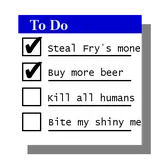
To Do APK
Create checklists
Descargar APK v1.6.4 · 1,9 MB- Versión1.6.4
- Tamaño1,9 MB
- RequiereAndroid 5.0
- Actualizada26/7/2026
- LicenciaGPL-3.0-only
- PrecioGratis


Acerca de To Do
Descripción del desarrollador (en inglés).
A simple and intuitive To Do list based on the app bundled with Palm Pilot, plus many other features:
- Entirely offline, requiring few permissions to run.
- Permission to use external storage is only needed to back up or
restore your lists. On Marshmallow (Android 6) and later, it is only requested if you write the file to a public folder.
- Permission to run on system boot and to post notifications is only
needed to check for items which are due and that you have set an alarm for. On Marshmallow (Android 6) and later, notification permissions are only requested if you save a To Do item with an alarm.
- Permission to vibrate is only needed when notifying you of items
which are due and that you have set an alarm for, if you have “Alarm vibrate” enabled in the app settings for Nougat (Android 7) or earlier. On Oreo (Android 8) and later, alarm vibration and sounds is managed in the system settings.
- The following permissions are added by WorkManager, a Google
library used to run the export, import, and password re-encryption operations in the background when initiated by the user. The core app does not use these on its own.
- Permission to view network connections, used by WorkManager to
determine the best time to schedule background tasks.
- Create any number of categories for different lists.
- Set alarms for items that are due or nearly due.
- Configure repeating items which advance their due date when completed.
- Mark items as private and optionally encrypt them with a password.
- Export lists to a local XML file.
- Import lists from either XML or a Palm Pilot data file.
- Backwards compatible with Android 5 (Lollipop) and up.
Novedades de la versión 1.6.4
Version 1.6.4
- Updated the target SDK to Android 17 (Cinnamon Bun).
- Added support for switching the UI theme to dark/night mode.
Información del archivo APK
| Nombre del paquete | com.xmission.trevin.android.todo |
|---|---|
| Versión | 1.6.4 (código 1060401) |
| Android mínimo | Android 5.0 · diseñada para API 37 |
| Arquitecturas | Todas (universal) |
| SHA-256 | 93a83450233eed5f406197bb6510c62519d6138a40627239c6b12ea6999f8cd0 |
| Firma | 9d97e5168157c077d8aed502a127868d69b9d1888b711bc814a3c736a5c9d6fa |
| Licencia | GPL-3.0-only — licencia libre copyleft: el código es público y las versiones modificadas deben seguir siendo libres |
| Código fuente | github.com/Typraeurion/Android-ToDo |
Permisos solicitados
- Iniciarse al arrancar
- Vibrar
- Escribir en el almacenamiento
- Mostrar notificaciones
- Impedir la suspensión
- Ver el estado de la red
- Funcionar en segundo plano
- Leer el almacenamiento
Versiones anteriores
- To Do 1.6.426 de julio de 2026 · 1,9 MB
- To Do 1.6.313 de junio de 2026 · 2,0 MB
- To Do 1.6.214 de mayo de 2026 · 2,0 MB
Cómo instalar To Do APK
- Pulsa Descargar APK arriba y abre el archivo cuando termine la descarga.
- Si Android lo pide, permite que tu navegador instale apps desconocidas.
- Pulsa Instalar. To Do aparecerá junto a tus otras apps.
→ Cómo instalar un archivo APK en Android (paso a paso)
→ «La aplicación no está instalada»: causas y soluciones
Preguntas frecuentes
¿To Do es gratis?
Sí. To Do se distribuye con licencia GPL-3.0-only: gratis, sin suscripción y con el código fuente público.
¿Es seguro este archivo APK?
El archivo es el que compila y publica el repositorio F-Droid a partir del código fuente público. Su huella SHA-256 aparece arriba para que puedas compararla tras la descarga. ¿Un APK es peligroso? Cómo verificar un archivo antes de instalarlo
¿Funciona To Do en mi teléfono?
Necesitas como mínimo Android 5.0. La app también funciona sin los servicios de Google, así que funciona en los teléfonos Huawei recientes.