To Do APK
Create checklists
Scarica l'APK v1.6.4 · 1,9 MB- Versione1.6.4
- Dimensione1,9 MB
- RichiedeAndroid 5.0
- Aggiornata26/07/2026
- LicenzaGPL-3.0-only
- PrezzoGratis


Informazioni su To Do
Descrizione fornita dallo sviluppatore (in inglese).
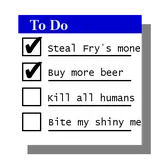
A simple and intuitive To Do list based on the app bundled with Palm Pilot, plus many other features:
- Entirely offline, requiring few permissions to run.
- Permission to use external storage is only needed to back up or
restore your lists. On Marshmallow (Android 6) and later, it is only requested if you write the file to a public folder.
- Permission to run on system boot and to post notifications is only
needed to check for items which are due and that you have set an alarm for. On Marshmallow (Android 6) and later, notification permissions are only requested if you save a To Do item with an alarm.
- Permission to vibrate is only needed when notifying you of items
which are due and that you have set an alarm for, if you have “Alarm vibrate” enabled in the app settings for Nougat (Android 7) or earlier. On Oreo (Android 8) and later, alarm vibration and sounds is managed in the system settings.
- The following permissions are added by WorkManager, a Google
library used to run the export, import, and password re-encryption operations in the background when initiated by the user. The core app does not use these on its own.
- Permission to view network connections, used by WorkManager to
determine the best time to schedule background tasks.
- Create any number of categories for different lists.
- Set alarms for items that are due or nearly due.
- Configure repeating items which advance their due date when completed.
- Mark items as private and optionally encrypt them with a password.
- Export lists to a local XML file.
- Import lists from either XML or a Palm Pilot data file.
- Backwards compatible with Android 5 (Lollipop) and up.
Novità della versione 1.6.4
Version 1.6.4
- Updated the target SDK to Android 17 (Cinnamon Bun).
- Added support for switching the UI theme to dark/night mode.
Informazioni sul file APK
| Nome del pacchetto | com.xmission.trevin.android.todo |
|---|---|
| Versione | 1.6.4 (codice 1060401) |
| Android minimo | Android 5.0 · pensata per API 37 |
| Architetture | Tutte (universale) |
| SHA-256 | 93a83450233eed5f406197bb6510c62519d6138a40627239c6b12ea6999f8cd0 |
| Firma | 9d97e5168157c077d8aed502a127868d69b9d1888b711bc814a3c736a5c9d6fa |
| Licenza | GPL-3.0-only — licenza libera copyleft: il codice è pubblico e le versioni modificate devono restare libere |
| Codice sorgente | github.com/Typraeurion/Android-ToDo |
Autorizzazioni richieste
- Avviarsi all'accensione
- Vibrare
- Scrivere nell'archivio
- Mostrare notifiche
- Impedire lo standby
- Vedere lo stato della rete
- Funzionare in background
- Leggere l'archivio
Versioni precedenti
- To Do 1.6.426 luglio 2026 · 1,9 MB
- To Do 1.6.313 giugno 2026 · 2,0 MB
- To Do 1.6.214 maggio 2026 · 2,0 MB
Come installare To Do APK
- Tocca Scarica l'APK qui sopra, poi apri il file al termine del download.
- Se Android lo chiede, consenti al browser di installare app sconosciute.
- Tocca Installa. To Do comparirà insieme alle altre app.
→ Come installare un file APK su Android (passo passo)
→ «App non installata»: cause e soluzioni
Domande frequenti
To Do è gratis?
Sì. To Do è distribuita con licenza GPL-3.0-only: gratuita, senza abbonamento e con codice sorgente pubblico.
Questo file APK è sicuro?
Il file è quello compilato e pubblicato dal repository F-Droid a partire dal codice sorgente pubblico. L'impronta SHA-256 è indicata qui sopra: puoi confrontarla dopo il download. Un APK è pericoloso? Come verificare un file prima di installarlo
To Do funziona sul mio telefono?
Serve almeno Android 5.0. L'app funziona anche senza i servizi Google, quindi anche sui telefoni Huawei recenti.





