
Adaptive Theme APK
Auto-switch dark theme & wallpapers using the ambient light sensor
Download APK v2.6.0 · 3.7 MB- Version2.6.0
- Size3.7 MB
- RequiresAndroid 14
- Updated11/17/2026
- LicenceGPL-3.0-only
- PriceFree
About Adaptive Theme
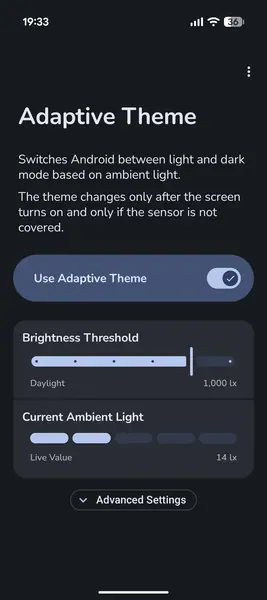
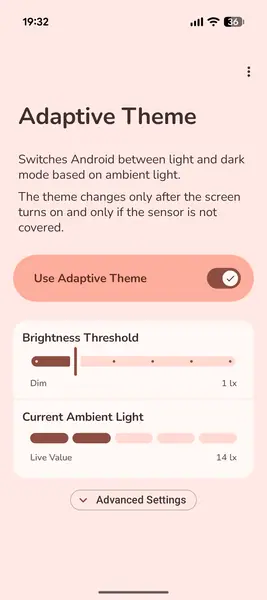
Adaptive Theme switches Android's system-wide theme between light and dark mode according to the ambient light sensor instead of relying on sunset or a fixed schedule. Use light mode in bright surroundings and dark mode in low light, with the threshold under your control.
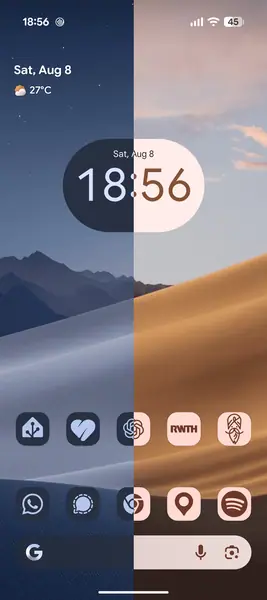
It can also switch your wallpaper to match the active theme.
Features
- Uses the device's physical ambient light sensor
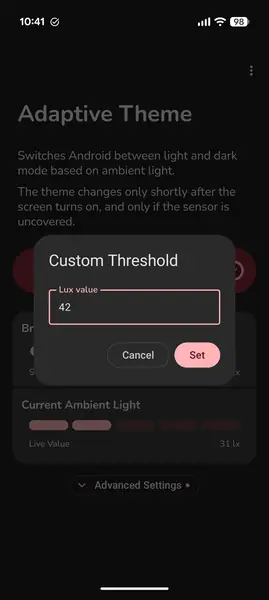
- Custom lux threshold and presets for indoor, outdoor, and daylight conditions
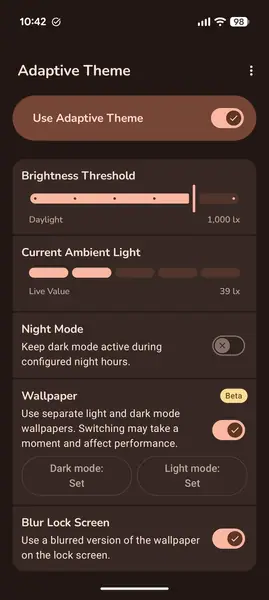
- Wallpaper Theme Sync for separate light and dark home and lock screen wallpapers
- Optional blur effect for the lock screen wallpaper
- Optional night lock to keep dark mode active during a chosen time period
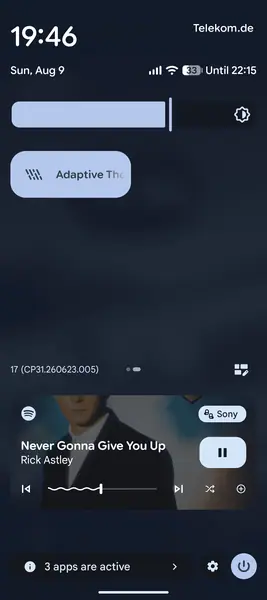
- Quick Settings tile for convenient control
- Material You interface and more than 50 languages
Efficient by design
The sensor is sampled briefly after the screen turns on rather than monitored continuously. Before changing the theme, Adaptive Theme checks that the sensor is not covered by a hand or pocket. Theme changes therefore happen at screen-on and do not interrupt you while you are actively using another app.
One-time setup
Android does not normally allow regular apps to change protected system settings such as the system theme. Adaptive Theme therefore needs a one-time grant of the WRITE_SECURE_SETTINGS permission. This permission does not grant root access or allow the app to read personal data. Adaptive Theme uses it only to switch the light and dark system theme, and it is revoked when the app is uninstalled.
The guided setup offers several options:
- WebADB through a simple website on a computer or secondary Android device, without installing ADB
- Shizuku and compatible Shizuku forks, required only once while granting the permission
- Root on supported devices
- A manual ADB command: adb shell pm grant dev.lexip.hecate android.permission.WRITE_SECURE_SETTINGS
More
Adaptive Theme requires Android 14 or newer. Tablets are currently not supported.
The FOSS build is licensed under GPL-3.0 and contains no ads, analytics, crash reporting, trackers, or proprietary libraries.
For troubleshooting and additional details, see the README and FAQ.
What's new in version 2.6.0
- Added an option to exclude the lock screen wallpaper from Wallpaper Theme Sync (#221).
- Fixed setup getting stuck when Android 17 hides the USB debugging status (#238).
- Added device-specific help after repeated background monitoring interruptions (#225).
- Improved Shizuku setup and permission verification.
- Improved monitoring startup and added a retry action.
- Added a "What’s new" dialog linking to the changelog.
- Improved tests, builds, dependencies, and documentation.
APK file information
| Package name | dev.lexip.hecate |
|---|---|
| Version | 2.6.0 (code 141) |
| Minimum Android | Android 14 · targets API 37 |
| Architectures | arm64-v8a, armeabi-v7a, x86, x86_64 |
| SHA-256 | 0545ee7e445f4c66e10702ba3ab60a566e94f470ed71c2e90fad285b26bb3b2b |
| Signature | 1a21e8104bce8e90a591b5527d01a5320b2a0d46fc8f97ea3d5af4225c9afd07 |
| Licence | GPL-3.0-only — copyleft free licence: the code is public and modified versions must stay free |
| Source code | github.com/xLexip/Adaptive-Theme |
| Official website | lexip.dev/hecate |
Permissions
- Run in the background
- Show notifications
- Start at boot
- Vibrate
2 other technical permission(s)
WRITE_SECURE_SETTINGS SET_WALLPAPER
Older versions
- Adaptive Theme 2.6.0November 17, 2026 · 3.7 MB
- Adaptive Theme 2.5.1September 14, 2026 · 3.6 MB
- Adaptive Theme 2.5.0September 2, 2026 · 3.6 MB
How to install Adaptive Theme APK
- Tap Download APK above, then open the file once the download has finished.
- If Android asks, allow your browser to install unknown apps.
- Tap Install. Adaptive Theme then appears with your other apps.
Having trouble? Read our guides how to install an APK on Android and "App not installed": how to fix it.
Frequently asked questions
Is Adaptive Theme free?
Yes. Adaptive Theme is distributed under the GPL-3.0-only licence: free, no subscription, and its source code is public.
Is this APK file safe?
The file is the one built and published by the F-Droid repository from the public source code. Its SHA-256 fingerprint is shown above, so you can compare it after downloading. How to check an APK.
Will Adaptive Theme work on my phone?
You need at least Android 14. The app also works without Google services, so it runs on recent Huawei phones too.





