
Audile APK
Music recognition app
Download APK v1.20.0 · 8.5 MB- Version1.20.0
- Size8.5 MB
- RequiresAndroid 8.0
- Updated11/11/2026
- LicenceGPL-3.0-or-later
- PriceFree



About Audile
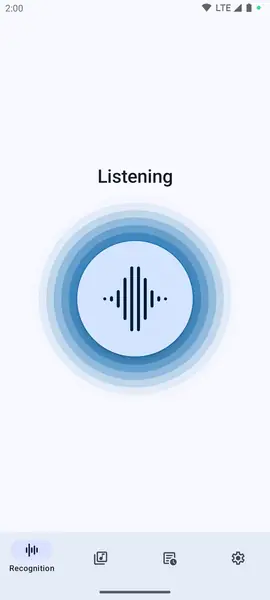
Audile is an open-source music recognition app that can help you quickly and accurately identify a music track playing near you. The app integrates AudD, ACRCloud, and Shazam for song identification, and uses Odesli to retrieve additional platform-specific track links.
Features:
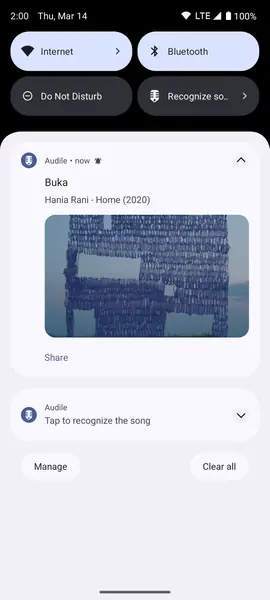
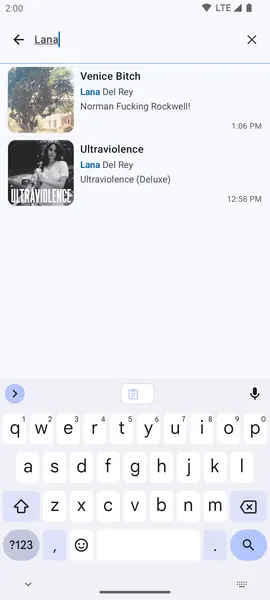
Recognition - Audile allows you to perform song recognition in one click. The app will save the recording if there is no internet connection, and the recognition process will resume when you come back online. You can customize the default behavior for unsuccessful recognition (no internet, no matches, another failure) via the preferences. Background Usage - Use the app seamlessly from the notification drawer, home screen widget, floating button, or quick settings tile. Manage the recognition process and obtain track information without launching the app. About track - Upon successful recognition, the app provides information about the track, including the title, artist, album, release year, artwork, lyrics, and links to the track on popular music services. Library - All recognized tracks are stored in the app library. You can filter the track list, create a favorites collection, search for tracks, or delete tracks. Preferences - The app offers various options to customize its behavior and appearance, accessible from the settings screen.
What's new in version 1.20.0
- Add auto recognition that continuously identifies music around you (fixed one-minute interval, microphone only)
- Queued recognitions now run strictly one by one, oldest first
- Recognition queue state now survives backup and restore
- Minor fixes
APK file information
| Package name | com.mrsep.musicrecognizer |
|---|---|
| Version | 1.20.0 (code 51) |
| Minimum Android | Android 8.0 · targets API 37 |
| Architectures | arm64-v8a, armeabi-v7a, x86, x86_64 |
| SHA-256 | fdd52e534f23725bb75ef89338a4460279e41718a5aaa8cfd28424b3a52994b9 |
| Signature | f466caa1df0dc2cb11a7ac78f5e0867ae30aa8a460f222be96ccd8ea41254711 |
| Licence | GPL-3.0-or-later — copyleft free licence: the code is public and modified versions must stay free |
| Source code | github.com/AudileTeam/Audile |
Permissions
- Internet access
- View network status
- Microphone sensitive
- Run in the background
- Start at boot
- Show notifications
- Vibrate
- Draw over other apps sensitive
- Keep the device awake
2 other technical permission(s)
MODIFY_AUDIO_SETTINGS REQUEST_IGNORE_BATTERY_OPTIMIZATIONS
Older versions
- Audile 1.20.0November 11, 2026 · 8.5 MB
- Audile 1.19.0October 7, 2026 · 8.4 MB
- Audile 1.18.5September 5, 2026 · 8.3 MB
How to install Audile APK
- Tap Download APK above, then open the file once the download has finished.
- If Android asks, allow your browser to install unknown apps.
- Tap Install. Audile then appears with your other apps.
Having trouble? Read our guides how to install an APK on Android and "App not installed": how to fix it.
Frequently asked questions
Is Audile free?
Yes. Audile is distributed under the GPL-3.0-or-later licence: free, no subscription, and its source code is public.
Is this APK file safe?
The file is the one built and published by the F-Droid repository from the public source code. Its SHA-256 fingerprint is shown above, so you can compare it after downloading. How to check an APK.
Will Audile work on my phone?
You need at least Android 8.0. The app also works without Google services, so it runs on recent Huawei phones too.





