
Butterfly APK
Buat catatan, gambar dengan bebas, dan atur ide di ruang kerja tanpa batas
Unduh APK v2.6.3 · 127,9 MB- Versi2.6.3
- Ukuran127,9 MB
- ButuhAndroid 7.0
- Diperbarui23/11/2026
- LisensiAGPL-3.0-only
- HargaGratis
Tentang Butterfly
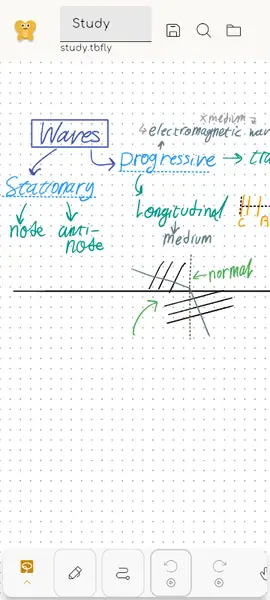
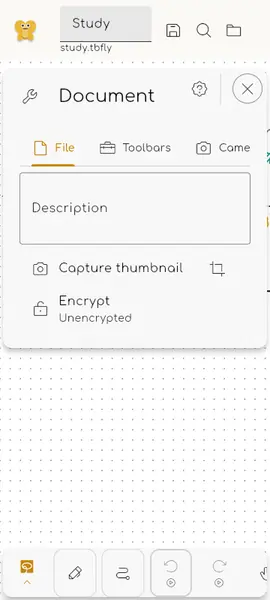
Butterfly is an open-source app for people who think better with space around their ideas. Instead of writing everything from top to bottom on a fixed page, you get an endless workspace where you can place notes, sketches, diagrams, images, and documents wherever they make sense.
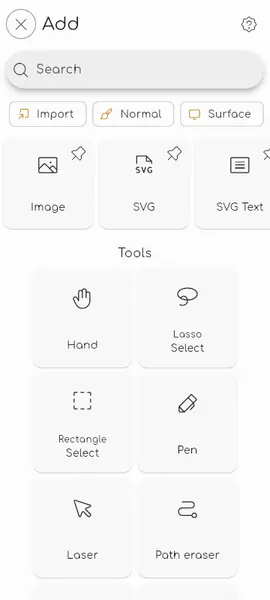
Use it for class notes, meeting notes, research, math, worksheets, planning, whiteboarding, storyboards, product sketches, or any project that starts messy and needs room to grow. Write by hand with a stylus, touch, or mouse, type text and Markdown, add shapes and lines, place images and photos, import PDFs, SVGs, and image files, then export your work as PDF, SVG, images, or portable Butterfly files.
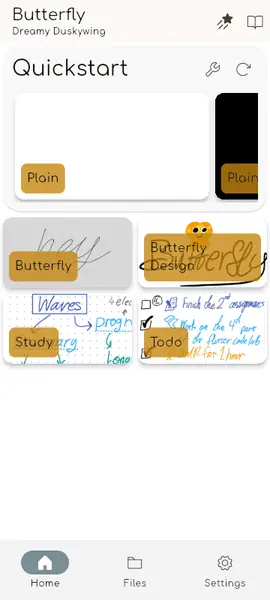
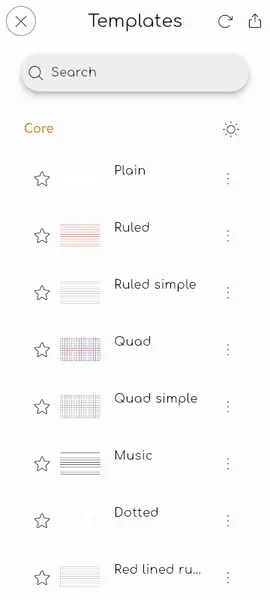
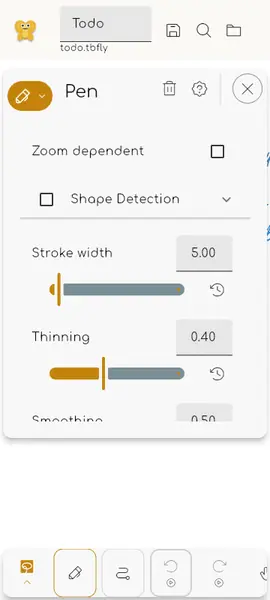
Butterfly tries to stay out of your way while you work. Recent files, quick-start templates, search, folders, imports, page navigation, and tool settings are close when you need them, but the document stays at the center. You can begin with a plain page, ruled paper, a grid, dotted paper, music paper, or your own template.
As your document grows, Butterfly gives you ways to keep it understandable. Split work into pages and page folders, use layers, mark important places with areas and waypoints, save reusable parts in packs, and keep palettes and text styles ready for the next document. Almost everything you add remains editable, so you can move, resize, recolor, reorder, and refine your work later instead of starting over.
Your files stay under your control. Work offline, store documents on your device, choose a different data directory, or connect WebDAV and Nextcloud if you want your own sync setup. There is no required account, no required subscription, and no required proprietary cloud.
Butterfly is free, community translated, available on phones, tablets, desktops, and the web, and developed in public under the AGPL-3.0 license.
Yang baru di versi 2.6.3
This is a stable release, it includes all the changes from the 2.6.3 nightly releases. Read more here: https://linwood.dev/butterfly/2.6.3
Informasi berkas APK
| Nama paket | dev.linwood.butterfly |
|---|---|
| Versi | 2.6.3 (kode 207) |
| Android minimum | Android 7.0 · ditujukan untuk Android 16 |
| Arsitektur | arm64-v8a, armeabi-v7a, x86_64 |
| SHA-256 | 2efbfe991efdaa4195eb61be264cbc6bea18453cac6c7566e110b2b146ff089c |
| Tanda tangan | 1a8841e90912769969891b600b3850e7b25b792e6e315b66ec51f986bd6144a9 |
| Lisensi | AGPL-3.0-only — lisensi bebas copyleft: kodenya terbuka dan versi modifikasi harus tetap bebas |
| Kode sumber | github.com/LinwoodDev/Butterfly |
Izin
- Akses internet
- Menulis ke penyimpanan
- Kamera sensitif
- Mikrofon sensitif
- Membaca penyimpanan
- Melihat status jaringan
- Melihat status Wi-Fi
Versi lama
- Butterfly 2.6.323 November 2026 · 127,9 MB
- Butterfly 2.6.231 Oktober 2026 · 124,4 MB
- Butterfly 2.6.118 Oktober 2026 · 123,0 MB
Cara memasang Butterfly APK
- Ketuk Unduh APK di atas, lalu buka berkas setelah unduhan selesai.
- Jika Android meminta, izinkan peramban untuk memasang aplikasi tak dikenal.
- Ketuk Pasang. Butterfly akan muncul bersama aplikasi lain.
→ Cara memasang file APK di Android (langkah demi langkah)
→ “Aplikasi tidak terinstal”: penyebab dan solusinya
Pertanyaan umum
Apakah Butterfly gratis?
Ya. Butterfly didistribusikan dengan lisensi AGPL-3.0-only: gratis, tanpa langganan, dan kode sumbernya terbuka.
Apakah berkas APK ini aman?
Berkas ini dibangun dan diterbitkan oleh repositori F-Droid dari kode sumber publik. Sidik jari SHA-256 tercantum di atas; Anda dapat membandingkannya setelah mengunduh. Apakah APK berbahaya? Cara memeriksa file sebelum dipasang
Apakah Butterfly berjalan di ponsel saya?
Dibutuhkan minimal Android 7.0. Aplikasi ini juga berjalan tanpa layanan Google, jadi bisa dipakai di ponsel Huawei terbaru.
