CastLab APK
Cast your media to DLNA/UPnP and FCast devices
Download APK v1.7.0 · 52.0 MB- Version1.7.0
- Size52.0 MB
- RequiresAndroid 7.0
- Updated10/27/2026
- LicenceGPL-3.0-only
- PriceFree
About CastLab
Cast your photos, videos, and audio to DLNA/UPnP and FCast devices on your local network.
Features:
- Cast media from your gallery, file picker, or online sources to any DLNA/UPnP or FCast receiver
- Automatic device discovery (SSDP and mDNS)
- Screen sharing to cast your Android screen in real time
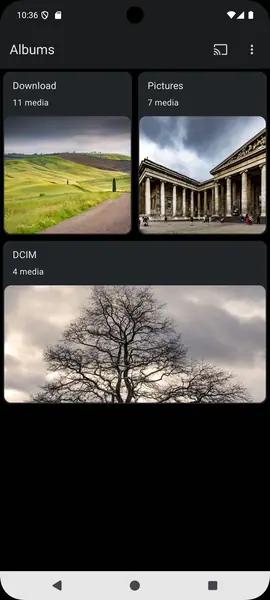
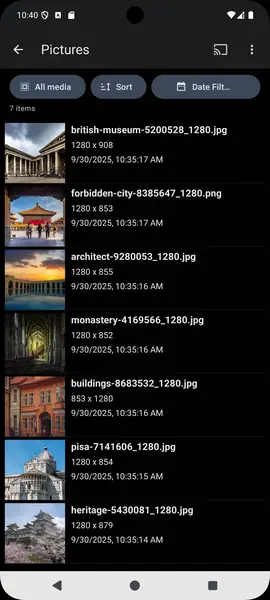
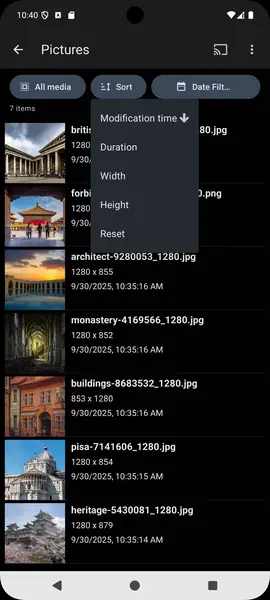
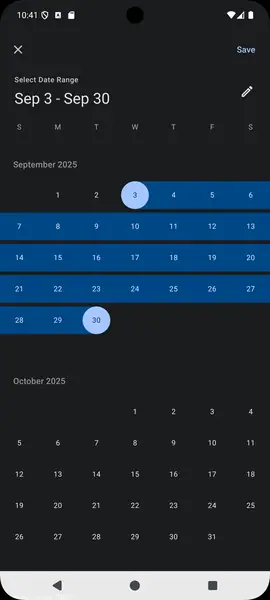
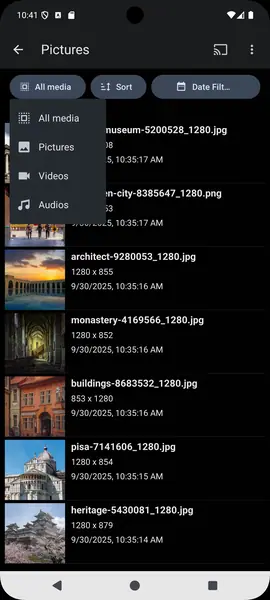
- Browse media by albums with date range and media type filters
- Create and manage playlists
- Player controls: play, pause, stop, seek, volume, autoplay
- Background playback with notification controls (play/pause/stop)
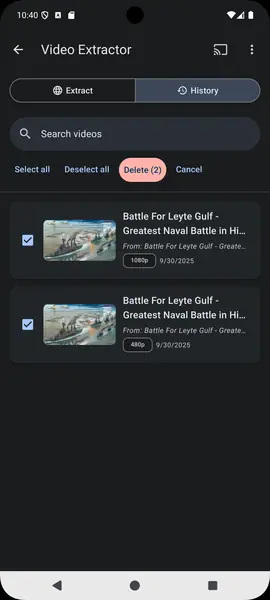
- Extract and cast videos from web pages (HTML parsing)
- Cast from PeerTube and YouTube via Invidious instances (no direct YouTube connection)
- Import M3U/M3U8 playlists (IPTV, online streams)
- Open files directly from the file picker
- Light, Dark, Auto, and Custom themes with 8 presets
- Material Design 3
What's new in version 1.7.0
Added
- Apps can send their media to receivers through CastLab
- Russian translation
Fixed
- Screen sharing works on FCast receivers for Android TV and Fire TV
- Portrait photos no longer show sideways on the TV
- Receivers that went away leave the list
- Pictures display on more DLNA TVs
- A crash and lost receivers during discovery
APK file information
| Package name | app.fedilab.castlab |
|---|---|
| Version | 1.7.0 (code 16) |
| Minimum Android | Android 7.0 · targets Android 16 |
| Architectures | arm64-v8a, armeabi-v7a, x86, x86_64 |
| SHA-256 | 6d61f1af7bdbe5f99d5577fa74a70bb97f07293666765b19455d4de5a1741c62 |
| Signature | 7c8f54aae9f86bb0a591849e78e8a429f69b33382b85fd5bead9aa4694e0e437 |
| Licence | GPL-3.0-only — copyleft free licence: the code is public and modified versions must stay free |
| Source code | codeberg.org/tom79/CastLab |
| Official website | fedilab.app/ |
Permissions
- View network status
- View Wi-Fi status
- Run in the background
- Internet access
- Read storage
- Read music
- Read photos
- Read videos
- Microphone sensitive
- Draw over other apps sensitive
- Vibrate
- Keep the device awake
- Write to storage
- Camera sensitive
- Start at boot
- Show notifications
4 other technical permission(s)
CHANGE_WIFI_MULTICAST_STATE READ_MEDIA_VISUAL_USER_SELECTED CHANGE_NETWORK_STATE READ_APP_BADGE
Older versions
- CastLab 1.7.0October 27, 2026 · 52.0 MB
- CastLab 1.6.0September 25, 2026 · 52.0 MB
- CastLab 1.5.0June 27, 2026 · 51.7 MB
How to install CastLab APK
- Tap Download APK above, then open the file once the download has finished.
- If Android asks, allow your browser to install unknown apps.
- Tap Install. CastLab then appears with your other apps.
Having trouble? Read our guides how to install an APK on Android and "App not installed": how to fix it.
Frequently asked questions
Is CastLab free?
Yes. CastLab is distributed under the GPL-3.0-only licence: free, no subscription, and its source code is public.
Is this APK file safe?
The file is the one built and published by the F-Droid repository from the public source code. Its SHA-256 fingerprint is shown above, so you can compare it after downloading. How to check an APK.
Will CastLab work on my phone?
You need at least Android 7.0. The app also works without Google services, so it runs on recent Huawei phones too.