
Clock APK
Alarm, clock, timer and stopwatch mode
Download APK v2.34 · 6.9 MB- Version2.34
- Size6.9 MB
- RequiresAndroid 6.0
- Updated10/22/2026
- LicenceApache-2.0
- PriceFree

About Clock
Clock is a privacy-conscious open-source clock, based on AOSP. Does not use internet permission, and thus is 100% offline.
Features:
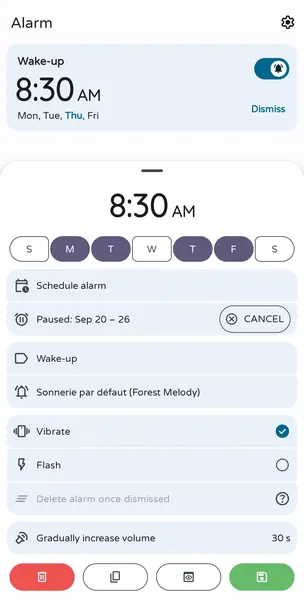
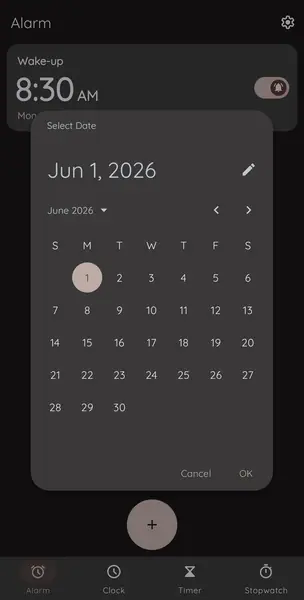
- Set alarms to a specific date;
- Set alarms to a specific time zone;
- To dismiss or snooze alarms:
- Support for flip and shake actions;
- Use the power button or volume buttons;
- Solve math problems.
- For some Snapdragon devices only, the alarm is triggered when they are switched off
- Unfortunately, this feature may not work on some devices despite the presence of the "com.qualcomm.qti.poweroffalarm" system app.
- Advanced alarm sorting;
- Swipe to delete an alarm;
- Duplicate alarms;
- Customizable alarm title;
- Customizable ringtone;
- Ability to play ringtones randomly;
- Light, dark or system theme;
- AMOLED mode for dark theme;
- Customizable interface;
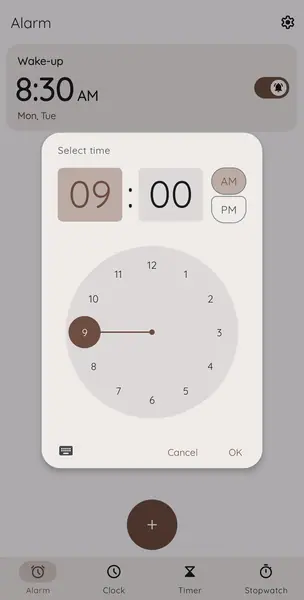
- Digital or analog clock style;
- Display home time when traveling;
- Display the time in many cities around the world;
- Timer and stopwatch included;
- Support for live update notifications for timers and the stopwatch;
- Possibility of sharing your stopwatch with your contacts;
- Customizable screensaver;
- Modern widgets;
- Customizable widgets;
- Support for tiles in quick settings (for Android 7+);
- Backup and restore application data (except custom ringtones);
- Material design;
- Dynamic colors for Android 12+;
What's new in version 2.34
Improve alarm reliability and add major features.
All other fixes and improvements are detailed here: https://github.com/BlackyHawky/Clock/releases/tag/2.34
APK file information
| Package name | com.best.deskclock |
|---|---|
| Version | 2.34 (code 2038) |
| Minimum Android | Android 6.0 · targets API 37 |
| Architectures | All (universal) |
| SHA-256 | 631e4bbfd28225da87c768dfb2062a0b3efc717e1e132d60a1e0408da308f7ff |
| Signature | 91aec64808918f21cfec27339cc5bd3f529759fc79ac32ba4379531595bd375c |
| Licence | Apache-2.0 — permissive free licence: the source code is public and reusable |
| Source code | github.com/BlackyHawky/Clock |
Permissions
- Start at boot
- Keep the device awake
- Vibrate
- Run in the background
- Show notifications
8 other technical permission(s)
USE_FULL_SCREEN_INTENT SCHEDULE_EXACT_ALARM USE_EXACT_ALARM TURN_SCREEN_ON MODIFY_AUDIO_SETTINGS POST_PROMOTED_NOTIFICATIONS REQUEST_IGNORE_BATTERY_OPTIMIZATIONS FLASHLIGHT
Older versions
- Clock 2.34October 22, 2026 · 6.9 MB
- Clock 2.33September 27, 2026 · 6.9 MB
- Clock 2.32September 17, 2026 · 6.8 MB
How to install Clock APK
- Tap Download APK above, then open the file once the download has finished.
- If Android asks, allow your browser to install unknown apps.
- Tap Install. Clock then appears with your other apps.
Having trouble? Read our guides how to install an APK on Android and "App not installed": how to fix it.
Frequently asked questions
Is Clock free?
Yes. Clock is distributed under the Apache-2.0 licence: free, no subscription, and its source code is public.
Is this APK file safe?
The file is the one built and published by the F-Droid repository from the public source code. Its SHA-256 fingerprint is shown above, so you can compare it after downloading. How to check an APK.
Will Clock work on my phone?
You need at least Android 6.0. The app also works without Google services, so it runs on recent Huawei phones too.




