
Simple Text Crypt APK
Encrypts plain text using AES256
Download APK v6.0 · 2.1 MB- Version6.0
- Size2.1 MB
- RequiresAndroid 8.0
- Updated3/21/2026
- LicenceGPL-3.0-or-later
- PriceFree
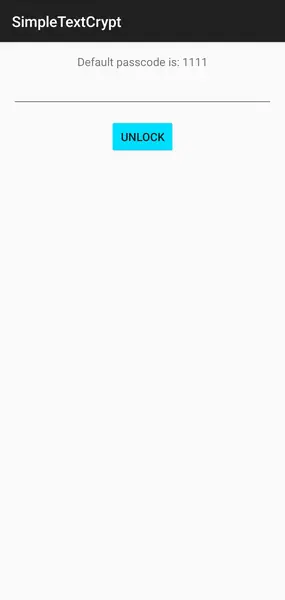
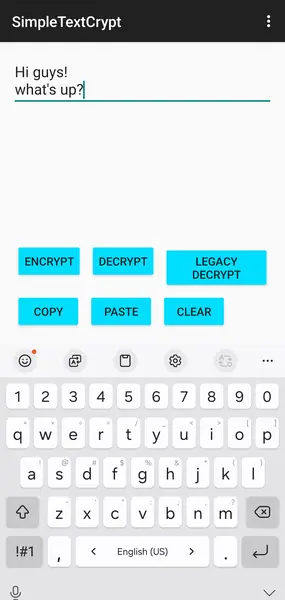
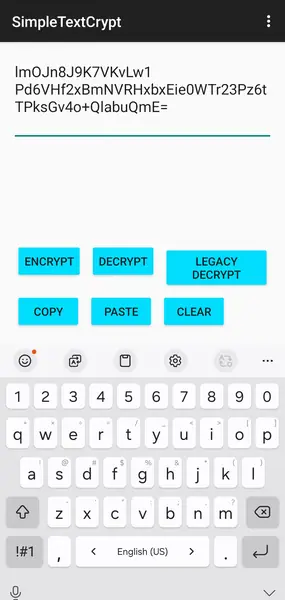
About Simple Text Crypt
This app does not claim any permissions, so you can trust that it cannot send any of your private data to anyone.
Messages produced by this app are secure and, for example, can be confidently sent over a network. It uses AES in GCM mode with no padding for encryption. It uses Argon2 and a random Salt to derive a secure key from the entered passphrase. This is a very powerful encryption. It also encrypts its settings before storing them on the device.
However, the app might be vulnerable to some attacks. Although it is secure enough to stand attacks from non-expert crackers, e.g. normal users, should not be used for serious data encryption.
Upgrading from 4.x to 5.x
The encryption of the settings is changed. The app should be able to detect the old settings and upgrade them with the new encryption algorithm. However, it's a good idea to back-up your passphrase. (Well, it's generally a good idea to back-up encryption keys and passwords in a secure place).
If the app didn't work after upgrade, uninstall and install it again.
What's new in version 6.0
- UI re-written using Jetpack Compose and MVVM approach (modern Android technologies)
- Dependencies are upgraded
- Functionality of the app didn't change
APK file information
| Package name | com.aidinhut.simpletextcrypt |
|---|---|
| Version | 6.0 (code 17) |
| Minimum Android | Android 8.0 · targets Android 16 |
| Architectures | arm64-v8a, armeabi-v7a, x86, x86_64 |
| SHA-256 | 3e05867bbaaa08a8e000d2cafdf2a0c6ee0236c01a32bd5eaf908c094ada0166 |
| Signature | d53d1f83485fabe042a6a0997bcb130c7e496bb26466cde56107eb688a016d56 |
| Licence | GPL-3.0-or-later — copyleft free licence: the code is public and modified versions must stay free |
| Source code | github.com/aidin36/simpletextcrypt |
Permissions
No special permissions.
Older versions
- Simple Text Crypt 6.0March 21, 2026 · 2.1 MB
- Simple Text Crypt 5.1September 6, 2025 · 1.7 MB
- Simple Text Crypt 4.6December 17, 2024 · 4.7 MB
How to install Simple Text Crypt APK
- Tap Download APK above, then open the file once the download has finished.
- If Android asks, allow your browser to install unknown apps.
- Tap Install. Simple Text Crypt then appears with your other apps.
Having trouble? Read our guides how to install an APK on Android and "App not installed": how to fix it.
Frequently asked questions
Is Simple Text Crypt free?
Yes. Simple Text Crypt is distributed under the GPL-3.0-or-later licence: free, no subscription, and its source code is public.
Is this APK file safe?
The file is the one built and published by the F-Droid repository from the public source code. Its SHA-256 fingerprint is shown above, so you can compare it after downloading. How to check an APK.
Will Simple Text Crypt work on my phone?
You need at least Android 8.0. The app also works without Google services, so it runs on recent Huawei phones too.