EinkBro APK
Lightweight, fast, and powerful browser designed for E-Ink devices
Download APK v16.7.1 · 4.6 MB- Version16.7.1
- Size4.6 MB
- RequiresAndroid 7.0
- Updated10/14/2026
- LicenceGPL-3.0-or-later
- PriceFree
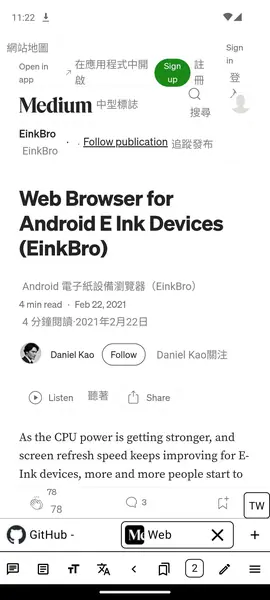
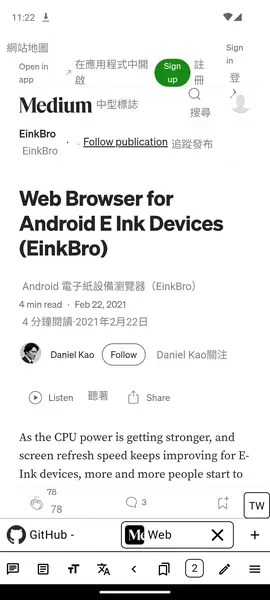
About EinkBro
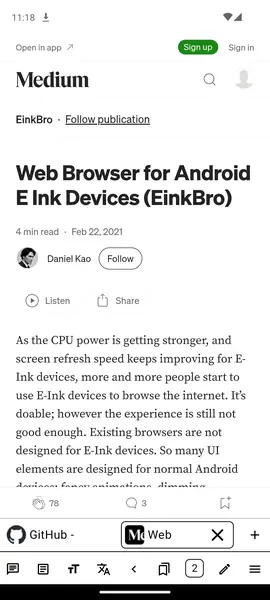
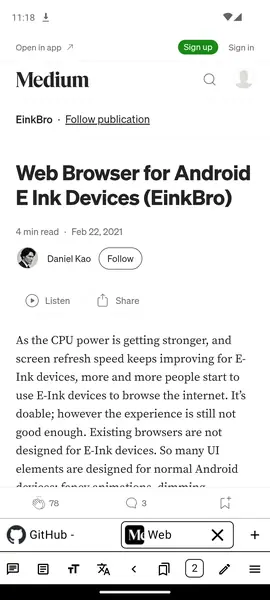
EinkBro is a lightweight, fast browser designed for E-Ink devices such as e-readers and e-note tablets.
E-Ink optimized reading
- Tap screen edges or use physical volume keys to turn pages
- Reader mode with clean typography
- Vertical reading mode for CJK text
- Custom fonts, font size button, and bold toggle
- High-contrast icons and no animations
AI integration
- Chat with the current page, summarize it, or run multi-step agent workflows
- Read articles aloud with natural text-to-speech voices
- Translate pages by paragraph or side by side
- Works with OpenAI, Gemini, Ollama, and custom servers
Userscripts
- Built-in Tampermonkey-style engine runs community scripts (e.g. from Greasy Fork)
- GM APIs, per-script menu commands, automatic URL matching and script updates
Save and export
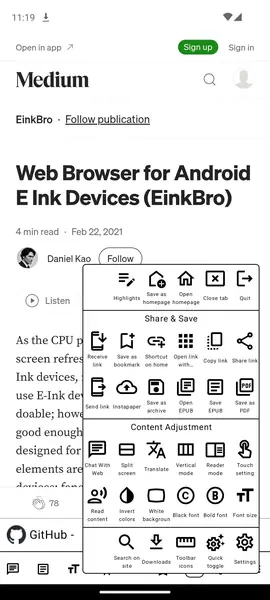
- Export pages to EPUB with chapters and images
- Save as PDF with table-of-contents entries, or append pages to an existing PDF
- Archive as MHT, capture full-page screenshots, send to Instapaper
Customizable UI
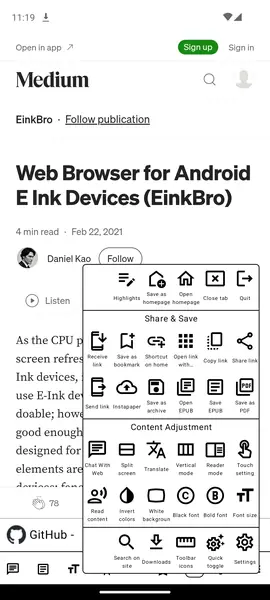
- 40+ configurable toolbar actions with drag reordering
- Toolbar at top, bottom, or side; optimized for one-hand use
- Split-screen view, floating navigation button, advanced gesture control
- Unlimited tabs and fullscreen browsing
Privacy and browsing
- Built-in ad blocker
- JavaScript and cookie whitelists
- Tracking-parameter pruning, incognito mode, per-site desktop mode
Permissions that may be used
- INTERNET: it's a browser, so it's expected.
- READ_EXTERNAL_STORAGE, WRITE_EXTERNAL_STORAGE: for saving web pages as PDF or EPUB files, and for downloading files.
- INSTALL_SHORTCUT: to install web shortcuts on Home.
- ACCESS_FINE_LOCATION, ACCESS_COARSE_LOCATION: only used when a website requests location.
What's new in version 16.7.1
- Optional Jev smart reader extraction with a TypeSafe API key
- Keep original pages accessible after opening popups
- Avoid stale WebViews after removing tabs
- Restore dictionary translation
- Handle missing custom font documents without crashing
APK file information
| Package name | info.plateaukao.einkbro |
|---|---|
| Version | 16.7.1 (code 160701) |
| Minimum Android | Android 7.0 · targets Android 16 |
| Architectures | arm64-v8a, armeabi-v7a, x86, x86_64 |
| SHA-256 | a4ca2948714fe2ea641aa33d258bdaf02d873840a30e20faa54dc9be2e6cac57 |
| Signature | 5ed1905785aef4e02bcaa99f26c76e8f6a78044a033efc3003549e747b6879c1 |
| Licence | GPL-3.0-or-later — copyleft free licence: the code is public and modified versions must stay free |
| Source code | github.com/plateaukao/einkbro |
Permissions
- Internet access
- View network status
- Approximate location sensitive
- Precise location (GPS) sensitive
- Show notifications
- Read storage
- Write to storage
- Install other apps sensitive
- Microphone sensitive
2 other technical permission(s)
MODIFY_AUDIO_SETTINGS AUDIO_CAPTURE
Older versions
- EinkBro 16.7.1October 14, 2026 · 4.6 MB
- EinkBro 16.7.0September 17, 2026 · 4.6 MB
- EinkBro 16.6.0September 3, 2026 · 5.0 MB
How to install EinkBro APK
- Tap Download APK above, then open the file once the download has finished.
- If Android asks, allow your browser to install unknown apps.
- Tap Install. EinkBro then appears with your other apps.
Having trouble? Read our guides how to install an APK on Android and "App not installed": how to fix it.
Frequently asked questions
Is EinkBro free?
Yes. EinkBro is distributed under the GPL-3.0-or-later licence: free, no subscription, and its source code is public.
Is this APK file safe?
The file is the one built and published by the F-Droid repository from the public source code. Its SHA-256 fingerprint is shown above, so you can compare it after downloading. How to check an APK.
Will EinkBro work on my phone?
You need at least Android 7.0. The app also works without Google services, so it runs on recent Huawei phones too.