
Fulguris Web Browser APK
Fast, customizable with sessions, ad blocking & privacy features
Download APK v2.1.2 · 8.9 MB- Version2.1.2
- Size8.9 MB
- RequiresAndroid 5.0
- Updated10/15/2026
- LicenceMPL-2.0
- PriceFree
About Fulguris Web Browser
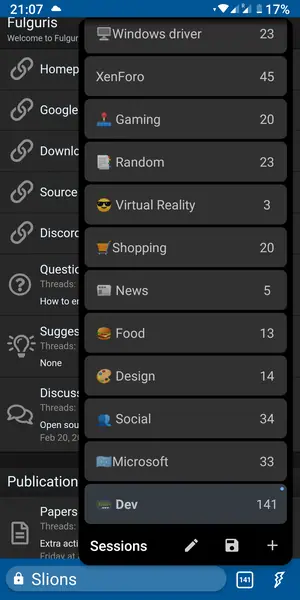
Features include: 📑Sessions All your tabs belong to a session. You can have multiple named sessions to help you stay focused and organized. Switching between sessions is lightning fast. You can pack hundreds of tabs in every sessions.
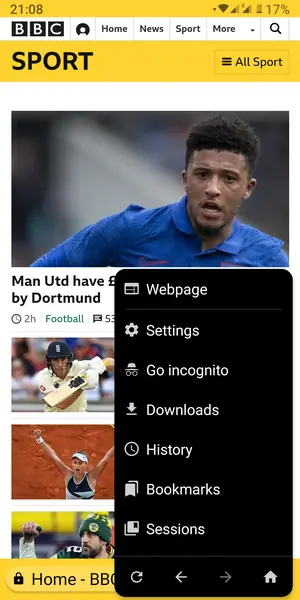
🌍 Address bar Smart address, title and search bar combined. You can put it at the top or at the bottom of your screen depending of your screen orientation.
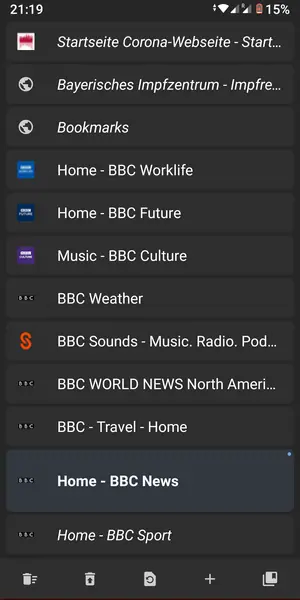
🚦Vertical tab panel Reorder your tabs using long tap to drag and drop. Swipe right to move a tab to the trash. Recover tabs from the trash using panel tool bar.
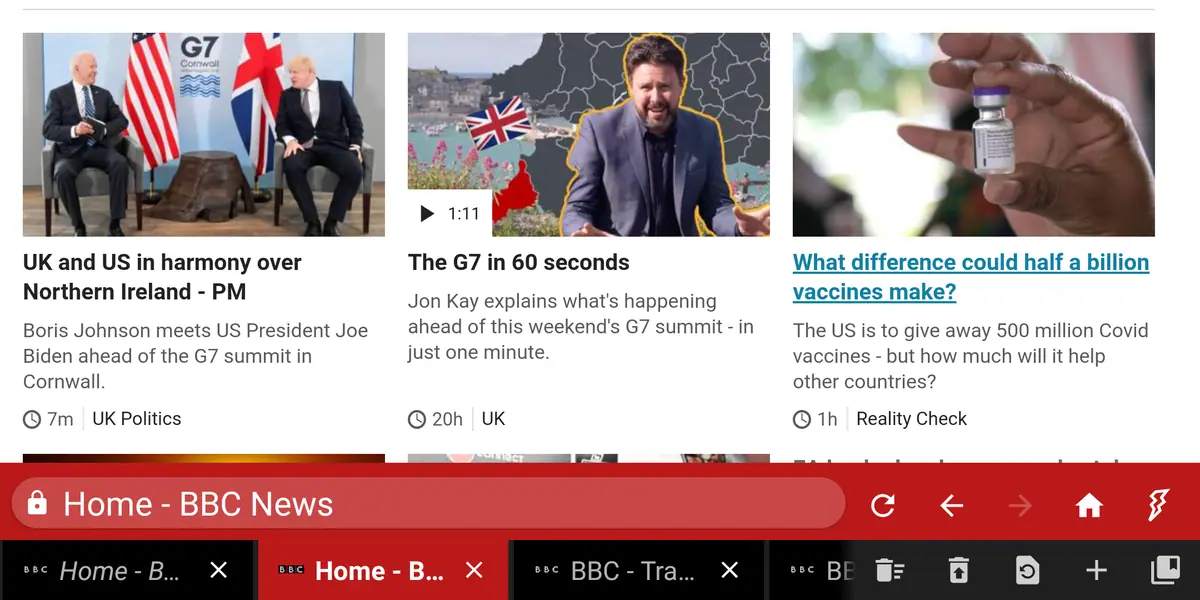
🚥Horizontal tab bar Much like on your classic PC web browser. Most useful when using tablets and desktop modes such as Samsung Dex and Huawei EMUI Desktop. You can put it at the top or at the bottom of your screen.
⚙Tabs management By default you should never need to push the new tab button. New tabs are spawned as you do searches or input addresses. However, if you like to have fewer tabs, you can adjust those settings to your liking.
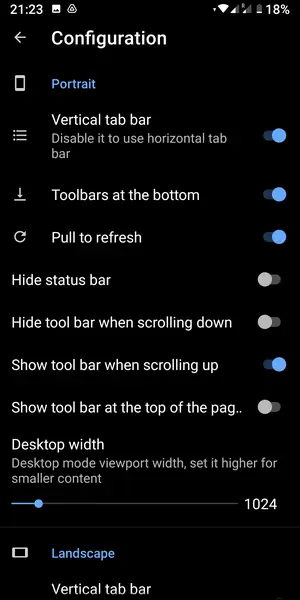
🏞Screen orientations Specific look and feel settings for portrait and landscape allowing optimal use of your screen real estate. Includes optional pull-to-refresh.
🔖Bookmarks Import, export, group them in folders and organise your bookmarks using drag and drop. Backup and restore your bookmarks directly from any Cloud services.
⌚History Review the pages you visited. Clear it any time you want.
🌗Force dark mode For your late night reading sessions you can force any web page to display in dark mode.
🎨Themes Tool bar and status bar colour theme integrates gracefully with your favourite web sites. Supports black, dark and light themes. Fulguris is not just fast, secure and efficient, it looks good too.
⛔Ad blocker Use ad blocker definitions from local and online files. Suppports hosts files and most of Adblock Plus syntax, so you can use almost any common filter list.
🧩Extensions Extend your browser's functionality with userscripts. Install from Greasy Fork or create your own custom scripts to modify web pages, automate tasks, and enhance your browsing experience.
🔒Privacy Fulguris protects and respects your privacy. Incognito mode. Can discard tracking cookies. Clear tabs, history, cookies and caches functionalities. Third-party apps management.
🔎Search Multiple search engines (Google, Bing, Yahoo, StartPage, DuckDuckGo, etc.). Find text in page. Google search suggestion.
♿Accessibility Reader mode. Various rendering mode: inverted, high contrast, grayscale.
⌨Keyboard support Keyboard shortcuts and focus management. Persistent recent tab list enabling tab switching using CTRL+TAB. Visit our web site for a complete list of keyboard shortcuts.
⚡Hardware accelerated Makes the most of your hardware processing power.
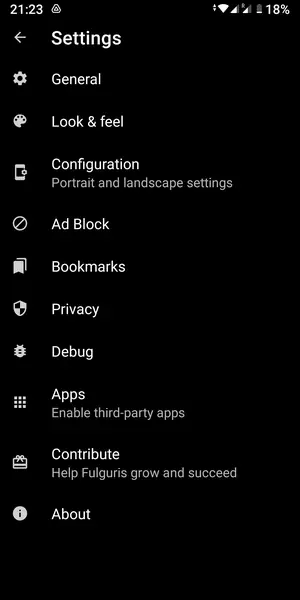
🔧Settings Lots of settings options to fine tune your browser to your liking. That includes configuration settings specific to your screen orientation.
👆Touch control Long press to drag and organize your tabs. Swipe right on a tab in the list to close it. Long press to drag and organize your bookmarks. Long press on icon buttons to show tooltips.
📱Devices The following devices have had at least minimum testing with some version of Fulguris: Huawei P30 Pro - Android 10 Samsung Galaxy Tab S6 - Android 10 F(x)tec Pro¹ - Android 9 LG G8X ThinQ - Android 9 Samsung Galaxy S7 Edge - Android 8 HTC One M8 - Android 6 LG Leon - Android 6
What's new in version 2.1.2
🧩 Support no open tabs 📥 Downloads and bookmarks improvements 🪲 Fix crash during download on older devices 🪲 Fix crash when long pressing bookmark folders 🐛 Fix stale address bar label while navigating 🐛 Fix spurious third-party app launch queries 🐛 Fix potential crashes in search suggestions and on startup
APK file information
| Package name | net.slions.fulguris.full.fdroid |
|---|---|
| Version | 2.1.2 (code 265) |
| Minimum Android | Android 5.0 · targets Android 16 |
| Architectures | All (universal) |
| SHA-256 | 72a95ef9111837e6a557cefac53744e9a8b4f8413fce199e485e249d04c886cc |
| Signature | 66958f3366388c23ca1a3cbfd91545cca4abf3e79edaab4fe988213e392b07a1 |
| Licence | MPL-2.0 — permissive free licence: the source code is public and reusable |
| Source code | github.com/Slion/Fulguris |
| Official website | slions.net/resources/fulguris.10/ |
Permissions
- Internet access
- Vibrate
- Show notifications
- Write to storage
- Read storage
- Approximate location sensitive
- Precise location (GPS) sensitive
- View network status
- Microphone sensitive
- Camera sensitive
- Install other apps sensitive
1 other technical permission(s)
MODIFY_AUDIO_SETTINGS
Older versions
- Fulguris Web Browser 2.1.2October 15, 2026 · 8.9 MB
- Fulguris Web Browser 2.1.1October 3, 2026 · 8.9 MB
- Fulguris Web Browser 2.0.10April 7, 2026 · 8.9 MB
How to install Fulguris Web Browser APK
- Tap Download APK above, then open the file once the download has finished.
- If Android asks, allow your browser to install unknown apps.
- Tap Install. Fulguris Web Browser then appears with your other apps.
Having trouble? Read our guides how to install an APK on Android and "App not installed": how to fix it.
Frequently asked questions
Is Fulguris Web Browser free?
Yes. Fulguris Web Browser is distributed under the MPL-2.0 licence: free, no subscription, and its source code is public.
Is this APK file safe?
The file is the one built and published by the F-Droid repository from the public source code. Its SHA-256 fingerprint is shown above, so you can compare it after downloading. How to check an APK.
Will Fulguris Web Browser work on my phone?
You need at least Android 5.0. The app also works without Google services, so it runs on recent Huawei phones too.