
EtchDroid ISO to USB Writer APK
Write operating system ISO images to USB drives, no root required
Download APK v2.2 · 4.5 MB- Version2.2
- Size4.5 MB
- RequiresAndroid 6.0
- Updated11/9/2026
- LicenceGPL-3.0-only
- PriceFree
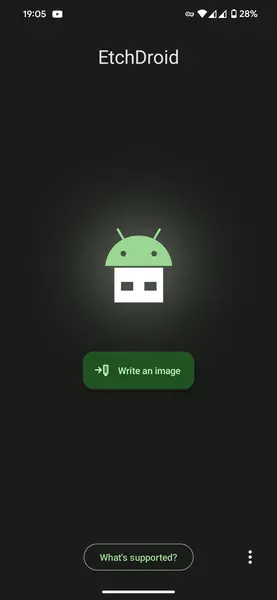
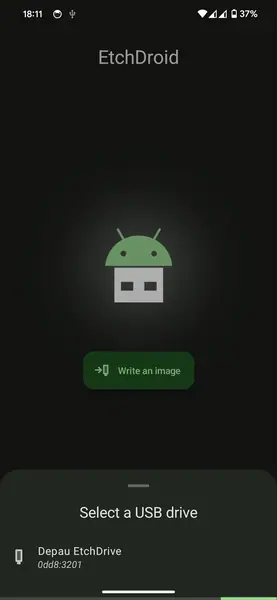
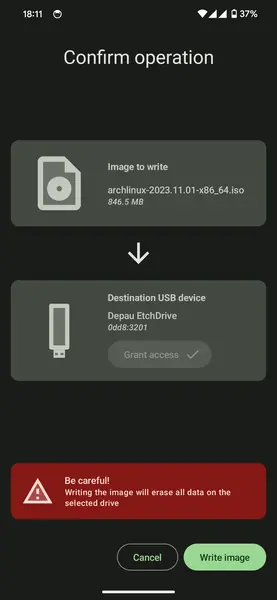
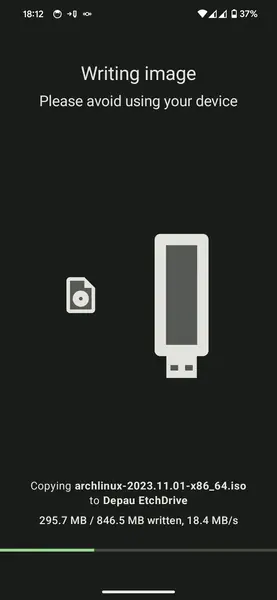
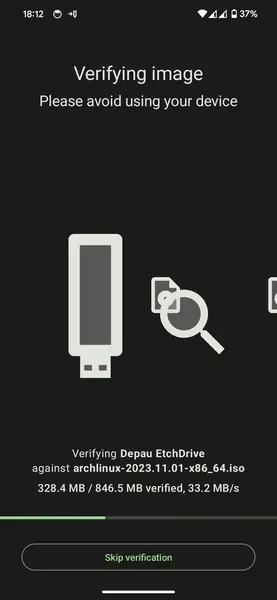
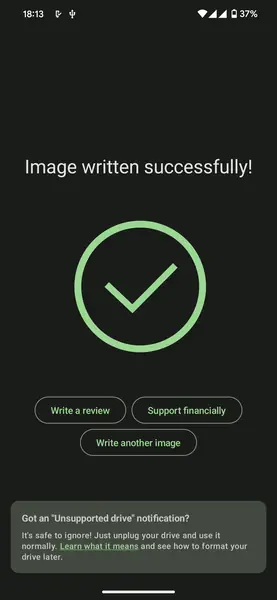
About EtchDroid ISO to USB Writer
EtchDroid is an open-source application that helps you write images to USB drives. Use it to make a bootable operating system USB drive when your laptop is dead.
⭐️ Supported devices ⭐️
✅ USB flash drives ✅ USB SD card adapters ❌ USB hard drives / SSDs ❌ USB docks and hubs ❌ Internal SD card slot ❌ Optical or floppy disk drives ❌ Thunderbolt-only devices
⭐️ Supported disk image types ⭐️
✅ Modern GNU/Linux operating system images, including Arch Linux, Ubuntu, Debian, Fedora, pop!_OS, Linux Mint, FreeBSD, BlissOS and many more ✅ Raspberry PI SD card images (but you must unzip them first!) ❌ Official Microsoft Windows ISOs ⚠️ Community-built Windows images, made for EtchDroid (be careful: they may contain viruses!) ❌ Apple DMG disk images ❌ Older GNU/Linux OS images < 2010 such as Damn Small Linux
Source code is on GitHub: https://github.com/EtchDroid/EtchDroid
What's new in version 2.2
Reliability release with many bug fixes.
- Fixed several crashes when choosing an image, requesting USB access or writing
- Writing no longer fails in the background
- Fixed write errors on some USB drives
- Multi-slot card readers now use the slot with a card in it
- Clear error when a card reader has no card inserted
- Clear message when Android blocks USB access in a work profile or dual app
- Romanian translation completed
APK file information
| Package name | eu.depau.etchdroid |
|---|---|
| Version | 2.2 (code 27) |
| Minimum Android | Android 6.0 · targets Android 16 |
| Architectures | arm64-v8a, armeabi-v7a, x86, x86_64 |
| SHA-256 | c2dfae952f945cfcb57d7a74851dab98c1ba0e6f081087b9b9a5fcb643ca094b |
| Signature | bbb3c58855980054df315bf51c045ff2b501c58706511459fc345327dfbf3ece |
| Licence | GPL-3.0-only — copyleft free licence: the code is public and modified versions must stay free |
| Source code | github.com/EtchDroid/EtchDroid |
| Official website | etchdroid.app/ |
Permissions
- Show notifications
- Keep the device awake
- Run in the background
- Internet access
Older versions
- EtchDroid ISO to USB Writer 2.2November 9, 2026 · 4.5 MB
- EtchDroid ISO to USB Writer 2.1July 14, 2026 · 4.5 MB
- EtchDroid ISO to USB Writer 2.0April 13, 2025 · 4.8 MB
How to install EtchDroid ISO to USB Writer APK
- Tap Download APK above, then open the file once the download has finished.
- If Android asks, allow your browser to install unknown apps.
- Tap Install. EtchDroid ISO to USB Writer then appears with your other apps.
Having trouble? Read our guides how to install an APK on Android and "App not installed": how to fix it.
Frequently asked questions
Is EtchDroid ISO to USB Writer free?
Yes. EtchDroid ISO to USB Writer is distributed under the GPL-3.0-only licence: free, no subscription, and its source code is public.
Is this APK file safe?
The file is the one built and published by the F-Droid repository from the public source code. Its SHA-256 fingerprint is shown above, so you can compare it after downloading. How to check an APK.
Will EtchDroid ISO to USB Writer work on my phone?
You need at least Android 6.0. The app also works without Google services, so it runs on recent Huawei phones too.





