
InviZible Pro APK
InviZible Pro: Tor & Firewall, DNSCrypt & I2P
Combine the strengths of Tor, DNSCrypt and I2P for security and anonymity
Download APK v7.6.0 · 43.8 MB- Version7.6.0
- Size43.8 MB
- RequiresAndroid 5.0
- Updated11/6/2026
- LicenceGPL-3.0-or-later
- PriceFree
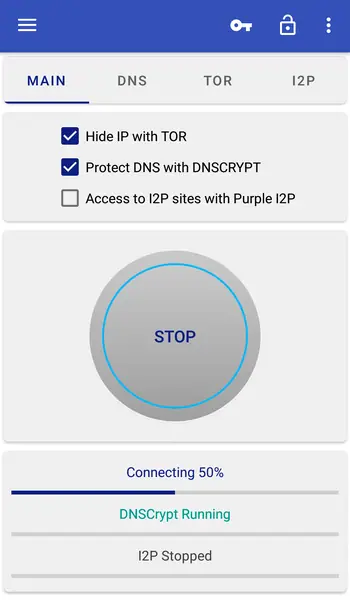
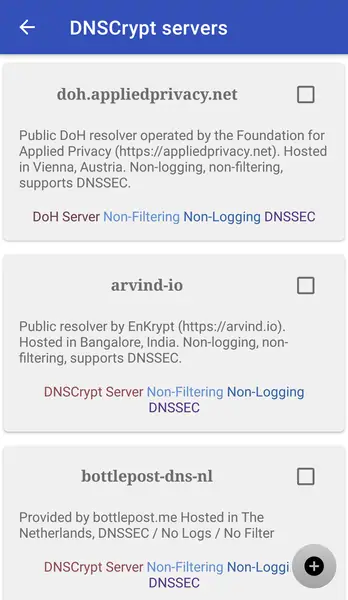
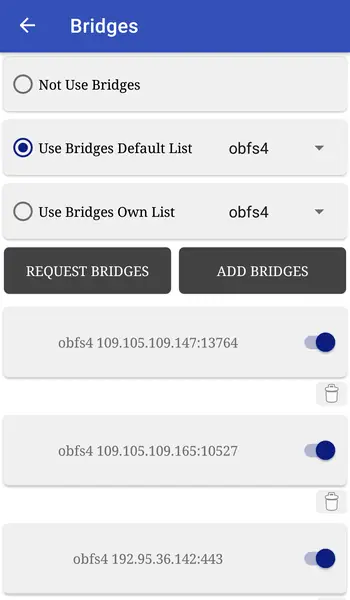
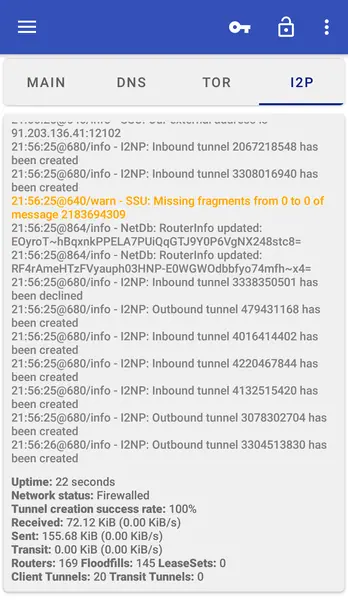
About InviZible Pro
Preserves privacy, prevents tracking, and provides access to restricted and hidden online content.
InviZible Pro combines the strengths of Tor, DNSCrypt, and Purple I2P to provide a comprehensive solution for online privacy, security, and anonymity.
Tor is responsible for privacy and anonymity. It acts like an unlimited free VPN proxy, but does so in the most secure way possible. Tor uses military-grade encryption and routes your internet traffic through a network of volunteer-run proxy servers. This helps protect your identity and location by hiding your IP address. It allows you to browse the internet anonymously, access websites that are otherwise restricted, and communicate privately. Tor also allows access to websites hosted on the Tor network, known as "onion services" or dark web, which are not accessible through regular browsers.
DNSCrypt is responsible for security. Every phone uses DNS (Domain Name System) when visiting online resources. But this traffic is usually not encrypted and can be intercepted and spoofed by third parties. DNSCrypt ensures that your DNS traffic is encrypted and secure. It prevents unauthorized access and tampering of your DNS queries, providing an additional layer of protection against surveillance and data interception.
I2P (Invisible Internet Project) provides secure and anonymous access to internal I2P websites, chat forums and other services that are not available through regular browsers. You may know it as the deep web. It works by routing your internet traffic through a network of volunteer-run proxy servers, allowing you to hide your identity and location. I2P provides a secure and private online environment, making it a great option for those who value anonymity and privacy.
Firewall is a security feature that helps protect your device from unauthorized access and potential threats. It acts as a filter for incoming and outgoing network traffic, allowing you to control which apps can access the internet. By setting up firewall rules, you can choose to block or allow internet connection for individual apps. This helps enhance your privacy and security by preventing unauthorized communication and protecting your data while using your phone.
InviZible Pro can utilize root access, if available on your device, or use a local VPN to deliver internet traffic directly to the Tor, DNSCrypt, and I2P networks.
Core Features: ✔ Tor Network - Achieve full anonymity, bypass censorship, and access .onion sites securely ✔ DNSCrypt - Encrypt DNS queries to prevent ISP monitoring and manipulation ✔ I2P (Invisible Internet Project) - Secure and private decentralized networking ✔ Advanced Firewall - Restrict internet access per app and block unauthorized connections ✔ No Root Access Required - Works seamlessly on all devices without modifications ✔ Maintain complete privacy without a paid VPN - Stay anonymous for free ✔ Stealth Mode - Evade Deep Packet Inspection (DPI) and regional restrictions ✔ Free & Open Source - No ads, no tracking, no compromises
APK file information
| Package name | pan.alexander.tordnscrypt.stable |
|---|---|
| Version | 7.6.0 (code 27603) |
| Minimum Android | Android 5.0 · targets Android 16 |
| Architectures | arm64-v8a |
| SHA-256 | fe82b8ea1aa2a2a3402de739a0a22f0a98e18265426cd08005dbac103d636481 |
| Signature | 977d4ca02ca0b94948c58be87bc34bbdd58e12350de078e28b17fcda176b3141 |
| Licence | GPL-3.0-or-later — copyleft free licence: the code is public and modified versions must stay free |
| Source code | github.com/Gedsh/InviZible |
| Official website | invizible.net |
Permissions
- Write to storage
- Read storage
- Start at boot
- View Wi-Fi status
- View network status
- Internet access
- Run in the background
- Keep the device awake
- Show notifications
- See installed apps sensitive
- Vibrate
3 other technical permission(s)
CHANGE_NETWORK_STATE NEARBY_WIFI_DEVICES INTERACT_ACROSS_USERS
Older versions
- InviZible Pro 7.6.0November 6, 2026 · 43.8 MB
- InviZible Pro 7.6.0November 6, 2026 · 43.6 MB
- InviZible Pro 7.5.0July 15, 2026 · 43.0 MB
- InviZible Pro 7.5.0July 15, 2026 · 43.7 MB
- InviZible Pro 7.4.0March 3, 2026 · 37.8 MB
- InviZible Pro 7.4.0March 3, 2026 · 38.0 MB
How to install InviZible Pro APK
- Tap Download APK above, then open the file once the download has finished.
- If Android asks, allow your browser to install unknown apps.
- Tap Install. InviZible Pro then appears with your other apps.
Having trouble? Read our guides how to install an APK on Android and "App not installed": how to fix it.
Frequently asked questions
Is InviZible Pro free?
Yes. InviZible Pro is distributed under the GPL-3.0-or-later licence: free, no subscription, and its source code is public.
Is this APK file safe?
The file is the one built and published by the F-Droid repository from the public source code. Its SHA-256 fingerprint is shown above, so you can compare it after downloading. How to check an APK.
Will InviZible Pro work on my phone?
You need at least Android 5.0. The app also works without Google services, so it runs on recent Huawei phones too.