
SparkleDNS APK
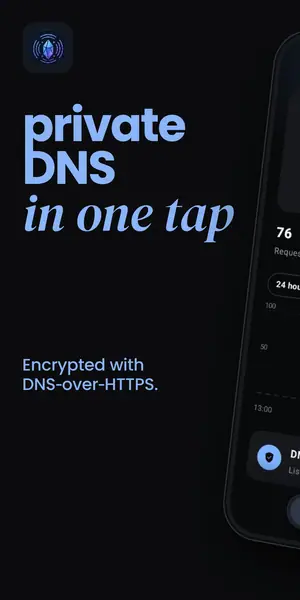
Encrypt DNS requests without routing all your traffic through a VPN.
Download APK v1.1.6 · 1.8 MB- Version1.1.6
- Size1.8 MB
- RequiresAndroid 8.0
- Updated11/23/2026
- LicenceGPL-3.0-only
- PriceFree
About SparkleDNS
Protect your DNS requests with encrypted DNS-over-HTTPS, while your other internet traffic stays on its normal connection. SparkleDNS gives you control over DNS without routing your whole device through a VPN server.
- Send DNS queries to your chosen DoH server using RFC 8484.
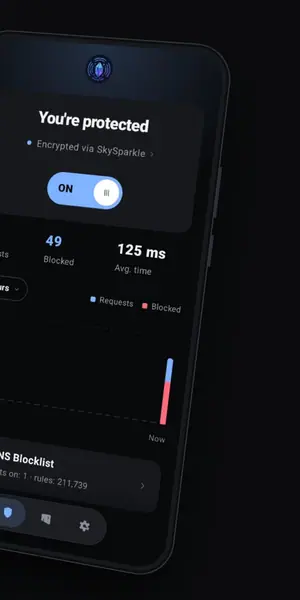
- Check server protocol and latency before you connect.
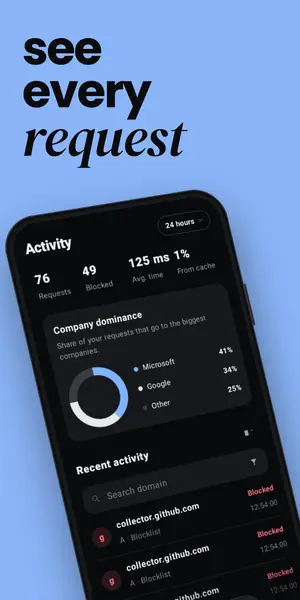
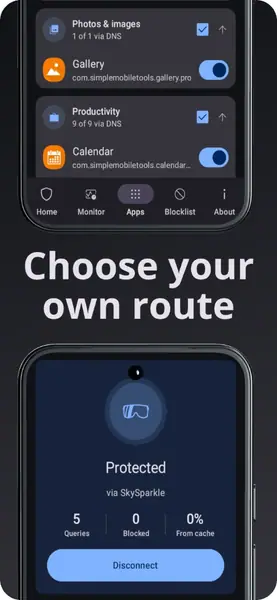
- See live queries and stats, filter activity, and block domains with a tap.
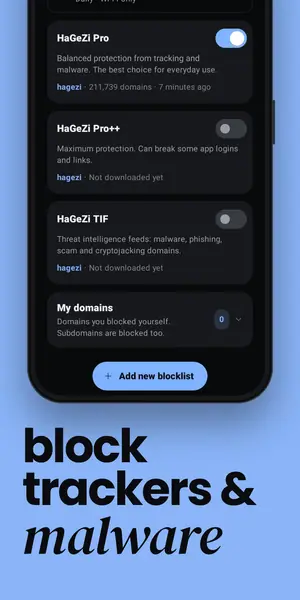
- Add custom domain rules or blocklists by URL, including HaGeZi Pro, Pro++ and TIF presets, updated automatically every day or week.
- Let selected apps bypass the DNS tunnel.
- Connect or disconnect in one tap, or use the Quick Settings tile.
SparkleDNS creates a local VPN tunnel to capture DNS traffic only. DNS requests go to your selected DoH server; everything else uses your regular connection. Switch servers while connected and the tunnel restarts automatically. No analytics or Google Play Services are included.
Choose SparkleDNS for a lightweight Android DNS client with clear controls over encrypted DNS and domain blocking. Install SparkleDNS and take control of your DNS requests.
What's new in version 1.1.6
- The SkySparkle server now works with a personal key: create a free key at skysparkle.cc and enter it in Settings
- New first-launch guide that explains how to get a key
APK file information
| Package name | cc.skysparkle.sparkledns |
|---|---|
| Version | 1.1.6 (code 10106) |
| Minimum Android | Android 8.0 · targets Android 16 |
| Architectures | arm64-v8a, armeabi-v7a, x86, x86_64 |
| SHA-256 | ea3ee6b3715a64b5b04a11b516b92ba4359764cf89401d83df47fc10450779a3 |
| Signature | 42f630634bd0f87f491785a8848770e445967b36f1028efd16f8f95201273a29 |
| Licence | GPL-3.0-only — copyleft free licence: the code is public and modified versions must stay free |
| Source code | github.com/kalarina-bit/Sparkledns |
| Official website | skysparkle.cc |
Permissions
- Internet access
- View network status
- Show notifications
- Run in the background
- Start at boot
Older versions
- SparkleDNS 1.1.6November 23, 2026 · 1.8 MB
- SparkleDNS 1.1.5November 17, 2026 · 1.7 MB
- SparkleDNS 1.1.3November 11, 2026 · 1.6 MB
How to install SparkleDNS APK
- Tap Download APK above, then open the file once the download has finished.
- If Android asks, allow your browser to install unknown apps.
- Tap Install. SparkleDNS then appears with your other apps.
Having trouble? Read our guides how to install an APK on Android and "App not installed": how to fix it.
Frequently asked questions
Is SparkleDNS free?
Yes. SparkleDNS is distributed under the GPL-3.0-only licence: free, no subscription, and its source code is public.
Is this APK file safe?
The file is the one built and published by the F-Droid repository from the public source code. Its SHA-256 fingerprint is shown above, so you can compare it after downloading. How to check an APK.
Will SparkleDNS work on my phone?
You need at least Android 8.0. The app also works without Google services, so it runs on recent Huawei phones too.