
Neo Backup APK
The open-source tool to backup your apps and data
Download APK v8.3.18 · 11.0 MB- Version8.3.18
- Size11.0 MB
- RequiresAndroid 8.0
- Updated5/4/2026
- LicenceAGPL-3.0-only
- PriceFree
About Neo Backup
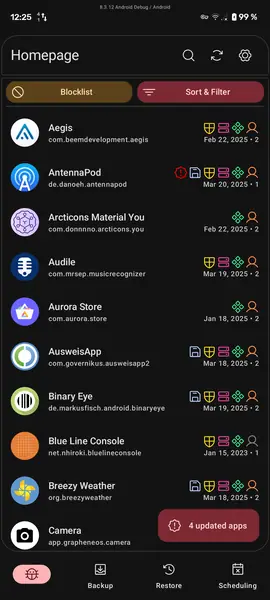
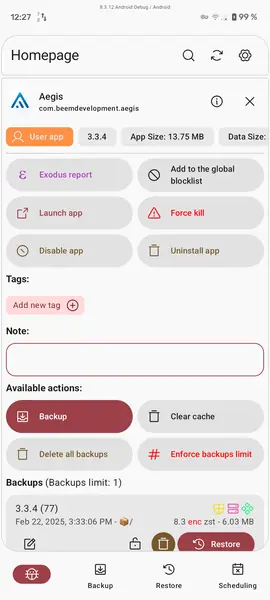
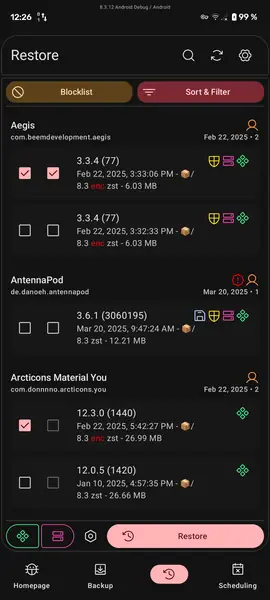
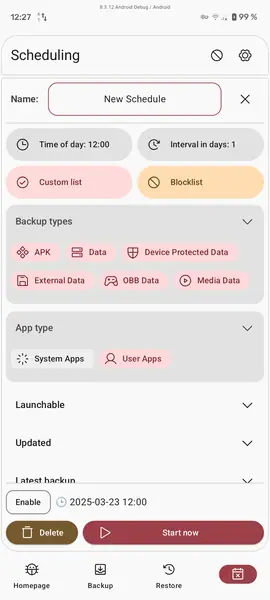
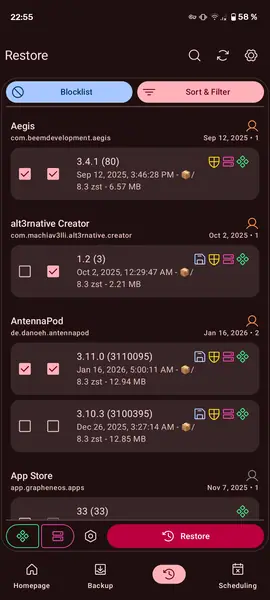
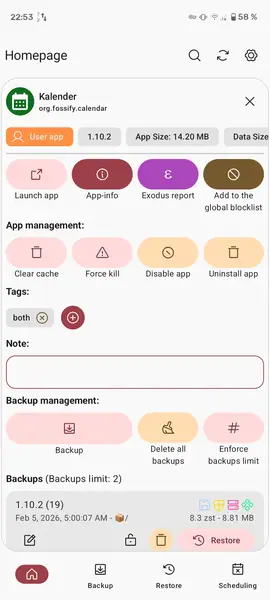
Make and restore backups of apps on your device and save app data to a user-accessible location. Supports backing up and restoring single or multiple apps.
Part of Neo Applications.
Fork of OAndBackup bringing support for new Android versions and updated looks.
Help translate it on Weblate: https://hosted.weblate.org/engage/oandbackupx/.
Requires root: Because it copies files from /data/data, /data/app and /system/app.
Status: Beta
What's new in version 8.3.18
Add: Onboarding page flow Add: Package names to package selector dialogs Fix: Updating app on changing theme contrast preference Remove: Encryption warning dialog
- more than 20 commits, 30 translations
APK file information
| Package name | com.machiav3lli.backup |
|---|---|
| Version | 8.3.18 (code 8331) |
| Minimum Android | Android 8.0 · targets Android 16 |
| Architectures | arm64-v8a, armeabi-v7a, x86, x86_64 |
| SHA-256 | 1485c964ba52b45c1057c2d6f7299286e456c61109f381d842c094ab5ec7e9c6 |
| Signature | 6a0b8db98c68d972da3e060978c2d0a230ec85be0542b302faf0b5b1bc4ef007 |
| Licence | AGPL-3.0-only — copyleft free licence: the code is public and modified versions must stay free |
| Source code | github.com/NeoApplications/Neo-Backup |
Permissions
- Show notifications
- Write to storage
- Keep the device awake
- Run in the background
- Start at boot
- Access all files sensitive
- See installed apps sensitive
- Read SMS sensitive
- Send SMS sensitive
- Receive SMS sensitive
- Read contacts sensitive
- Call log sensitive
- Fingerprint / biometrics
- Fingerprint
- Read storage
8 other technical permission(s)
SCHEDULE_EXACT_ALARM REQUEST_IGNORE_BATTERY_OPTIMIZATIONS KILL_BACKGROUND_PROCESSES PACKAGE_USAGE_STATS RECEIVE_MMS RECEIVE_WAP_PUSH WRITE_CALL_LOG REORDER_TASKS
Older versions
- Neo Backup 8.3.18May 4, 2026 · 11.0 MB
- Neo Backup 8.3.17February 24, 2026 · 11.1 MB
- Neo Backup 8.3.16January 3, 2026 · 11.1 MB
How to install Neo Backup APK
- Tap Download APK above, then open the file once the download has finished.
- If Android asks, allow your browser to install unknown apps.
- Tap Install. Neo Backup then appears with your other apps.
Having trouble? Read our guides how to install an APK on Android and "App not installed": how to fix it.
Frequently asked questions
Is Neo Backup free?
Yes. Neo Backup is distributed under the AGPL-3.0-only licence: free, no subscription, and its source code is public.
Is this APK file safe?
The file is the one built and published by the F-Droid repository from the public source code. Its SHA-256 fingerprint is shown above, so you can compare it after downloading. How to check an APK.
Will Neo Backup work on my phone?
You need at least Android 8.0. The app also works without Google services, so it runs on recent Huawei phones too.





