
OpenBible APK
OpenBible provides the Bible with as little distractions as possible
Download APK v3.3.0 · 1.6 MB- Version3.3.0
- Size1.6 MB
- RequiresAndroid 8.1
- Updated8/26/2026
- LicenceApache-2.0
- PriceFree
About OpenBible
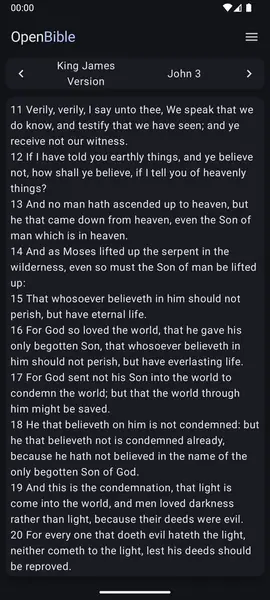
OpenBible aims to be an open, simple and lightweight Android application for reading the Bible without any additional inputs. This means that the app contains only the Bible without items like section headings, comments, reading plans or tips.
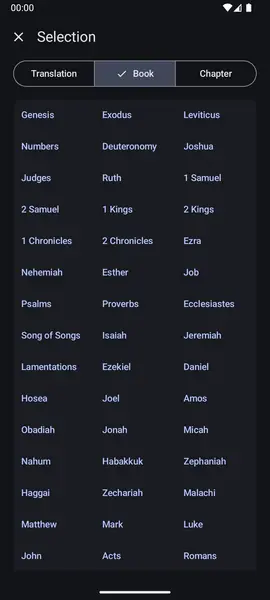
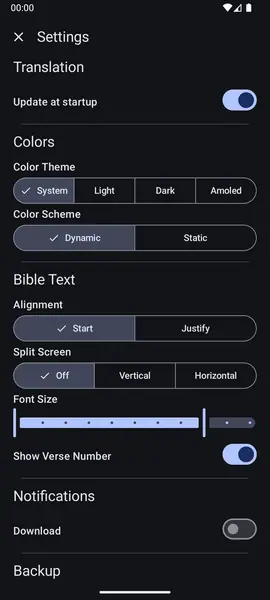
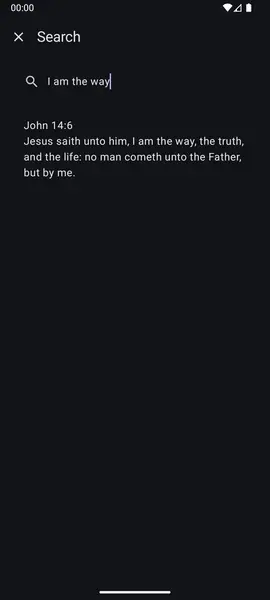
OpenBible allows you to download the Bible in many different languages and translations. It strives to keep these translations up to date to address formatting or similar issues. You can select the translation, book and chapter or find verses by searching their content. The app lets you customize your reading experience through color themes, color schemes, text alignment, split screen mode, font size and verse number visibility. These settings default to your system preferences to reduce the need for manual adjustments. While reading, you can pinch or double click the screen to temporarily change the font size. Additionally, you can select text to copy or share it. Your settings, selections and translations are saved and can be backed up for convenience.
What's new in version 3.3.0
Improved performance, resulting in faster loading times
Updated Dutch translation (by @thomasboom) Updated Polish translation (by @Nieznany237 and @tmpjx555)
APK file information
| Package name | com.schwegelbin.openbible |
|---|---|
| Version | 3.3.0 (code 47) |
| Minimum Android | Android 8.1 · targets API 37 |
| Architectures | arm64-v8a, armeabi-v7a, x86, x86_64 |
| SHA-256 | 3109ce6a87b8bf0639afbf1be80947d01105c359eacbd31fb401efdc40f3cdcc |
| Signature | cbf40802880b94df64c0467d8fbba69572bf4b5fd75e28e9c0c77992f4237931 |
| Licence | Apache-2.0 — permissive free licence: the source code is public and reusable |
| Source code | github.com/SchweGELBin/OpenBible2 |
Permissions
- Internet access
1 other technical permission(s)
DOWNLOAD_WITHOUT_NOTIFICATION
Older versions
- OpenBible 3.3.0August 26, 2026 · 1.6 MB
- OpenBible 3.2.3June 20, 2026 · 1.6 MB
- OpenBible 3.2.2June 11, 2026 · 1.6 MB
How to install OpenBible APK
- Tap Download APK above, then open the file once the download has finished.
- If Android asks, allow your browser to install unknown apps.
- Tap Install. OpenBible then appears with your other apps.
Having trouble? Read our guides how to install an APK on Android and "App not installed": how to fix it.
Frequently asked questions
Is OpenBible free?
Yes. OpenBible is distributed under the Apache-2.0 licence: free, no subscription, and its source code is public.
Is this APK file safe?
The file is the one built and published by the F-Droid repository from the public source code. Its SHA-256 fingerprint is shown above, so you can compare it after downloading. How to check an APK.
Will OpenBible work on my phone?
You need at least Android 8.1. The app also works without Google services, so it runs on recent Huawei phones too.





