PlayOnDlna APK
Play your media ad-free on DLNA players in your local network!
Download APK v1.16 · 32.7 MB- Version1.16
- Size32.7 MB
- RequiresAndroid 8.0
- Updated9/27/2026
- LicenceGPL-3.0-only
- PriceFree
About PlayOnDlna
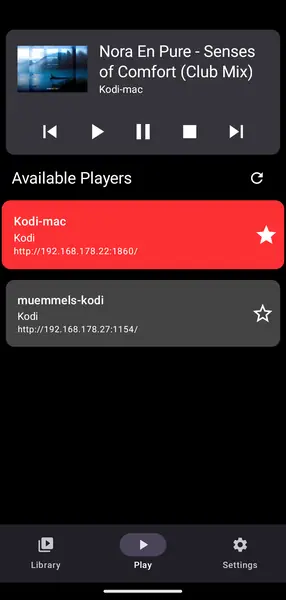
Play your media ad-free on DLNA players such as Kodi and Smart TVs in your local network! Simply share a supported media link with PlayOnDlna. The app prepares compatible video or audio and streams it directly to your selected player.
Supported sources include YouTube, YMusic, PeerTube, SoundCloud, Bandcamp, and media.ccc.de.
🌍 More Choice
Enjoy media from your favorite platforms in one simple app.
🎧 Video and Audio
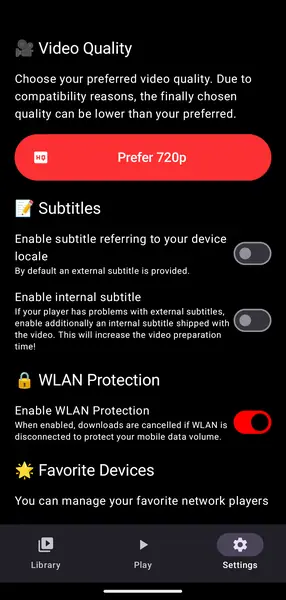
PlayOnDlna prepares compatible media, cover artwork, and subtitles for your DLNA player.
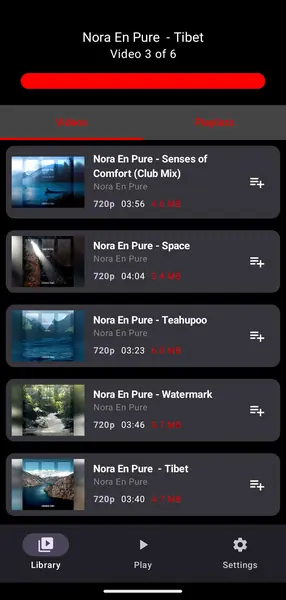
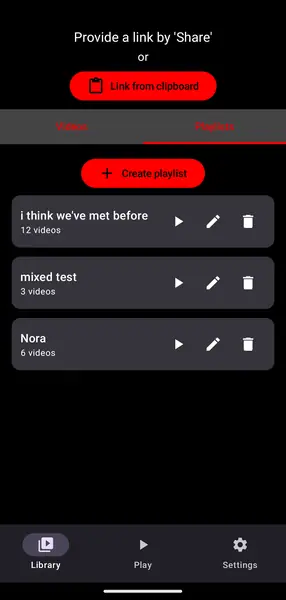
🎶 Playlists That Just Work
Enjoy continuous playback even when your player has no native playlist support.
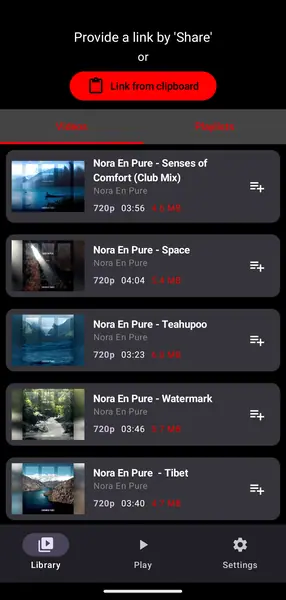
📚 Your Media Library
Keep prepared videos and audio ready to play again whenever you like.
📡 Simple
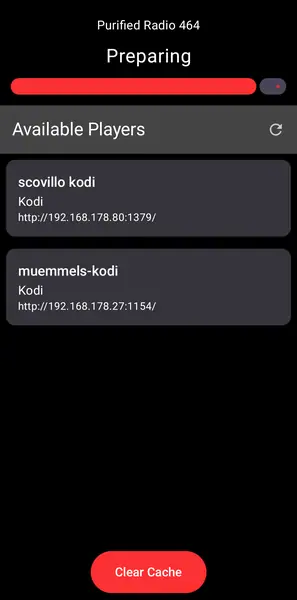
Automatic discovery finds compatible players on your local network. Choose a player and control playback directly from the app.
💝 Ad-Free
Enjoy your media without advertising interruptions.
👐 Transparent and Local
Media is served directly from your Android device over your local network. The publicly available source code lets anyone verify the app's quality, privacy, and security.
If the app serves you well, consider a 🎁 donation to support continued development.
Kodi Setup
To stream media to Kodi, make sure Kodi can be found as a DLNA player in your local network.
- Go to ⚙ Settings > Services > UPnP DLNA
- Enable Enable UPnP support
- Enable Allow remote control via UPnP
❤️ Happy streaming! ❤️
What's new in version 1.16
New in version 1.16:
- Skip community-reported sponsor segments automatically with SponsorBlock during YouTube playback
- Enjoy more reliable remote control and smoother playlist playback on compatible players
- Reorder videos in your playlists to create the perfect viewing sequence
- Manage storage with a clearer overview of your library, cache, and unused downloads
- Meet PlayOnDlna with a refreshed themed app icon
APK file information
| Package name | io.github.scovillo.playondlna |
|---|---|
| Version | 1.16 (code 17) |
| Minimum Android | Android 8.0 · targets Android 16 |
| Architectures | arm64-v8a, armeabi-v7a, x86, x86_64 |
| SHA-256 | 126fc1aec4388009f788b790469802251ffa63e6181dc0231b00c9e96d38dc8e |
| Signature | 71252a30bddb0eb532f35afb07866083ded0c1a1880122331ddda42a8867ceb9 |
| Licence | GPL-3.0-only — copyleft free licence: the code is public and modified versions must stay free |
| Source code | github.com/scovillo/playondlna |
Permissions
- Internet access
- View network status
- Keep the device awake
- Run in the background
- Show notifications
1 other technical permission(s)
CHANGE_WIFI_MULTICAST_STATE
Older versions
- PlayOnDlna 1.16September 27, 2026 · 32.7 MB
- PlayOnDlna 1.15September 7, 2026 · 32.7 MB
- PlayOnDlna 1.14August 30, 2026 · 32.6 MB
How to install PlayOnDlna APK
- Tap Download APK above, then open the file once the download has finished.
- If Android asks, allow your browser to install unknown apps.
- Tap Install. PlayOnDlna then appears with your other apps.
Having trouble? Read our guides how to install an APK on Android and "App not installed": how to fix it.
Frequently asked questions
Is PlayOnDlna free?
Yes. PlayOnDlna is distributed under the GPL-3.0-only licence: free, no subscription, and its source code is public.
Is this APK file safe?
The file is the one built and published by the F-Droid repository from the public source code. Its SHA-256 fingerprint is shown above, so you can compare it after downloading. How to check an APK.
Will PlayOnDlna work on my phone?
You need at least Android 8.0. The app also works without Google services, so it runs on recent Huawei phones too.