QuickWeather APK
Weather at a glance for anywhere in the world!
Download APK v2.8.7 · 17.0 MB- Version2.8.7
- Size17.0 MB
- RequiresAndroid 5.0
- Updated2/16/2026
- LicenceGPL-3.0-or-later
- PriceFree
About QuickWeather
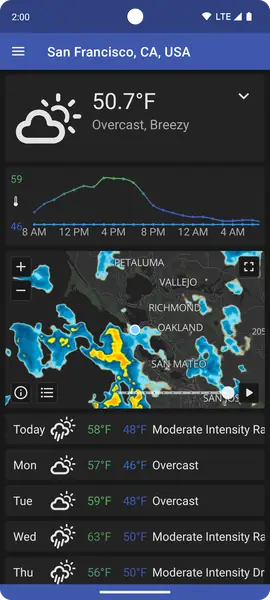
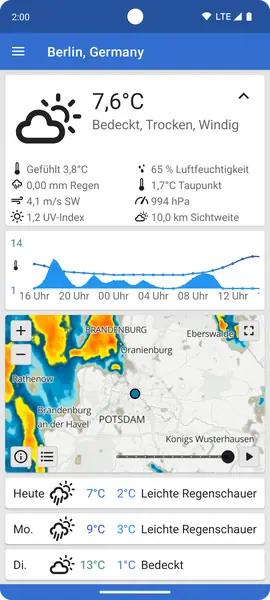
QuickWeather is really fast. Just open the app and see the weather right now. There's no loading screen and no wait time. The weather is delivered to you with no extra junk, just clean and clear information.
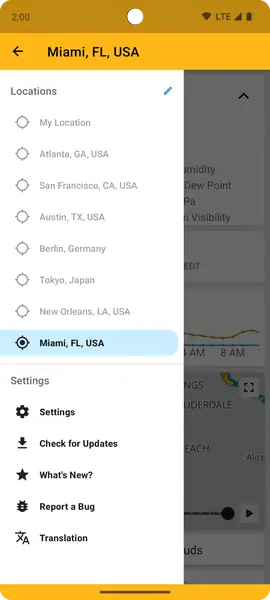
You can add as many locations to the side drawer as you want to have their weather a single tap away. QuickWeather can even determine your current location if you allow it (location information is not collected).
QuickWeather is Always Free (No IAPs or Ads) and Always Open Source
Here's what you get
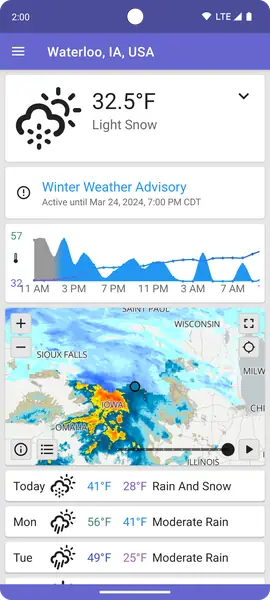
- Fullscreen Radar
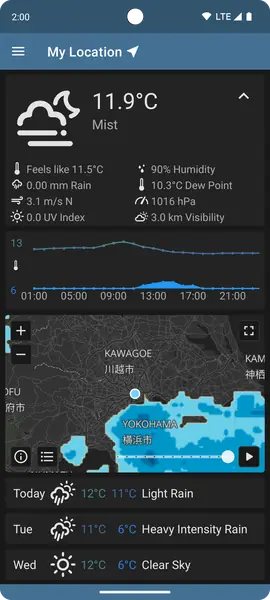
- Current Weather, Temperature, "Feels Like" Temperature, Precipitation, Wind Speed, Humidity, Pressure, Dew Point, Visbility
- Current and Forecast Temperature and Precipitation Graph
- Current Weather Notification
- Weather Alert Notifications
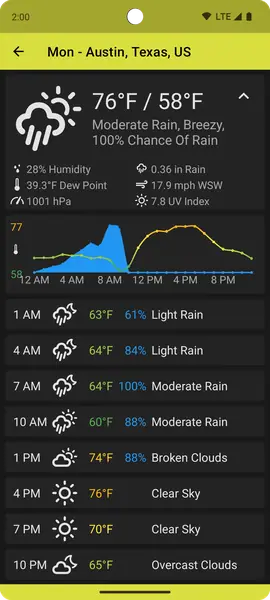
- Hourly Temperature and Precipitation (48 hours)
- 3-Hour Temperature and Precipitation (5 days)
- Daily Forecast Weather and High and Low Temperature (7 days)
- Daily UV Index
QuickWeather is powered by OpenWeatherMap.org or Open-Meteo.
- If using OpenWeatherMap, QuickWeather requires an active API key with the "One Call by Call" subscription to the "One Call 3.0" API to function. If you do not have one, you can sign up for a free API key here.
- If using Open-Meteo, QuickWeather does not require an API key.
Required Permissions
- Internet - Required to connect to the internet and retrieve weather information
Optional Permissions
- Location - Required to retrieve the user's current location, if requested
- Background Location - Required to retrieve the user's current location for weather notification and alerts, if requested
- Receive Boot Completed - Required to reschedule the notification service each boot
What's new in version 2.8.7
- RainViewer (radar provider) added a maximum zoom level
APK file information
| Package name | com.ominous.quickweather |
|---|---|
| Version | 2.8.7 (code 112) |
| Minimum Android | Android 5.0 · targets Android 16 |
| Architectures | arm64-v8a, armeabi-v7a, x86, x86_64 |
| SHA-256 | cdc7f35cf835c1199d6353a4fc484dde833dd26abbba2790badd77f843ea9fc7 |
| Signature | 96aac65a0e9e982554cb267432522642461330f31c86af77ca21923d6d82379b |
| Licence | GPL-3.0-or-later — copyleft free licence: the code is public and modified versions must stay free |
| Source code | github.com/TylerWilliamson/QuickWeather |
Permissions
- Internet access
- Precise location (GPS) sensitive
- Approximate location sensitive
- Background location sensitive
- Start at boot
- Show notifications
- View network status
- View Wi-Fi status
- Keep the device awake
- Run in the background
1 other technical permission(s)
REQUEST_IGNORE_BATTERY_OPTIMIZATIONS
Older versions
- QuickWeather 2.8.7February 16, 2026 · 17.0 MB
- QuickWeather 2.8.6February 14, 2026 · 17.0 MB
- QuickWeather 2.8.5November 1, 2025 · 17.0 MB
How to install QuickWeather APK
- Tap Download APK above, then open the file once the download has finished.
- If Android asks, allow your browser to install unknown apps.
- Tap Install. QuickWeather then appears with your other apps.
Having trouble? Read our guides how to install an APK on Android and "App not installed": how to fix it.
Frequently asked questions
Is QuickWeather free?
Yes. QuickWeather is distributed under the GPL-3.0-or-later licence: free, no subscription, and its source code is public.
Is this APK file safe?
The file is the one built and published by the F-Droid repository from the public source code. Its SHA-256 fingerprint is shown above, so you can compare it after downloading. How to check an APK.
Will QuickWeather work on my phone?
You need at least Android 5.0. The app also works without Google services, so it runs on recent Huawei phones too.





