Quitter APK
Quitter: Habit Tracker
Track quitting progress, milestones, journals, and recovery reminders.
Download APK v1.1.85 · 31.9 MB- Version1.1.85
- Size31.9 MB
- RequiresAndroid 7.0
- Updated11/20/2026
- LicenceMIT
- PriceFree
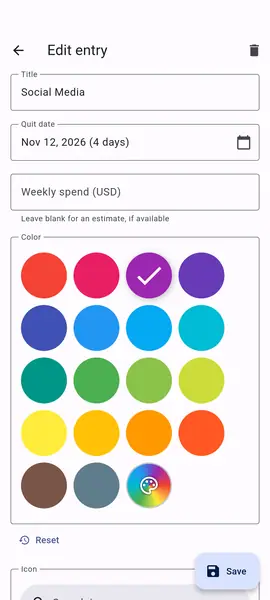
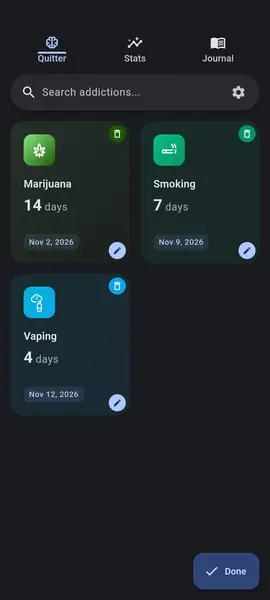
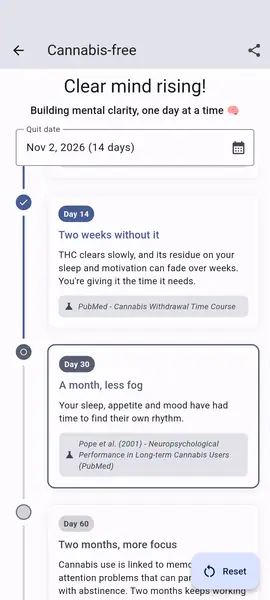
About Quitter
Track the habits you want to quit and celebrate every step forward.
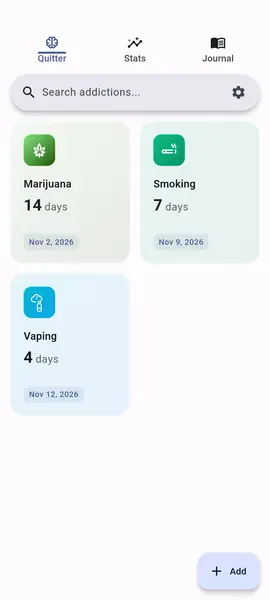
Quitter is a private habit and quitting tracker for people reducing or stopping smoking, vaping, alcohol, drugs, adult content, social media, and other personal habits. Set your start date, follow milestones, reflect in a journal, and keep your progress visible day by day.
SUPPORT YOUR QUITTING JOURNEY
- Track 13 built-in habit and addiction journeys
- Create custom trackers for any habit you want to change
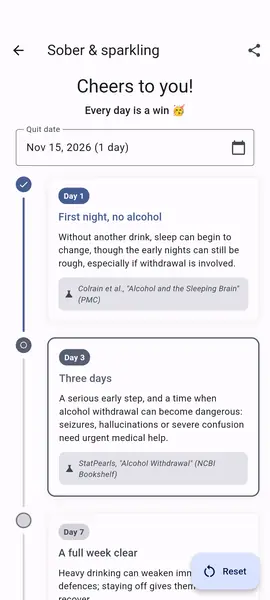
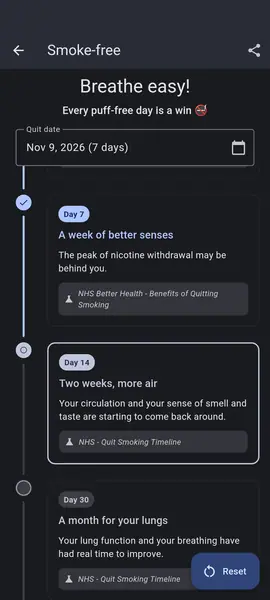
- Follow cited, research-informed recovery milestones
- Record daily thoughts and feelings in a private journal
- Receive milestone reminders and progress notifications
- Personalise colours, themes, and optional features
PRIVATE AND OFFLINE
Quitter does not require an account or internet connection. Your progress and journal entries stay on your device. The app is open source, contains no ads, and does not track you.
Milestones are educational information drawn from sources such as public-health organisations and peer-reviewed research. Quitter is not medical treatment, diagnosis, or professional advice. For medical support or concerns about substance use, contact a qualified healthcare professional or local support service.
What's new in version 1.1.85
- Set weekly spending and the currency used to estimate savings.
APK file information
| Package name | com.quitter.app |
|---|---|
| Version | 1.1.85 (code 12643) |
| Minimum Android | Android 7.0 · targets Android 16 |
| Architectures | arm64-v8a |
| SHA-256 | 1f1309eafc65fb5498a707e62c9e5c9e96832086a0f2fedead8eaf631c0c4b12 |
| Signature | 011ee1a6e4e5ecd675f67fbf3d78ad82614a7a7a3f24ed71cc9c417154a0f0fd |
| Licence | MIT — permissive free licence: the source code is public and reusable |
| Source code | github.com/brandonp2412/Quitter |
Permissions
- Show notifications
- Keep the device awake
- Start at boot
- Vibrate
- Run in the background
Older versions
- Quitter 1.1.85November 20, 2026 · 31.9 MB
- Quitter 1.1.85November 20, 2026 · 30.0 MB
- Quitter 1.1.85November 20, 2026 · 33.2 MB
- Quitter 1.1.84November 17, 2026 · 31.8 MB
- Quitter 1.1.84November 17, 2026 · 29.9 MB
- Quitter 1.1.84November 17, 2026 · 33.2 MB
- Quitter 1.1.82November 4, 2026 · 31.4 MB
- Quitter 1.1.82November 4, 2026 · 29.5 MB
- Quitter 1.1.82November 4, 2026 · 32.8 MB
How to install Quitter APK
- Tap Download APK above, then open the file once the download has finished.
- If Android asks, allow your browser to install unknown apps.
- Tap Install. Quitter then appears with your other apps.
Having trouble? Read our guides how to install an APK on Android and "App not installed": how to fix it.
Frequently asked questions
Is Quitter free?
Yes. Quitter is distributed under the MIT licence: free, no subscription, and its source code is public.
Is this APK file safe?
The file is the one built and published by the F-Droid repository from the public source code. Its SHA-256 fingerprint is shown above, so you can compare it after downloading. How to check an APK.
Will Quitter work on my phone?
You need at least Android 7.0. The app also works without Google services, so it runs on recent Huawei phones too.