
Save Locally APK
Using an app that doesn't allow Saving but allows Sharing? No problem!
Download APK v2.1.2a · 4.1 MB- Version2.1.2a
- Size4.1 MB
- RequiresAndroid 9
- Updated9/7/2026
- LicenceAGPL-3.0-or-later
- PriceFree
About Save Locally
Have you ever ran into this scenario: you are using an app (such as a bank app) and you need to export a file urgently (for example, a bank statement in PDF). You want to download that file locally in your device, but the app doesn't offer any easy way to do so, the max it offers is the option to share the file, meaning you end up having to send it to yourself (or somebody else) via email or a instant messaging app, to only then having the option to save that file.
This happens because many apps choose to use the system's share functionality instead of doing the work to implement the required file saving logic. So, what can be done?
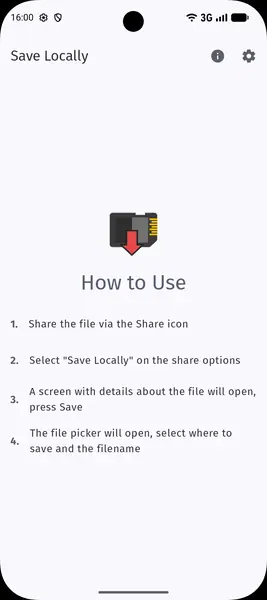
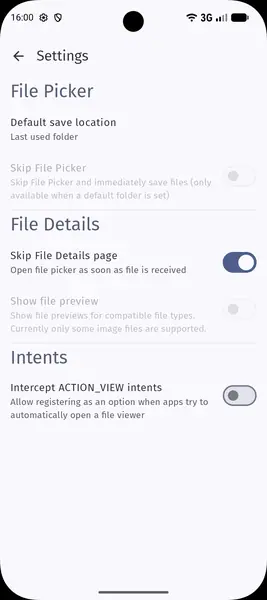
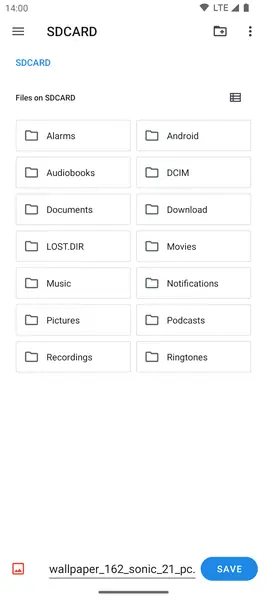
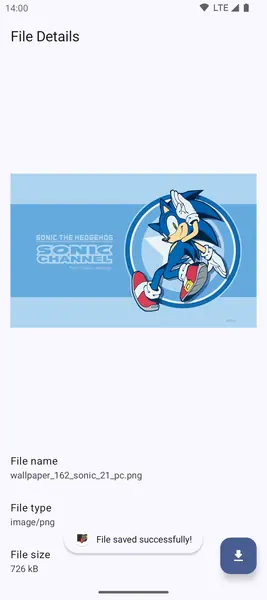
In those cases Save Locally might come in handy, you just choose it on the share sheet that comes up and it allows you to save the file anywhere locally in your device, it also shows the file details beforehand (though that can be skipped). An option to intercept "Open with" intents is also available, allowing you to save files even if the source app were to try force viewing with a default viewer for that file type.
Save Locally is FLOSS software (Free and Libre Open Source Software) developed with Jetpack Compose. Source code is available at https://github.com/MateusRodCosta/SaveLocally licensed under AGPLv3+.
What's new in version 2.1.2a
Emergency release to fix a small issue where new permissions were added due to a legacy behavior of AGP. For more information see https://github.com/MateusRodCosta/SaveLocally/issues/58
APK file information
| Package name | com.mateusrodcosta.apps.share2storage |
|---|---|
| Version | 2.1.2a (code 36) |
| Minimum Android | Android 9 · targets Android 16 |
| Architectures | arm64-v8a, armeabi-v7a, x86, x86_64 |
| SHA-256 | 078c28e047aacbbd5e2ddeab8764a7028cb8add171bdf8e007e6aa56dbb37633 |
| Signature | 2a0b90541cf2e483b72fe1f401acdf202feefad90b335a31d6dbac3ba0e06087 |
| Licence | AGPL-3.0-or-later — copyleft free licence: the code is public and modified versions must stay free |
| Source code | github.com/MateusRodCosta/Share2Storage |
Permissions
No special permissions.
Older versions
- Save Locally 2.1.2aSeptember 7, 2026 · 4.1 MB
- Save Locally 2.1.2August 31, 2026 · 4.1 MB
- Save Locally 2.1.1June 18, 2026 · 3.9 MB
How to install Save Locally APK
- Tap Download APK above, then open the file once the download has finished.
- If Android asks, allow your browser to install unknown apps.
- Tap Install. Save Locally then appears with your other apps.
Having trouble? Read our guides how to install an APK on Android and "App not installed": how to fix it.
Frequently asked questions
Is Save Locally free?
Yes. Save Locally is distributed under the AGPL-3.0-or-later licence: free, no subscription, and its source code is public.
Is this APK file safe?
The file is the one built and published by the F-Droid repository from the public source code. Its SHA-256 fingerprint is shown above, so you can compare it after downloading. How to check an APK.
Will Save Locally work on my phone?
You need at least Android 9. The app also works without Google services, so it runs on recent Huawei phones too.





