
Shelfly APK
A TV shows & movies tracker that backs up to your own WebDAV server
Download APK v4.0.11 · 5.7 MB- Version4.0.11
- Size5.7 MB
- RequiresAndroid 7.0
- Updated10/22/2026
- LicenceGPL-3.0-or-later
- PriceFree
About Shelfly
PLEASE NOTE: This app is not meant for watching tv shows or movies. For that purpose please use official streaming services apps.
Shelfly is a TV Shows & Movies tracker that syncs to infrastructure you control.
Instead of storing your watch history on a third-party account behind a paid API, Shelfly backs it up to your own WebDAV server - a Nextcloud instance, a NAS, anything that speaks WebDAV - on a schedule you choose, and restores from it. No account, no subscription, no middleman. The catalog comes from TMDB using a free API key you supply yourself.
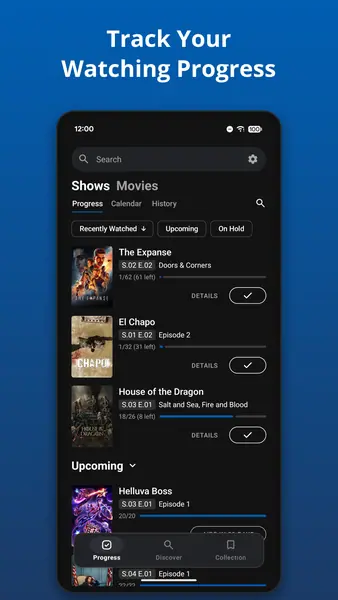
- Progress: Track progress of your currently watched shows and movies. See incoming premieres and never miss an upcoming episode.
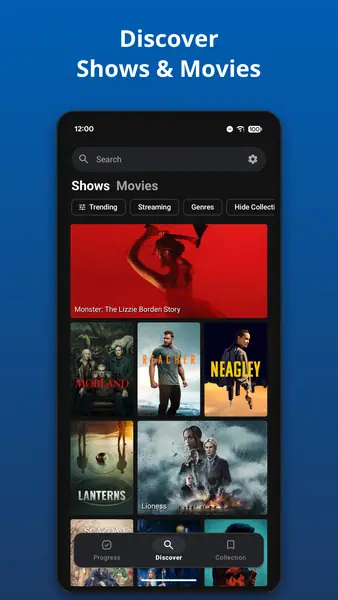
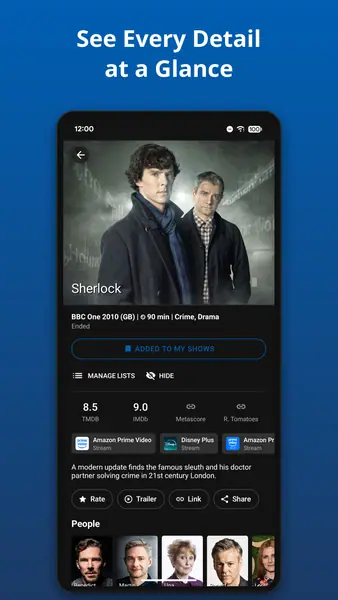
- Discover: Browse and search for most popular, trending and anticipated TV Shows and Movies. View detailed information about each show, episode, movie. Refine the feed to match your personal preferences.
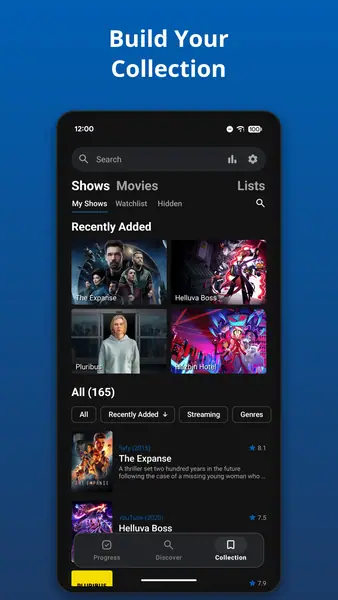
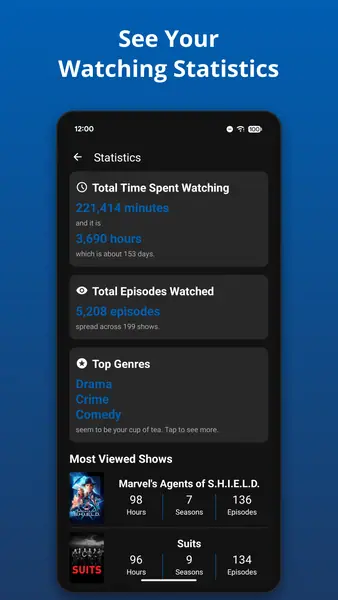
- Collection: Manage your currently watched shows and movies and also things you might want to see in the future. See interesting statistics about your collection.
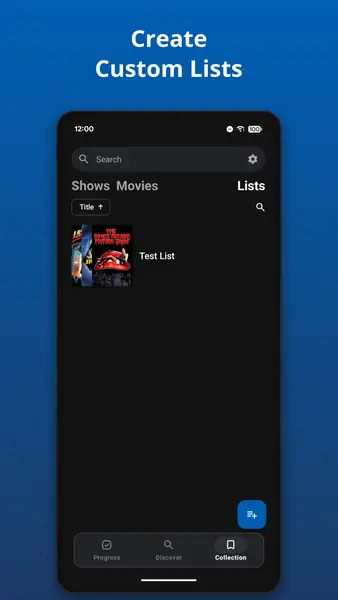
- Custom Lists: Manage your own custom shows and movies lists.
- WebDAV Backup: Automatically back your collection up to your own WebDAV server on a schedule you choose.
- Notifications & Widgets: Receive optional notifications about new episodes, seasons and premieres. Use widgets and home shortcuts to quickly access your favourite sections.
Shelfly supports multiple languages.
Shelfly is a fork of Showly, created by Michał Drabik and now maintained by Trakt, GPL-3.0.
This product uses the TMDB API but is not endorsed or certified by TMDB.
What's new in version 4.0.11
- Fixed a crash when opening the Backup & Restore import screen.
APK file information
| Package name | xyz.stignarnia.shelfly |
|---|---|
| Version | 4.0.11 (code 12) |
| Minimum Android | Android 7.0 · targets API 37 |
| Architectures | All (universal) |
| SHA-256 | 13ef4fd50e63b2d96a8b16c3cc3b8ca66b126e0af3d4d7cfdcb6ba31e9207e7e |
| Signature | e169956b719d2686482bab6269783c4b77744bd8476b7b3bdba26f4d252ddaa2 |
| Licence | GPL-3.0-or-later — copyleft free licence: the code is public and modified versions must stay free |
| Source code | github.com/stignarnia/shelfly |
Permissions
- Internet access
- Run in the background
- View network status
- Show notifications
- Keep the device awake
- Start at boot
1 other technical permission(s)
CHANGE_NETWORK_STATE
How to install Shelfly APK
- Tap Download APK above, then open the file once the download has finished.
- If Android asks, allow your browser to install unknown apps.
- Tap Install. Shelfly then appears with your other apps.
Having trouble? Read our guides how to install an APK on Android and "App not installed": how to fix it.
Frequently asked questions
Is Shelfly free?
Yes. Shelfly is distributed under the GPL-3.0-or-later licence: free, no subscription, and its source code is public.
Is this APK file safe?
The file is the one built and published by the F-Droid repository from the public source code. Its SHA-256 fingerprint is shown above, so you can compare it after downloading. How to check an APK.
Will Shelfly work on my phone?
You need at least Android 7.0. The app also works without Google services, so it runs on recent Huawei phones too.





