
SleepGuard APK
SleepGuard - dead man's switch
Locks your phone when you fall asleep watching videos. No ads, open source.
Download APK v1.7.0 · 1.7 MB- Version1.7.0
- Size1.7 MB
- RequiresAndroid 8.0
- Updated9/17/2026
- LicenceGPL-3.0-or-later
- PriceFree
About SleepGuard
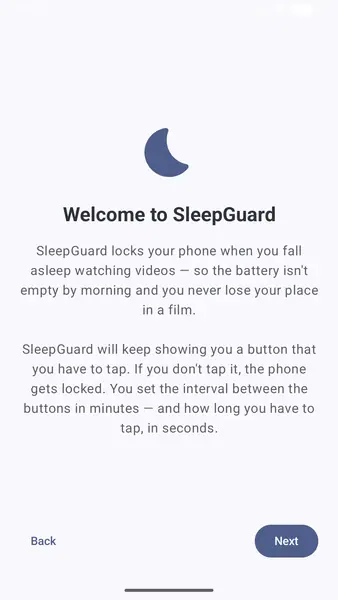
Do you often fall asleep while watching videos or listening to music on your phone? SleepGuard makes sure your device doesn't keep running all night long.
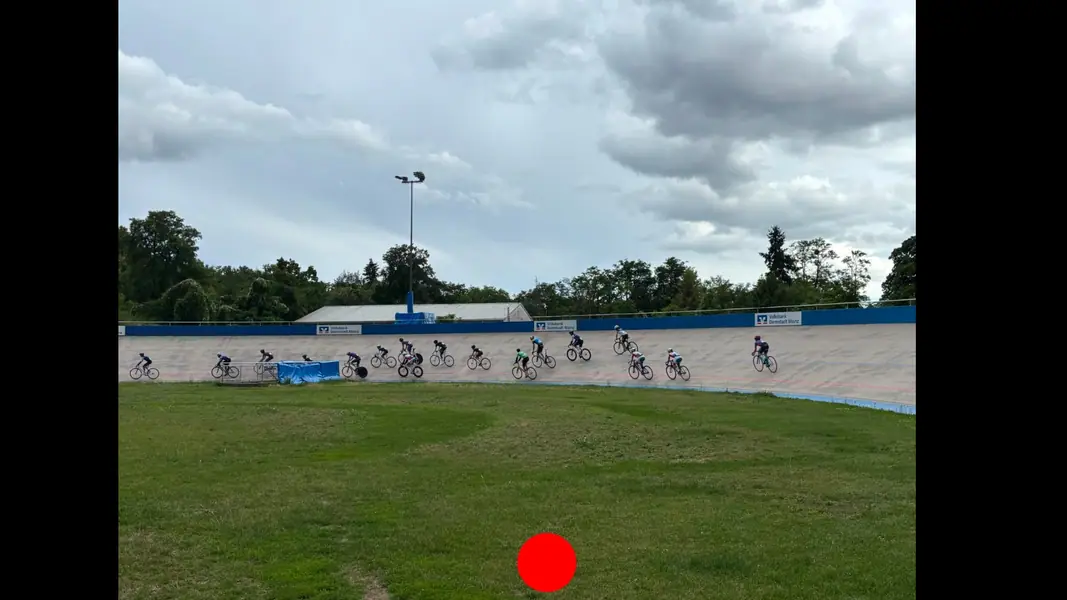
At an interval you choose, a small red circle appears on top of whatever you are watching. Tap it and playback continues as normal. Don't tap it within a few seconds - because you have fallen asleep - and SleepGuard locks the screen, just like pressing the power button. Your video stops and your phone is protected for the rest of the night.
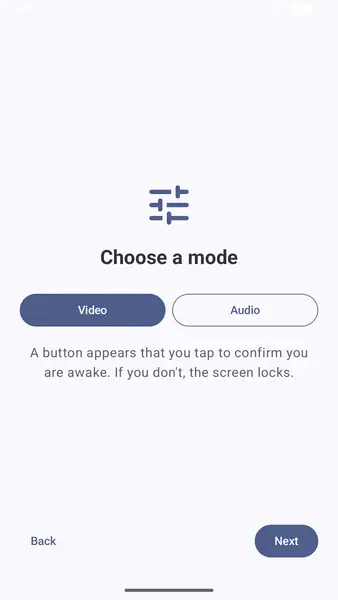
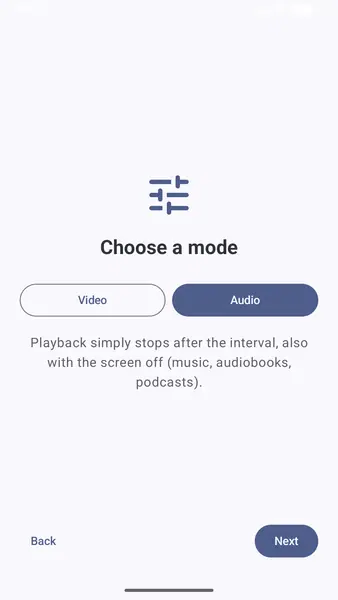
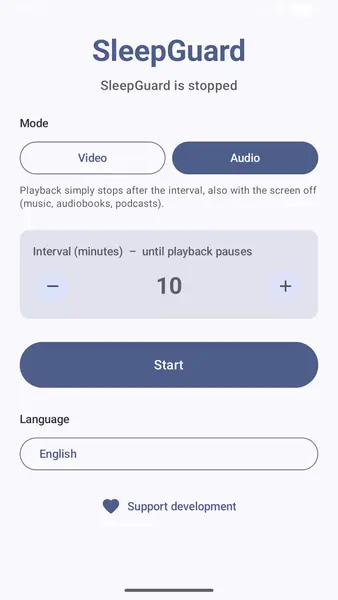
There is also an Audio mode for music, audiobooks and podcasts: instead of a button, SleepGuard works as a simple sleep timer that stops playback after your chosen interval — even with the screen off.
WHY YOU NEED IT
- YouTube and other apps with autoplay: Without SleepGuard, one video starts the next and the next and the next ... until morning. In the worst case the battery is drained empty and your alarm can no longer go off when you need it. SleepGuard stops the chain as soon as you stop responding.
- Netflix, Prime Video and other streaming apps: Fall asleep mid-episode and you wake up not knowing where you dozed off. You waste time scrubbing back to find the spot - sometimes sitting through long ads again and again. SleepGuard locks the screen right when you don't respond, so your streaming app knows where to continue.
HOW IT WORKS
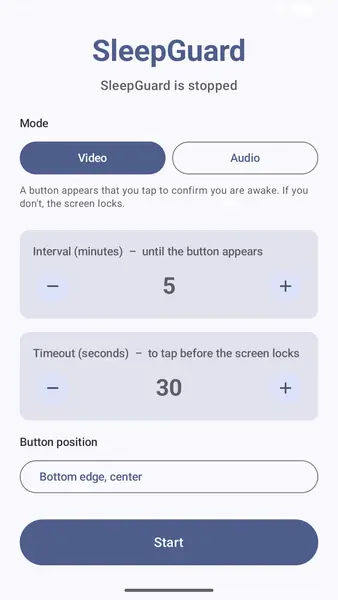
- Set how often the check button should appear (e.g. every 5 minutes).
- Set how many seconds you have to react before the screen locks (e.g. 30 seconds).
- Choose where on the screen the button appears.
- Start SleepGuard and keep watching.
FEATURES
- Two modes: Video (wake-check button over any app) and Audio (sleep timer for music, audiobooks and podcasts, works also with the screen off)
- Adjustable interval and reaction time
- Eight button positions to choose from
- Reliable timing even in the background (uses the system alarm)
- Completely free, no ads, no tracking, no accounts
PRIVACY
SleepGuard has NO internet permission at all. It cannot send or receive any data. It does exactly two things: show a button and lock the screen. It collects nothing.
PERMISSIONS EXPLAINED
- Display over other apps: to show the red circle on top of your video.
- Device admin (screen lock only): to lock the screen like the power button.
- Foreground service & exact alarm: to make the check button appear on time.
- Ignore battery optimization: so the button still works reliably while another app is in the foreground.
- Notifications (Android 13+): to show the ongoing "SleepGuard is active" notification.
OPEN SOURCE
SleepGuard is free software, licensed under the GNU General Public License v3. The full source code is available so anyone can inspect exactly what the app does: https://github.com/OlafDrechsler/SleepGuard
SUPPORT
SleepGuard is free and will stay free. If it helps you, you can support its developer with a voluntary donation from within the app. There is deliberately no reward in return - it is simply a thank-you.
THE IDEA / THE NAME
The idea for the app comes from a safety system used on trains. In the driver’s cab, there is a button that the driver must press at regular intervals, otherwise the train will automatically stop. By pressing the button, the driver confirms that he or she is awake. Colloquially, this button is called a “dead man’s switch,” and so the app is also called “SleepGuard – dead man’s switch.”
What's new in version 1.7.0
Smaller download size. Fixed the Start/Stop button not updating right away when the notification's Stop button is used.
APK file information
| Package name | com.sleepguard |
|---|---|
| Version | 1.7.0 (code 15) |
| Minimum Android | Android 8.0 · targets Android 16 |
| Architectures | arm64-v8a, armeabi-v7a, x86, x86_64 |
| SHA-256 | 2f0a92056bfaef0b719b5d9ff888458c7803633503cd46f0df4bd33589d38ad7 |
| Signature | 937eb89c4fc4356477d6cf6953a31b772408482c8702fbca467b5858d8867b01 |
| Licence | GPL-3.0-or-later — copyleft free licence: the code is public and modified versions must stay free |
| Source code | github.com/OlafDrechsler/SleepGuard |
Permissions
- Draw over other apps sensitive
- Run in the background
- Show notifications
3 other technical permission(s)
USE_EXACT_ALARM SCHEDULE_EXACT_ALARM REQUEST_IGNORE_BATTERY_OPTIMIZATIONS
Older versions
- SleepGuard 1.7.0September 17, 2026 · 1.7 MB
- SleepGuard 1.6.2September 7, 2026 · 11.3 MB
- SleepGuard 1.6.1July 31, 2026 · 11.3 MB
How to install SleepGuard APK
- Tap Download APK above, then open the file once the download has finished.
- If Android asks, allow your browser to install unknown apps.
- Tap Install. SleepGuard then appears with your other apps.
Having trouble? Read our guides how to install an APK on Android and "App not installed": how to fix it.
Frequently asked questions
Is SleepGuard free?
Yes. SleepGuard is distributed under the GPL-3.0-or-later licence: free, no subscription, and its source code is public.
Is this APK file safe?
The file is the one built and published by the F-Droid repository from the public source code. Its SHA-256 fingerprint is shown above, so you can compare it after downloading. How to check an APK.
Will SleepGuard work on my phone?
You need at least Android 8.0. The app also works without Google services, so it runs on recent Huawei phones too.





