SnapSafe APK
Snap pics of anything, safely.
Download APK v4.2.0 · 9.0 MB- Version4.2.0
- Size9.0 MB
- RequiresAndroid 10
- Updated10/12/2026
- LicenceMIT
- PriceFree
About SnapSafe
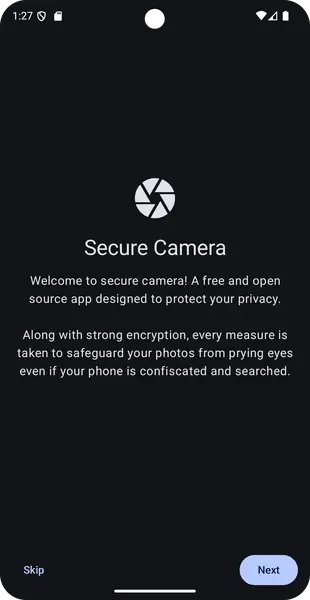
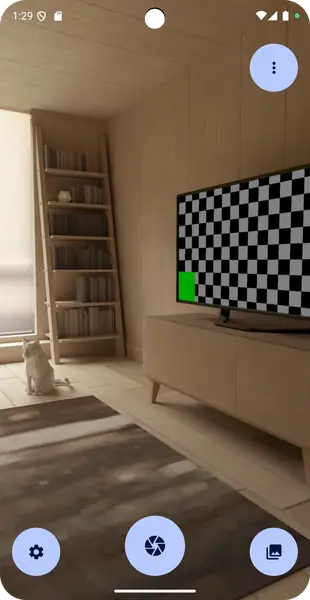
SnapSafe is a camera app that keeps every pixel—and every byte of data—exactly where it belongs: on YOUR device.
Why SnapSafe? We capture photos locally, encrypt everything in private storage, let YOU decide if GPS tags are added, and strip out tell‑tale metadata automatically.
Free and Open Source, forever.
We NEVER phone home or talk to servers, slurp analytics or usage stats, sprinkle ads or trackers in the code, or read files outside our sandbox.
Key Features:
- Zero‑Leak Design – The manifest skips android.permission.INTERNET; nothing leaves your device.
- Fully Encrypted – Shots are written to app‑private storage using strong encryption.
- Metadata Scrub‑A‑Dub – EXIF and other identifiers are wiped the instant you hit Share.
- Secure Sharing – When you do share, we hand the file off via Android's native share sheet—no detours.
- Anti-Doxing – Automatically Blur faces before sharing photos
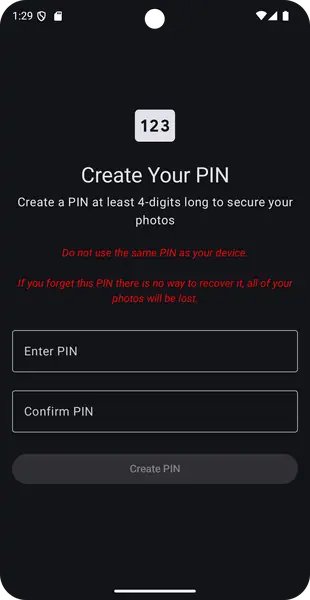
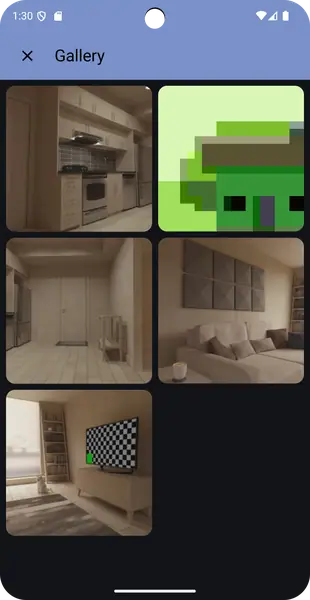
- PIN‑Locked Gallery – A separate PIN stands between curious thumbs and your photos.
- Granular Location – Add coarse, fine, or zero location data—your call.
- 100% Open Source – Auditable code in plain sight.
- Poison Pill – Set a special PIN, that when entered, appears to work normally but actually deletes your existing
photos.
- Decoy Photos – Select innocuous decoy photos, these will be preserved when your Poison Pill is activated. That way
your Gallery is not suspiciously empty.
Privacy Policy: We collect nothing.
What's new in version 4.2.0
- Localization updates
- New Dark Rock Studios section on the About screen
- Library upgrades
APK file information
| Package name | com.darkrockstudios.app.securecamera |
|---|---|
| Version | 4.2.0 (code 32) |
| Minimum Android | Android 10 · targets Android 16 |
| Architectures | arm64-v8a, armeabi-v7a, x86, x86_64 |
| SHA-256 | c908b13326c251e65db835dd9c60dbdeb4311b56e428f4b4611c847968951b99 |
| Signature | 66a4da23c900c2a57c117c026059eb1352a04e8a7dc00b393bbddbcc7e1383b6 |
| Licence | MIT — permissive free licence: the source code is public and reusable |
| Source code | github.com/SecureCamera/SecureCameraAndroid |
Permissions
- Camera sensitive
- Microphone sensitive
- Approximate location sensitive
- Precise location (GPS) sensitive
- Show notifications
- Vibrate
- Run in the background
- Keep the device awake
- Start at boot
Older versions
- SnapSafe 4.2.0October 12, 2026 · 9.0 MB
- SnapSafe 4.1.3May 27, 2026 · 8.7 MB
- SnapSafe 4.1.2February 18, 2026 · 8.4 MB
How to install SnapSafe APK
- Tap Download APK above, then open the file once the download has finished.
- If Android asks, allow your browser to install unknown apps.
- Tap Install. SnapSafe then appears with your other apps.
Having trouble? Read our guides how to install an APK on Android and "App not installed": how to fix it.
Frequently asked questions
Is SnapSafe free?
Yes. SnapSafe is distributed under the MIT licence: free, no subscription, and its source code is public.
Is this APK file safe?
The file is the one built and published by the F-Droid repository from the public source code. Its SHA-256 fingerprint is shown above, so you can compare it after downloading. How to check an APK.
Will SnapSafe work on my phone?
You need at least Android 10. The app also works without Google services, so it runs on recent Huawei phones too.