TrovePass APK
Offline password generator — one master password for every site
Download APK v1.0.0 · 251 KB- Version1.0.0
- Size251 KB
- RequiresAndroid 5.0
- Updated10/14/2026
- LicenceGPL-3.0-or-later
- PriceFree
About TrovePass
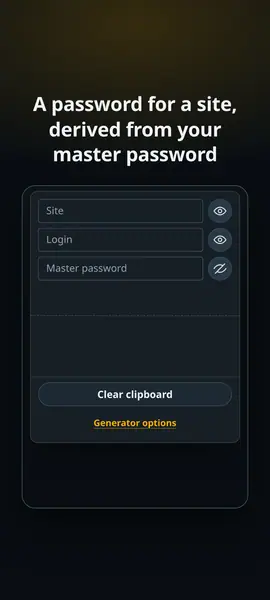
TrovePass derives a password for each of your websites and apps from a single master password — offline, with no account, on the device alone.
WHAT IT DOES
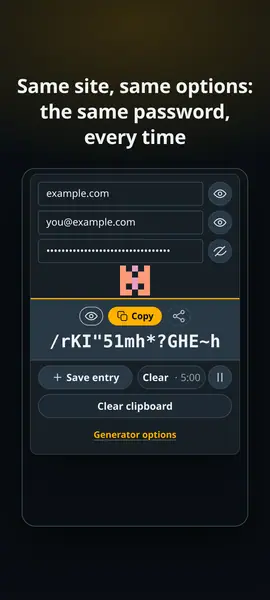
- Derives a site's password from your master password: the same site, login and options always produce the same password, on any device, with nothing stored.
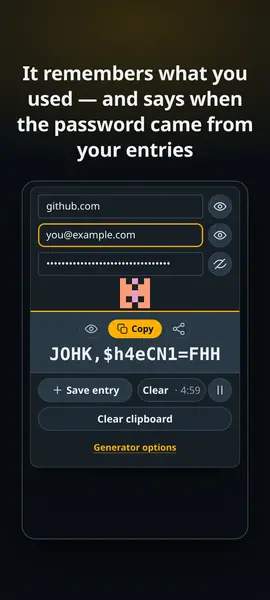
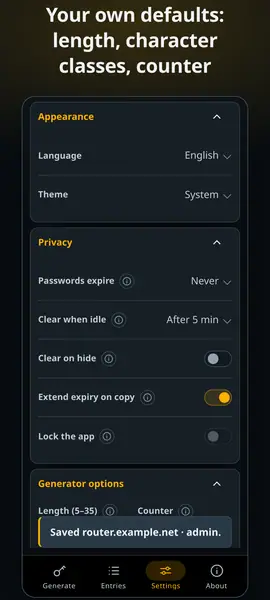
- Remembers the site, login and options you used, so you never have to recall the counter and the character classes behind a password.
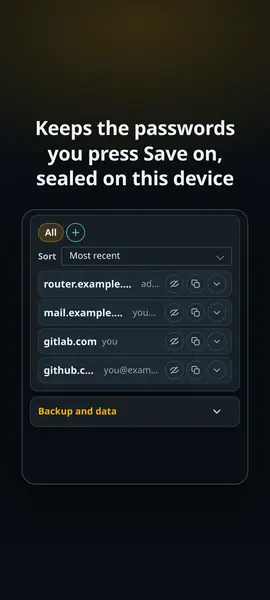
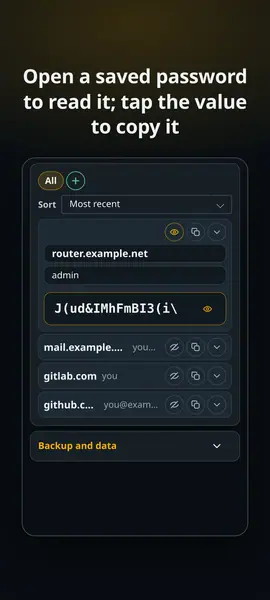
- Saves a password only when you press Save on it, and seals what you save with a key this device holds.
- Shows a fingerprint of your master password — a squared tile in two colours — so a typo is visible before it derives the wrong password.
- Speaks 85 languages, and asks for no permission of any kind.
WHAT IT DOES NOT DO
- No account, no sign-in, no sync, no telemetry, no analytics.
- No network code, and no network permission: there is nothing here that could send anything anywhere.
- The master password is never stored, in any form. Nothing asks you to unlock anything either — saved passwords are sealed with a key that never leaves the device.
THE SAME PASSWORDS AS LESSPASS
Both apps derive a password from the same inputs in exactly the same way, quirks included, so a password you generated with LessPass is the password TrovePass gives you. This is an independent implementation of the published format, not a fork.
WHO IT IS FOR
Anyone who would rather remember one master password than fifty: a site name and the master password are enough, on any device, with no account to create and nothing to lose if the phone is lost.
LICENCE
GPL-3.0-or-later. The complete source of this app is published under that licence.
What's new in version 1.0.0
First release. Derives a site's password offline from one master password, byte-identical to the LessPass format; remembers the sites and options you used; keeps the passwords you save in this device's own sealed store; a visual fingerprint makes a mistyped master visible. 85 languages. No accounts, no network code, no permission of any kind.
APK file information
| Package name | io.github.u_20240816.trovepass |
|---|---|
| Version | 1.0.0 (code 10000) |
| Minimum Android | Android 5.0 · targets Android 16 |
| Architectures | All (universal) |
| SHA-256 | 8d7252e776aa587d58ae5a2f486a0e353ca916524cec69322cf4c2584d6c6dfa |
| Signature | 465c37ee8dec687810cb175e66bbf45530038a21533f7812724bd1b457f69cca |
| Licence | GPL-3.0-or-later — copyleft free licence: the code is public and modified versions must stay free |
| Source code | github.com/20240816/TrovePass |
Permissions
No special permissions.
How to install TrovePass APK
- Tap Download APK above, then open the file once the download has finished.
- If Android asks, allow your browser to install unknown apps.
- Tap Install. TrovePass then appears with your other apps.
Having trouble? Read our guides how to install an APK on Android and "App not installed": how to fix it.
Frequently asked questions
Is TrovePass free?
Yes. TrovePass is distributed under the GPL-3.0-or-later licence: free, no subscription, and its source code is public.
Is this APK file safe?
The file is the one built and published by the F-Droid repository from the public source code. Its SHA-256 fingerprint is shown above, so you can compare it after downloading. How to check an APK.
Will TrovePass work on my phone?
You need at least Android 5.0. The app also works without Google services, so it runs on recent Huawei phones too.