Truvark APK
A multi-vault file encryption app that respects your privacy.
Download APK v2.1.0 · 8.4 MB- Version2.1.0
- Size8.4 MB
- RequiresAndroid 12
- Updated7/26/2026
- LicenceGPL-3.0-or-later
- PriceFree
About Truvark
Maybe you're wondering why you should give an underdog file encryption app a chance? Especially when this type of app is all about trust?
Compared to many other popular alternatives, Truvark...
- supports multiple vaults on a single device
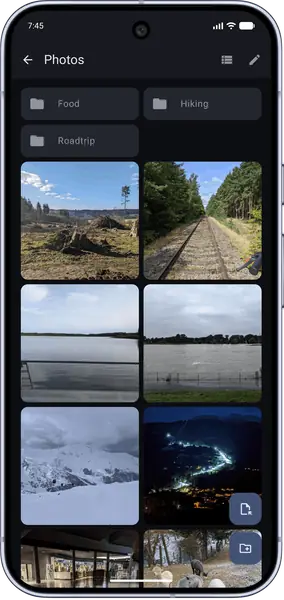
- supports deep folder structures (subfolders)
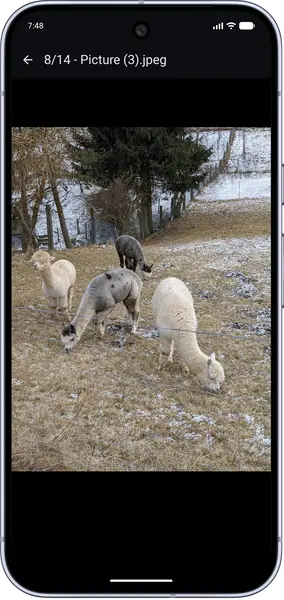
- decrypts common media files (images, video, audio) in-app on the fly
- works completely offline, no internet access/permission required
- runs without dangerous permissions like full storage/media access
- contains no advertising, telemetry or other user data collection
- encrypts all indices and thumbnails
- allows biometric unlocking (e.g. fingerprint) securely
As you can see, there are already plenty of reasons to give Truvark a try!
What's new in version 2.1.0
- Added manual vault locking; returns to launcher
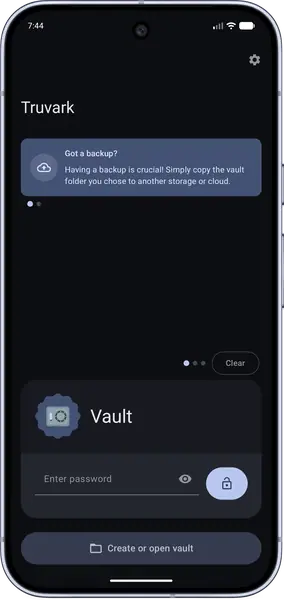
- Shows more recently used vaults on the launcher, with a button to clear history
- Redesigned settings and launcher screens (Material 3 Expressive)
- Added option to prevent screen capture
- Add button to open settings from launcher
- Target Android 17
- Removed unused ACCESS_NETWORK_STATE permission
- Fixed animated WebP playback
- Fixed rename folder dialog cursor position
APK file information
| Package name | de.lukaspieper.truvark |
|---|---|
| Version | 2.1.0 (code 204) |
| Minimum Android | Android 12 · targets API 37 |
| Architectures | arm64-v8a, x86_64 |
| SHA-256 | 808ad3edda9f7b203a75154f27761648cef8cd832b70f2af53ef10862728683c |
| Signature | a57207c9e2019e2e9db387304ef0b5fddc764f9bdb07330a57a62813b612473d |
| Licence | GPL-3.0-or-later — copyleft free licence: the code is public and modified versions must stay free |
| Source code | github.com/lukaspieper/Truvark |
Permissions
- Show notifications
- Run in the background
- Fingerprint / biometrics
- Fingerprint
- Keep the device awake
- Start at boot
1 other technical permission(s)
HIDE_OVERLAY_WINDOWS
Older versions
- Truvark 2.1.0July 26, 2026 · 8.4 MB
- Truvark 2.0.3June 16, 2026 · 7.8 MB
How to install Truvark APK
- Tap Download APK above, then open the file once the download has finished.
- If Android asks, allow your browser to install unknown apps.
- Tap Install. Truvark then appears with your other apps.
Having trouble? Read our guides how to install an APK on Android and "App not installed": how to fix it.
Frequently asked questions
Is Truvark free?
Yes. Truvark is distributed under the GPL-3.0-or-later licence: free, no subscription, and its source code is public.
Is this APK file safe?
The file is the one built and published by the F-Droid repository from the public source code. Its SHA-256 fingerprint is shown above, so you can compare it after downloading. How to check an APK.
Will Truvark work on my phone?
You need at least Android 12. The app also works without Google services, so it runs on recent Huawei phones too.





