
WaveUp APK
Turn on the display by waving
Download APK v3.2.40 · 4.6 MB- Version3.2.40
- Size4.6 MB
- RequiresAndroid 6.0
- Updated10/1/2026
- LicenceGPL-3.0-only
- PriceFree
About WaveUp
WaveUp wakes up your phone—switches the screen on—when you wave over the proximity sensor.
I built this app because I got tired of pressing the power button just to check the time (a surprisingly frequent habit). Inspired by the great Gravity Screen On/Off. I looked for an open-source alternative and just couldn’t find one. So I made it myself! Checkout the code: https://gitlab.com/juanitobananas/wave-up A possibly more more up-to-date README: https://gitlab.com/juanitobananas/wave-up/#waveup
Features
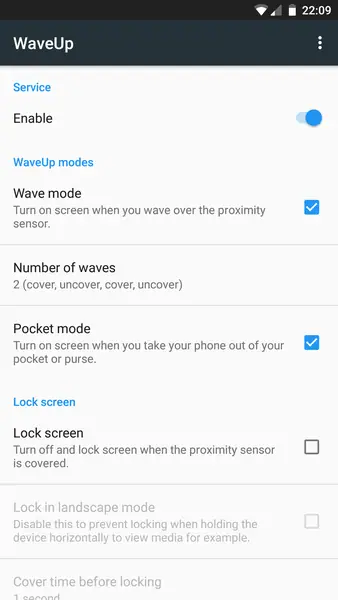
▸ Wave mode: Turns the screen on when you wave over the proximity sensor. ▸ Pocket mode: Turns the screen on when you pull your phone out of a pocket or bag.
Both are enabled by default but can be turned off in settings.
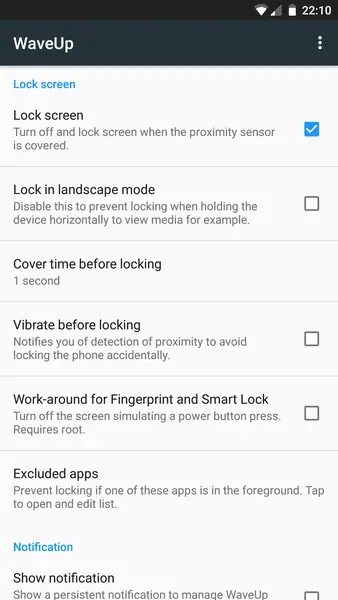
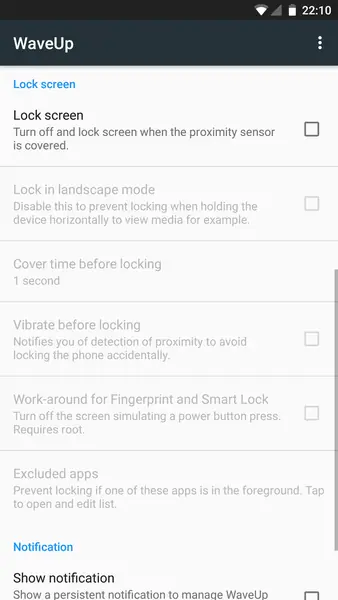
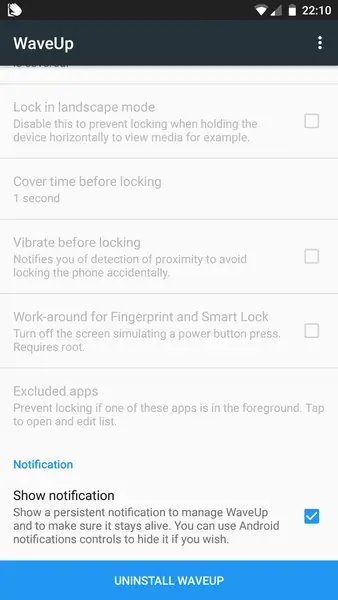
▸ Screen lock: cover the sensor for a second (or your chosen time) and the phone locks. Off by default, but easy to enable.
Wait, what's a proximity sensor? It’s that invisible little thing near your phone’s earpiece that turns off the screen when you’re on a call.
Known Issues Some phones keep the CPU running while listening to the proximity sensor and this drains battery (blame your phone, not me). Most phones don’t, so battery use is minimal.
Accessibility Services
▸ Purpose: Starting with Android 9, WaveUp utilizes the Accessibility Services API to allow users to switch off the screen. ▸ Privacy and Security: WaveUp uses the Accessibility Services API exclusively for this purpose and only if the 'lock' option is enabled. No personal data is collected, stored, or shared through this service. ▸ Permission Scope: The Accessibility Services permission is strictly used for enabling the screen lock feature. It does not monitor or interact with any other aspect of device usage.
Permissions (yep, quite a few)
▸ WAKE_LOCK – turn on the screen ▸ RECEIVE_BOOT_COMPLETED – auto-start on boot ▸ READ_PHONE_STATE – pause during calls ▸ BLUETOOTH / CONNECT – avoid pausing when on a Bluetooth call ▸ IGNORE_BATTERY_OPTIMIZATIONS etc. – stay alive in the background ▸ FORCE_LOCK – lock device (Android 8 and below) ▸ ACCESSIBILITY_SERVICE – lock device (Android 9+) ▸ DELETE_PACKAGES – let the app uninstall itself if needed
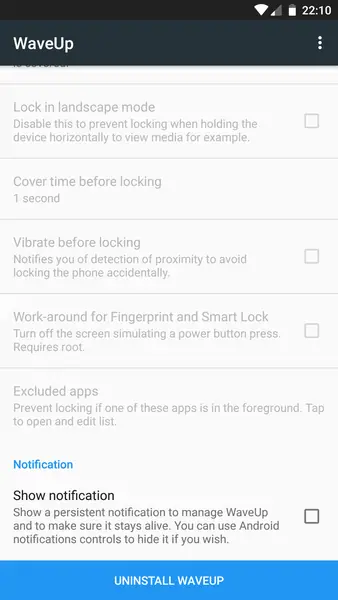
Uninstalling (Android 8 and older) WaveUp uses Device Admin permissions, so it won’t uninstall the usual way. Use the 'Uninstall WaveUp' button in the app to remove it properly.
Fun fact
This is my first Android app and my first open-source contribution! I'd love your feedback or help—especially if you're into translations or just enjoy tinkering. Open source rocks!
Translations
Help translate WaveUp! Even the English version could use improvements. https://explore.transifex.com/juanitobananas/waveup/ https://explore.transifex.com/juanitobananas/libcommon/
Acknowledgments Thanks to all who contributed: https://gitlab.com/juanitobananas/wave-up/#acknowledgments
What's new in version 3.2.40
New in 3.2.40
★ Bring back some languages I accidentally removed 😅
New in 3.2.39
★ Fixed frozen frames that could occur when the app started the screen-on service.
New in 3.2.38
★ Fixed a crash that could happen right after the app started running in the background.
...
New in 3.2.17 ★ Remove 'Excluded apps' option (Google Play only). F-Droid ones remain fully functional. Google doesn't allow WaveUp to read installed apps, which is necessary for this.
...
APK file information
| Package name | com.jarsilio.android.waveup |
|---|---|
| Version | 3.2.40 (code 145) |
| Minimum Android | Android 6.0 · targets API 37 |
| Architectures | arm64-v8a, armeabi-v7a, x86, x86_64 |
| SHA-256 | fa0b281c36cd66e7f0844402b5ce2d02d72b2f0160fd2a013c6ce68449d99e1a |
| Signature | 76ba3aa3786041f0f2648f287821f1055c071eaee07aa4cf7b62114359ff485a |
| Licence | GPL-3.0-only — copyleft free licence: the code is public and modified versions must stay free |
| Source code | gitlab.com/juanitobananas/wave-up/tree/HEAD |
Permissions
- See installed apps sensitive
- Keep the device awake
- Start at boot
- Phone status sensitive
- Vibrate
- Run in the background
- Bluetooth
- Connect via Bluetooth
- Show notifications
5 other technical permission(s)
PACKAGE_USAGE_STATS TURN_SCREEN_ON USES_POLICY_FORCE_LOCK REQUEST_IGNORE_BATTERY_OPTIMIZATIONS REQUEST_DELETE_PACKAGES
Older versions
- WaveUp 3.2.40October 1, 2026 · 4.6 MB
- WaveUp 3.2.39September 21, 2026 · 3.7 MB
- WaveUp 3.2.38September 15, 2026 · 4.6 MB
How to install WaveUp APK
- Tap Download APK above, then open the file once the download has finished.
- If Android asks, allow your browser to install unknown apps.
- Tap Install. WaveUp then appears with your other apps.
Having trouble? Read our guides how to install an APK on Android and "App not installed": how to fix it.
Frequently asked questions
Is WaveUp free?
Yes. WaveUp is distributed under the GPL-3.0-only licence: free, no subscription, and its source code is public.
Is this APK file safe?
The file is the one built and published by the F-Droid repository from the public source code. Its SHA-256 fingerprint is shown above, so you can compare it after downloading. How to check an APK.
Will WaveUp work on my phone?
You need at least Android 6.0. The app also works without Google services, so it runs on recent Huawei phones too.





